EasyManua.ls Logo

wallPen E2 - Page 93

Default Icon
145 pages
Print Icon
To Next Page IconTo Next Page
To Previous Page IconTo Previous Page
Loading...
93
Version 2.0.4 | © 2016-2021 wallPen GmbH
Color Spaces
The CMYK Color Space
Printers on the other hand mostly work in the CMYK color space, which limits the
representation of colors even further...
In contrast to RGB, a "subtractive color
model" is CMYK. It consists of the
three colors cyan, magenta and yellow
as well as the key color black, which
are printed on a light (= white)
background. The more color is
applied, the darker the result. The Key
Color is necessary, because 100 %
color application of cyan, magenta and
yellow does not produce a real black,
but only a dark brown. The CMYK
color mode is used in offset printing,
for printers at home, and also in the
printing industry. The individual colors
are applied to the substrate one after
the other, depending on the mixing
ratio, all possible color nuances are
created. Theoretically, over 4 billion
colors are possible in the CMYK color
space. However, only much less can be
displayed and printed on the screen. In
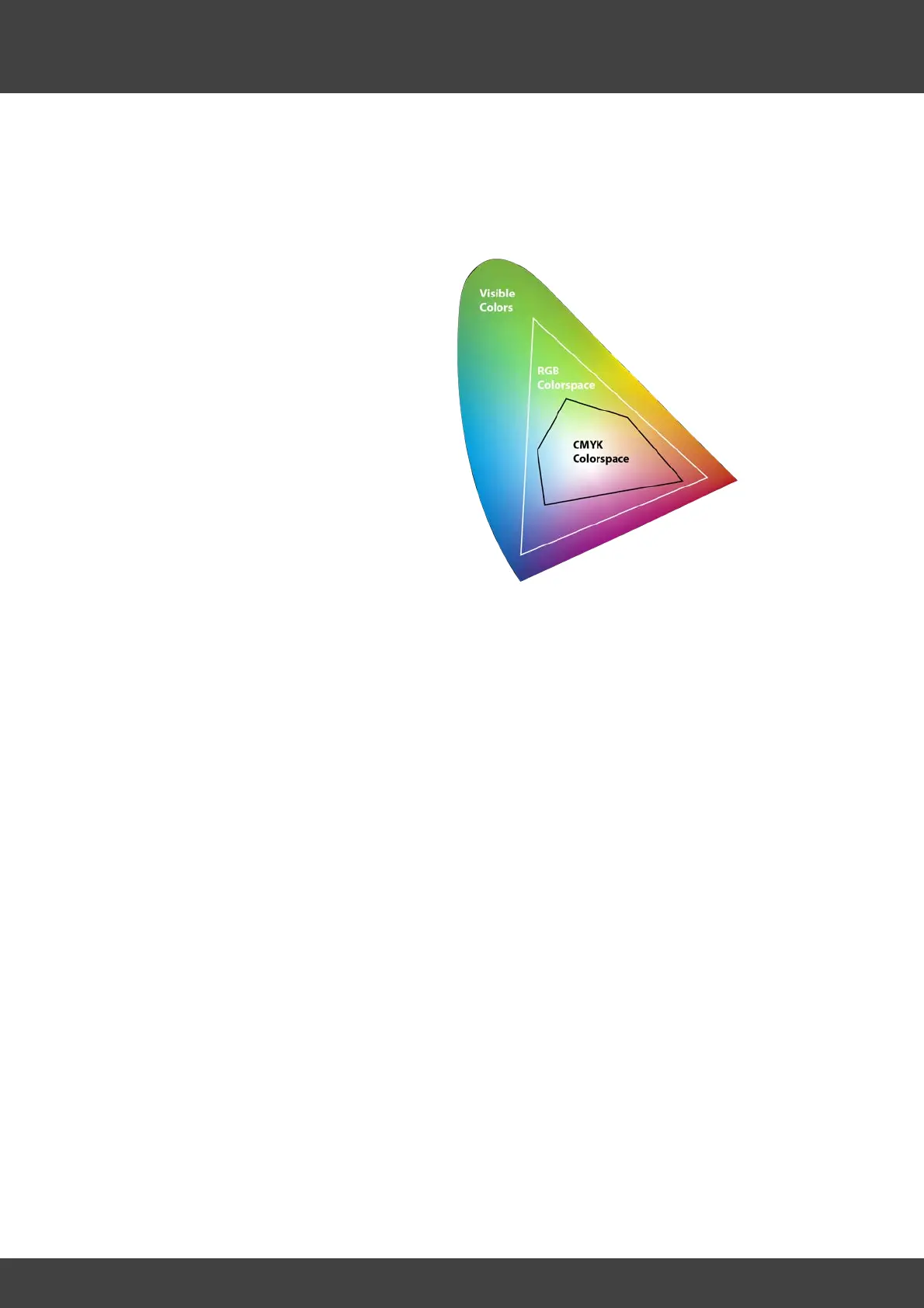
fact, the CMYK color space is smaller
than the RGB color space.

This is one of the challenges when creating print data. Photos, images and other
elements are usually provided in RGB color space and must be converted to CMYK
before printing. Since many colors tones cannot be "translated" one to one from RGB
to CMYK, certain color deviations will occur. To avoid any unpleasant surprises, you
should always use a well calibrated monitor with activated "Proof Colors" under the
"View" menu within PhotoShop set as "Working CMYK" (also see Chapter "Color
Management | Color Correction").