890557_d•en•01.07.2014
We reserve the right to carry out improvements
18
Wisotronic 1-channel
Operating instructions
3.4 Concept
Before you install and start the Wisotronic, this chapter will explain the basic
concept of the system and familiarise you with the many options and the
complex projects it can be used to realise.
3.4.1 Channels, facades and
products
Because misunderstandings have already occurred regarding the term
"Facade" in the area of sun shading control systems, this point shall be ex-
plained here in more detail:
The Wisotronic has 1, 2, 3 or 4 channels, depending on the model. Each
channel can access either a single product (e.g. an awning) or several prod-
ucts of the same type (e.g. roller shutters).
NOTE To actuate multiple products through a single channel of the Wisotronic,
additional components may be required (such as motor control units).
➊
➋
➌
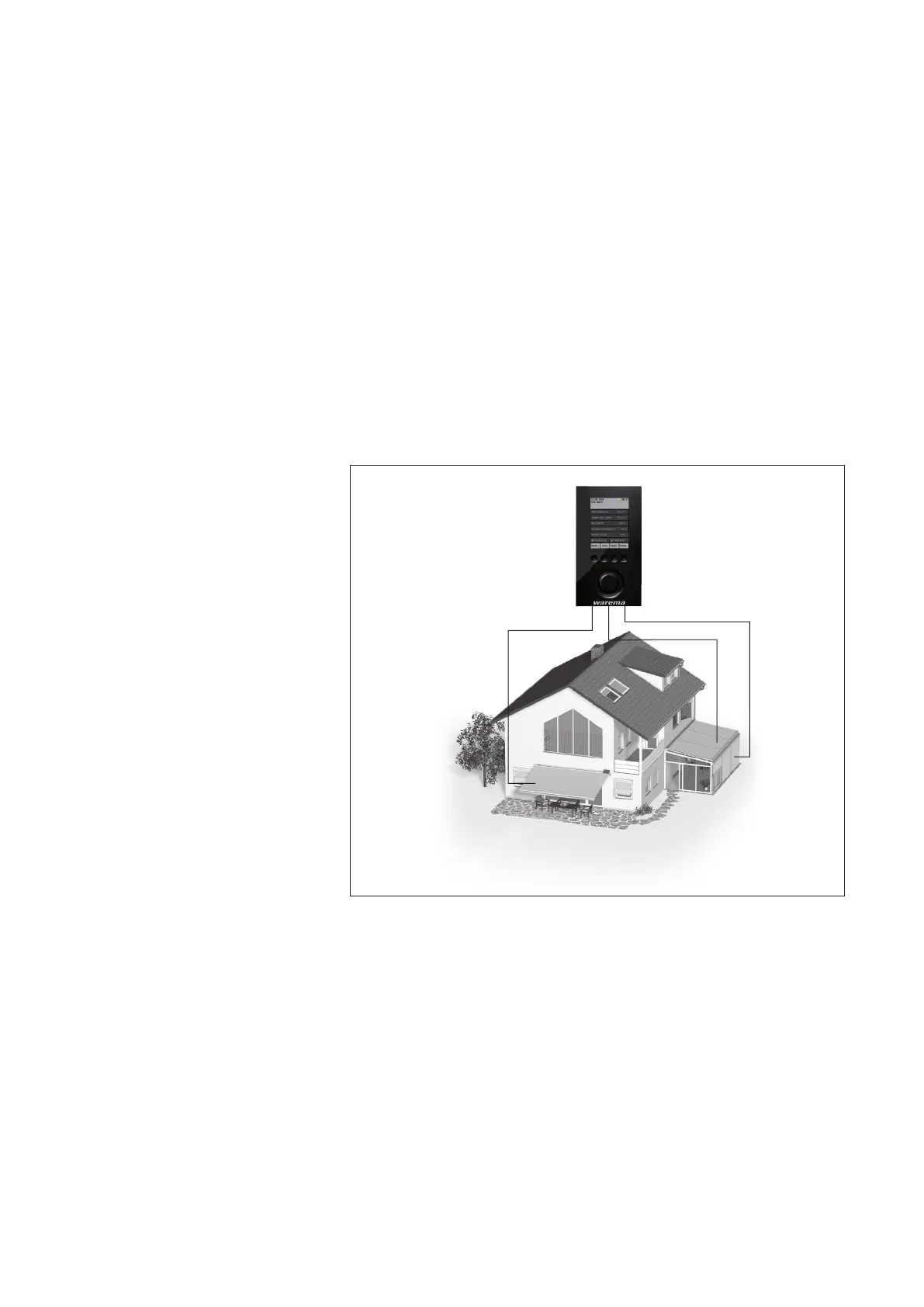
Fig. 4 Example: channels of the Wisotronic
Example In the example illustrated above, channel
controls the awning on facade 1,
channel
2
the conservatory awning on facade 2 and channel
3
the external
venetian blinds of the conservatory on facade 2. This demonstrates that a
distinction according to building facades cannot be made in this example
since the individual channels are of importance here.
Example Another example: The Wisotronic controls all roller shutters on the west fa-
cade with channel 1, all roller shutters on the south facade with channel 2
and all roller shutters on the east facade with channel 3. Because the control
is divided here according to the facades, the term "facade" instead of "chan-
nel" could be used in this example.
Introduction



 To Next Page