890557_d•en•01.07.2014
We reserve the right to carry out improvements
66
Wisotronic 1-channel
Operating instructions
7.2.6 Time switch
The time switch is another comfort function of the Wisotronic that allows the
sun shading product to be raised or lowered at a specific time. Move com-
mands can be programmed
for each individual day of the week
for a complete work week together (Monday till Friday)
for the weekend (Saturday and Sunday)
for a complete week together (Monday till Sunday)
x. Four programmable switch times are available for each day. Furthermore,
the position and subsequent tilting of the slats of a slat product can be pro-
grammed with different slat angles.
NOTE Dawn/dusk control and timer: Please use the automatic control (see 7.2.6.5)
for these functions if you want to use other automatic features.
Press the function button [Sett.] in the main menu and go to the
[Comfort functions] > [Time switch] menu.
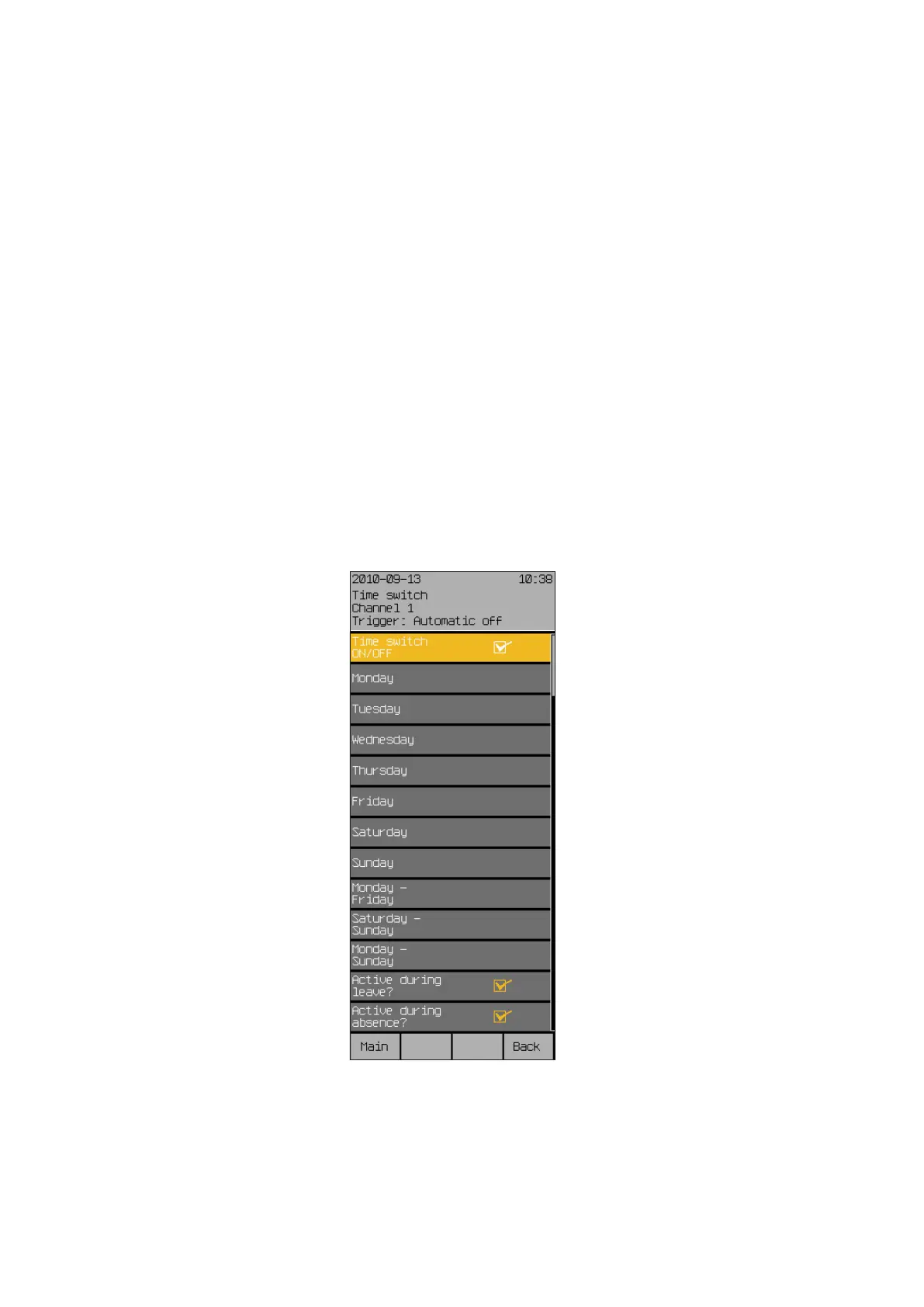
The following view appears in the display (the header may show the channel
name you selected instead of Channel1 and the setting values may be dif-
ferent):
Start menu
Main menu
Settings
Comfort functions
Time switch
Time switch



 To Next Page