890557_d•en•01.07.2014
We reserve the right to carry out improvements
44
Wisotronic 1-channel
Operating instructions
7.2.2 Dawn/dusk control
The dawn/dusk control is another comfort function of the Wisotronic. It allows
control of the sun shading products as a function of the lighting conditions at
dawn or dusk, especially to ensure visual privacy. The “Dawn/dusk” sensor
of a weather station is used to register the brightness. When the measuring
value "Dawn/dusk" exceeds the set limit value "DAWN" for the duration of 5
minutes, a move command is triggered and the sun shading product moves
to the "DAWN" position. When the measuring value "Dawn/dusk" falls below
the set limit value "DUSK" for the duration of 5 minutes, the sun shading
product moves to the "DUSK" position.
NOTE Dawn/dusk control and time switch: Please use the automatic control for
these functions if you want to use other automatic features!
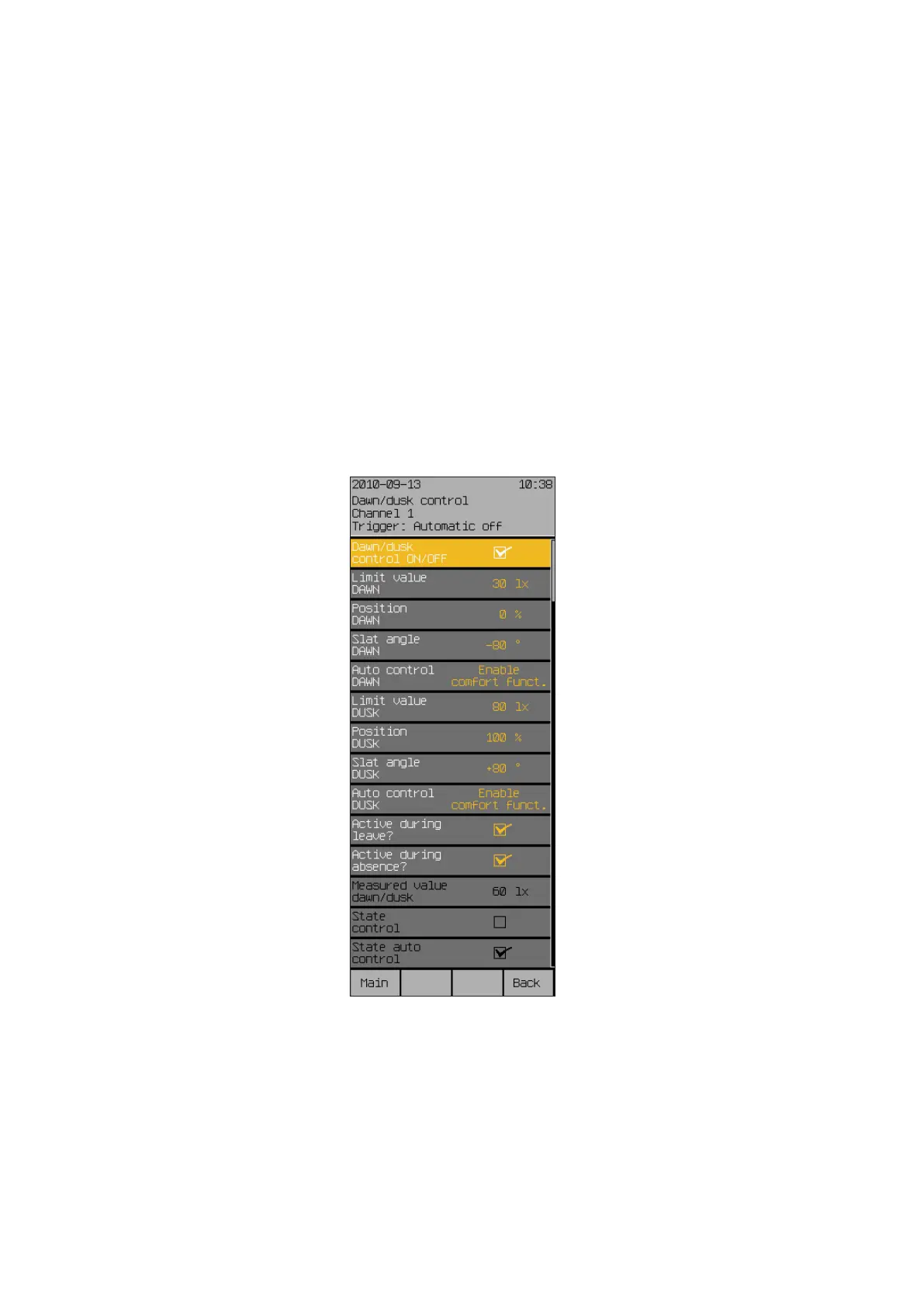
Press the [Sett.] function button in the main menu and switch to the
[Comfort functions] > [Dawn/dusk control] menu.
The following view appears in the display:
Start menu
Main menu
Settings
Comfort functions
Dawn/dusk control
Dawn/Dusk control



 To Next Page