890557_d•en•01.07.2014 We reserve the right to carry out improvements
67
7.2.6.1 Time switch ON/OFF
In this menu line, you can activate or deactivate the timer switch for the se-
lected channel.
Set or delete the checkmark in the line [Time switch ON/OFF] to activate or
deactivate the time switch.
The function button [Stand.] sets the product-specific factory setting.
Selecting this menu line leads you to the respective submenu where you can
set the switching times for the respective day or together for the selected
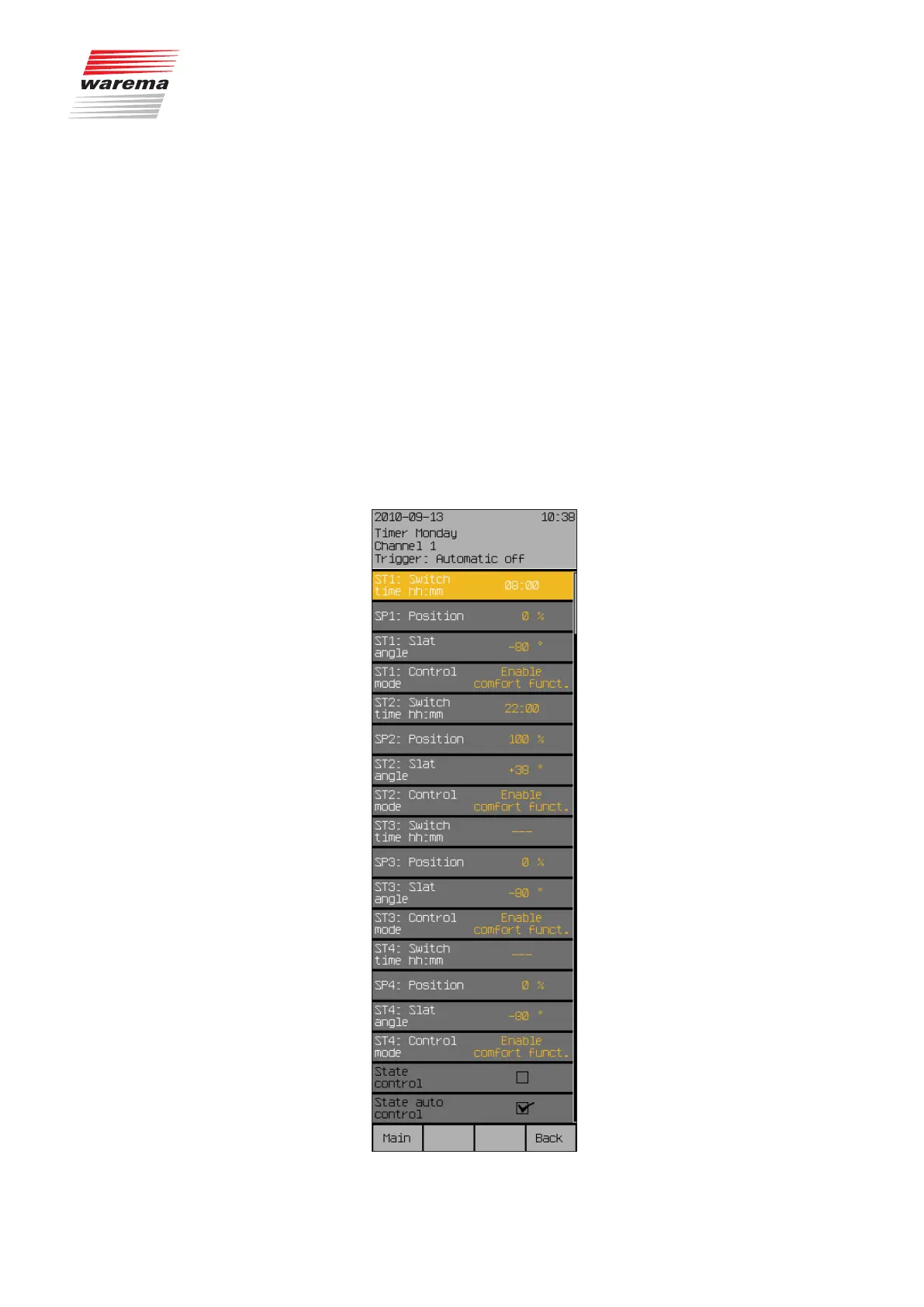
days. An example is provided here showing the settings for Monday; the sub-
menus of the other days are identical.
Select the menu line [Monday] with the touchwheel and press the
touchwheel.
The following view appears in the display (the header may show the channel
name you selected instead of Channel 1 and the setting values may be dif-
ferent):
Monday
Tuesday
Wednesday
Thursday
Friday
Saturday
Sunday
Monday - Friday
Saturday - Sunday
Monday - Sunday
Time switch



 To Next Page