890557_d•en•01.07.2014 We reserve the right to carry out improvements
79
7.3.2 Manage scenes
Any states can be stored in a scene and retrieved at any time. For a set
holding time you access positions previously learned. However, during the
holding time of the scene, the set positions can be by-passed manually or
through safety functions; after the holding time has expired the set automatic
modes assume the control of the connected products again.
Up to four scenes can be created.
NOTE Once you have created a scene as described below, you must still learn
them in the main menu. Proceed as follows for this purpose:
Move/switch manually to the desired position.
In the main menu, select the line [Scene 1] (or the name of the scene you
specified).
Select the menu item [Learn scene] by pressing the touchwheel; pressing
starts the learning process.
You can now select the [Scene 1] scene (or the name of the scene you
specified) from the main menu by turning and pressing the touchwheel and
call up the corresponding scene in the [Scene 1] menu.
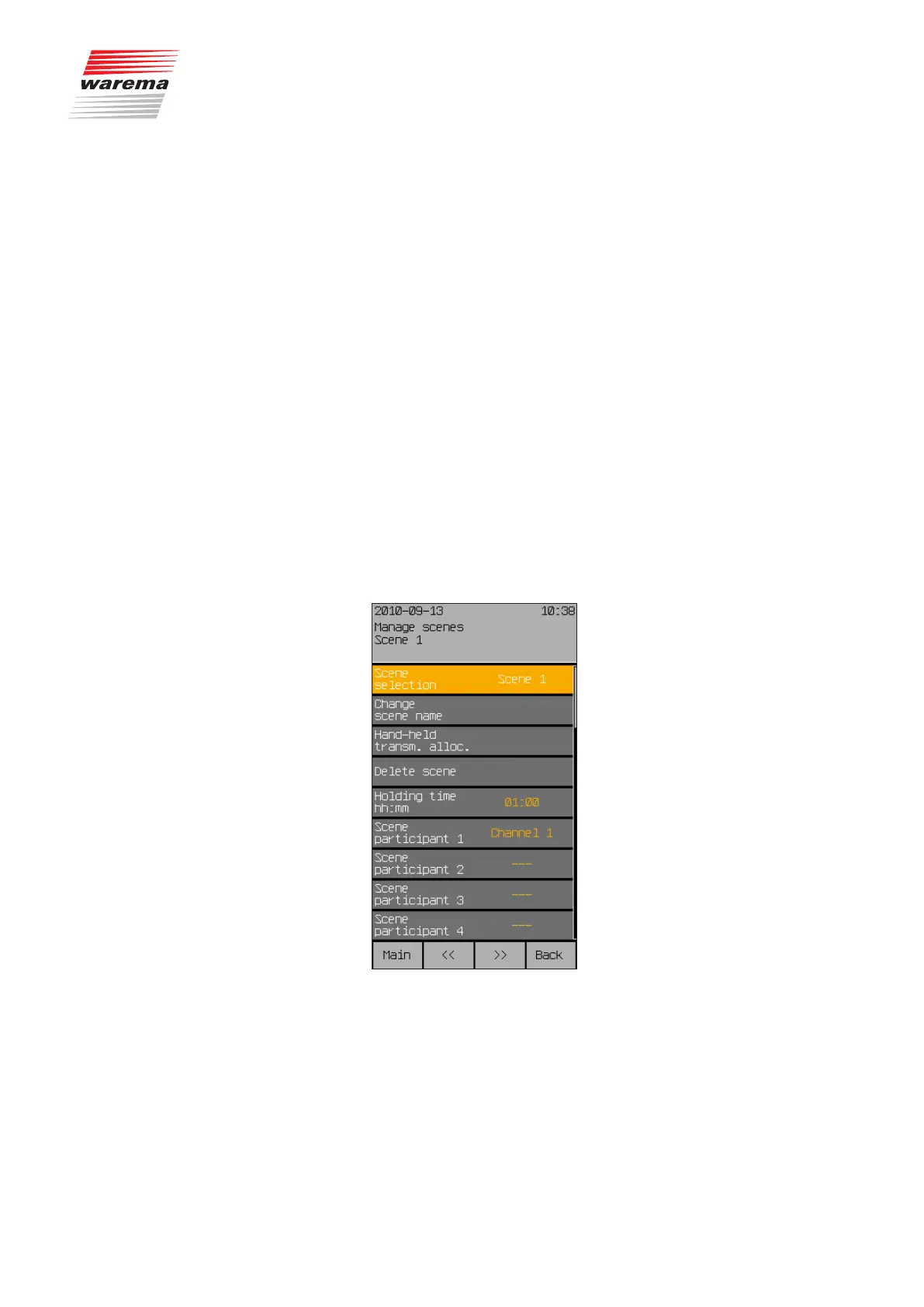
The following options are available to managing the scenes:
NOTE The [<<] and [>>] buttons can be used to change between the four scenes,
regardless of the menu line in which you are currently located. The currently
selected scene is always shown in the header.
Start menu
Main menu
Settings
Manage channels, groups, scenes
Manage scene
Channels, groups, scenes



 To Next Page