890557_d•en•01.07.2014 We reserve the right to carry out improvements
83
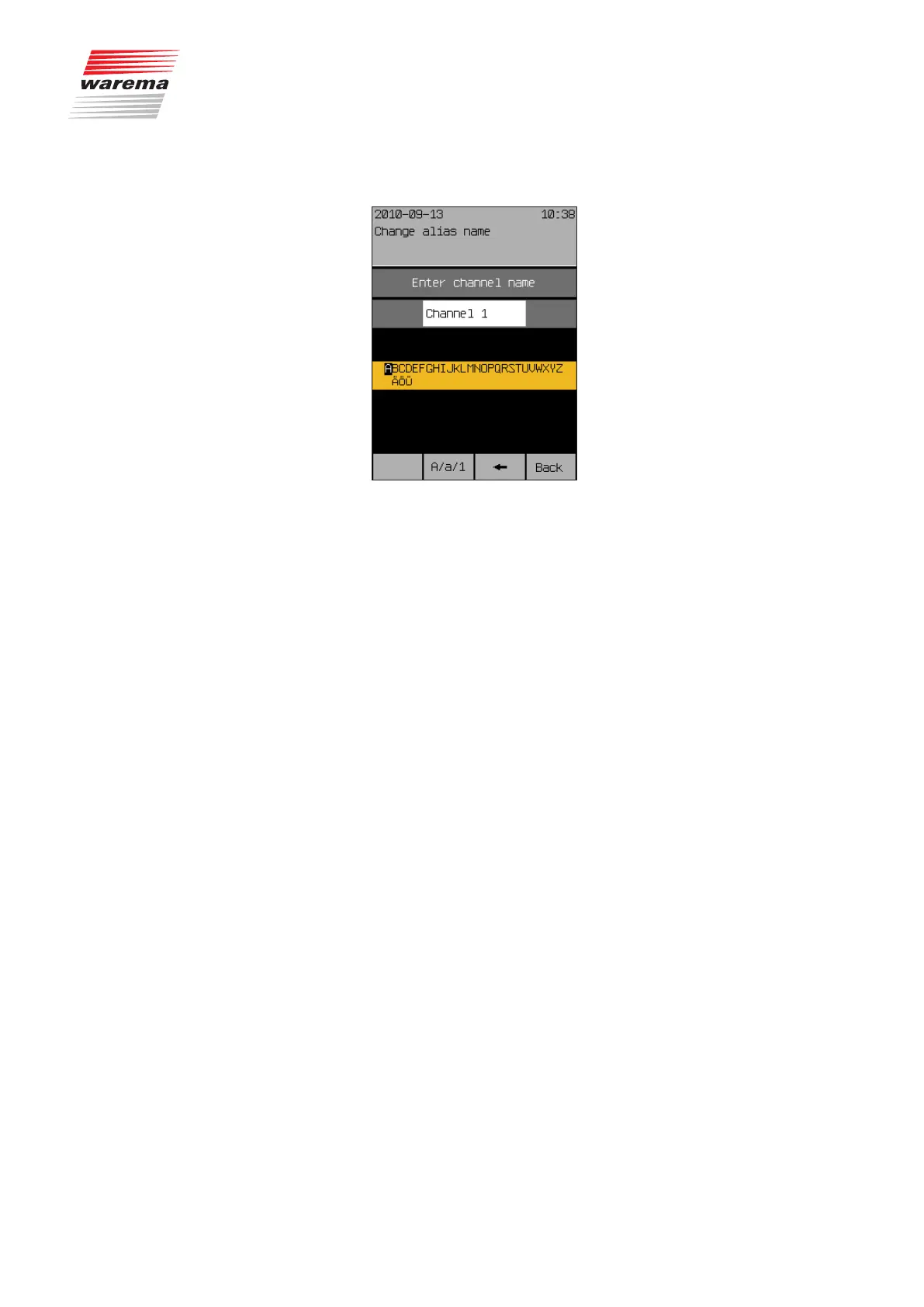
The following view appears in the display:
The heading indicates whether this is a channel or a scene. You will see the
current name in the white input field and the blinking cursor at the right. The
available characters are shown in the selection field below it. The so-called
“Alias name” may consist of upper case letters, lower case letters, numbers
and symbols.
How to change a name:
Turn the touchwheel to select a symbol from the lower frame.
Press the touchwheel to enter the selected symbol in the input field.
Push the function button [
] to delete a symbol in the input field (to the left
of the blinking cursor).
Press the touchbutton [A/a/1] to switch between upper and lower case or
numbers and special characters.
Enter the desired name in this manner and then push the [Back] function but-
ton.
This returns you to the window [Change alias names].
NOTE You can enter a maximum of 28 characters (2 lines of 14 characters each).
If there are more than 14 characters, the name is displayed in two parts. To
avoid a line break in the middle of a word, you can fill the end of the first line
with spaces, if necessary.
Channels, groups, scenes



 To Next Page