Making Screw Terminal Connections with External Devices 55
To attach the external device to the Aux +12 V terminal, attach the event cable (provided
in the 600E Multisolvent Delivery System Startup Kit) as outlined below:
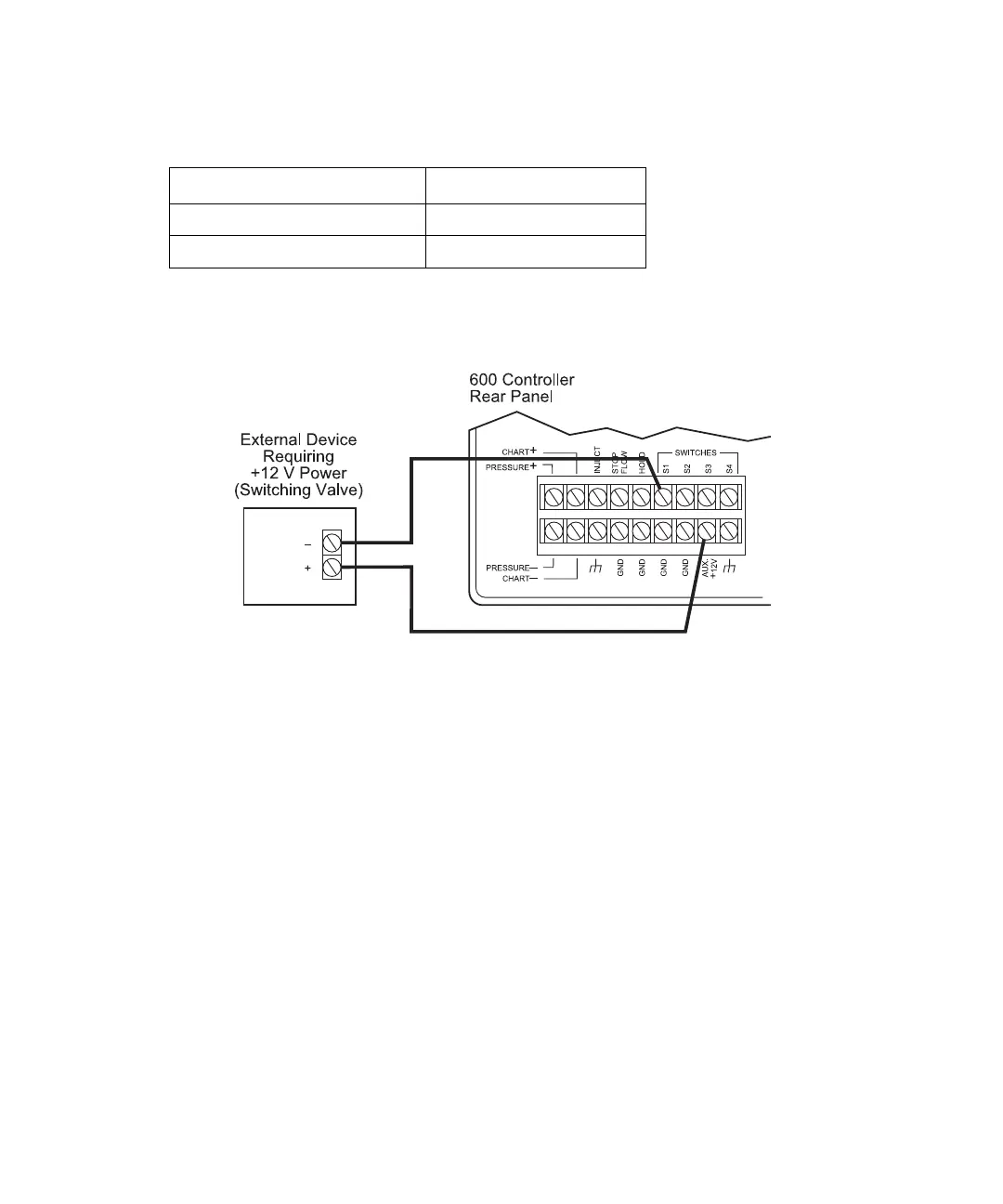
Figure 3-16 illustrates connecting an external device to the 600 controller Aux +12 V and
switch (S1-S4) terminals.
Figure 3-16 Connecting an External Device to the 600 Controller Aux +12 V and S1 Terminals
600 Controller Connection External Device
Aux +12 V +
S1, S2, S3, or S4 –



 To Next Page