22
•
SmartSensor HD User Guide
Lightning
Surge
Protection
W
ProtectedProtected
Click!
200
RS-485RS-232 DCE
110 VAC
SmartSensor
GNDGNDRDTDCTSRTSGND
485+485-GND-DC+DC
GNDGNDRDTDCTSRTSGND485+485-GND-DC+DC
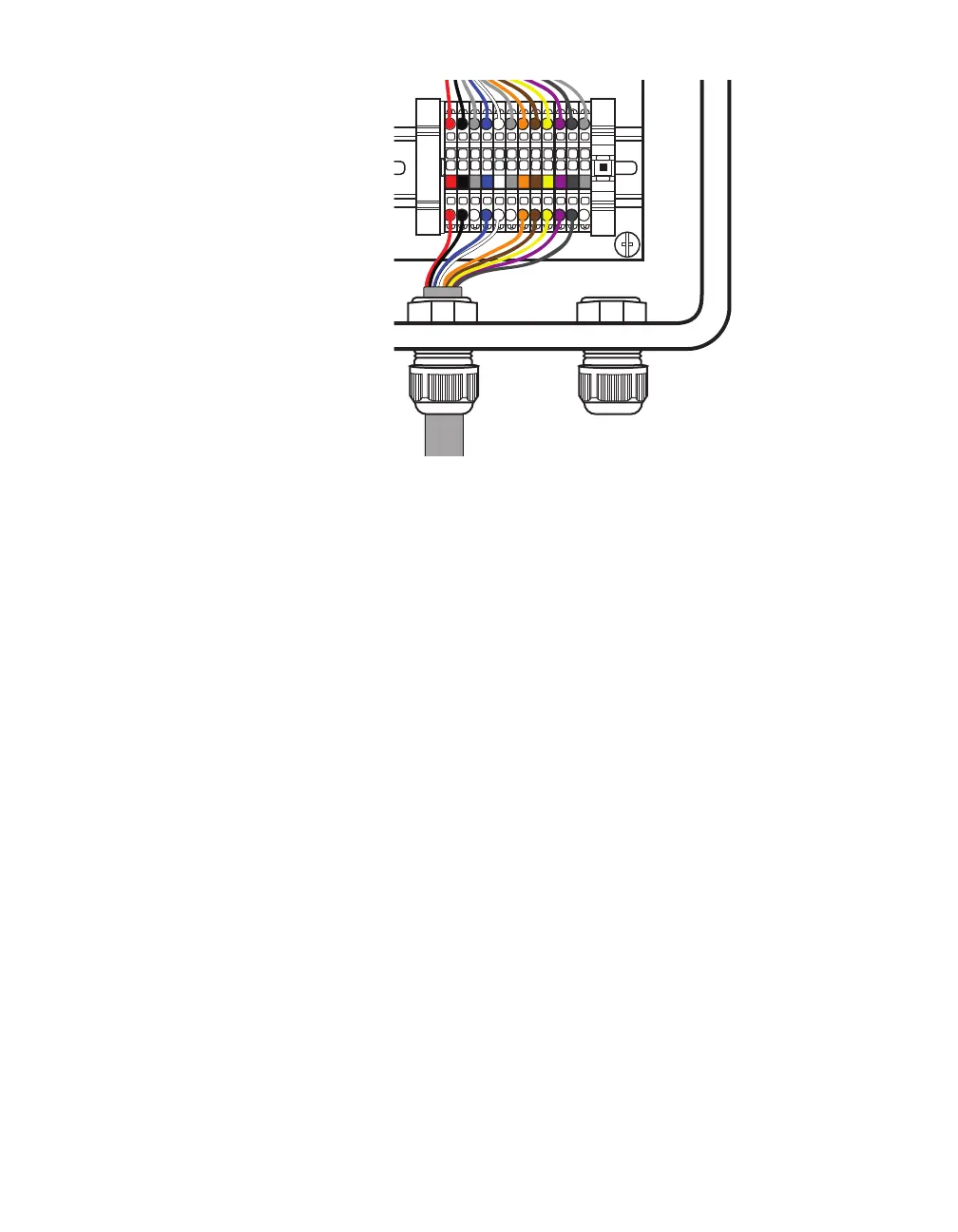
Figure 16. Connecting sensor cable to terminal blocks
6 Insert the sensor cable (the pigtail cable coming from the
sensor) into the middle grip on the bottom of the box. Twist the
cable grip to tighten.
7 Follow the instructions in step 4 to land each conductor into
the correct terminal block. The blocks are color-coded for your
convenience: land the red conductor into the block with the red
label, and so on.



 To Next Page