PROCEDURE
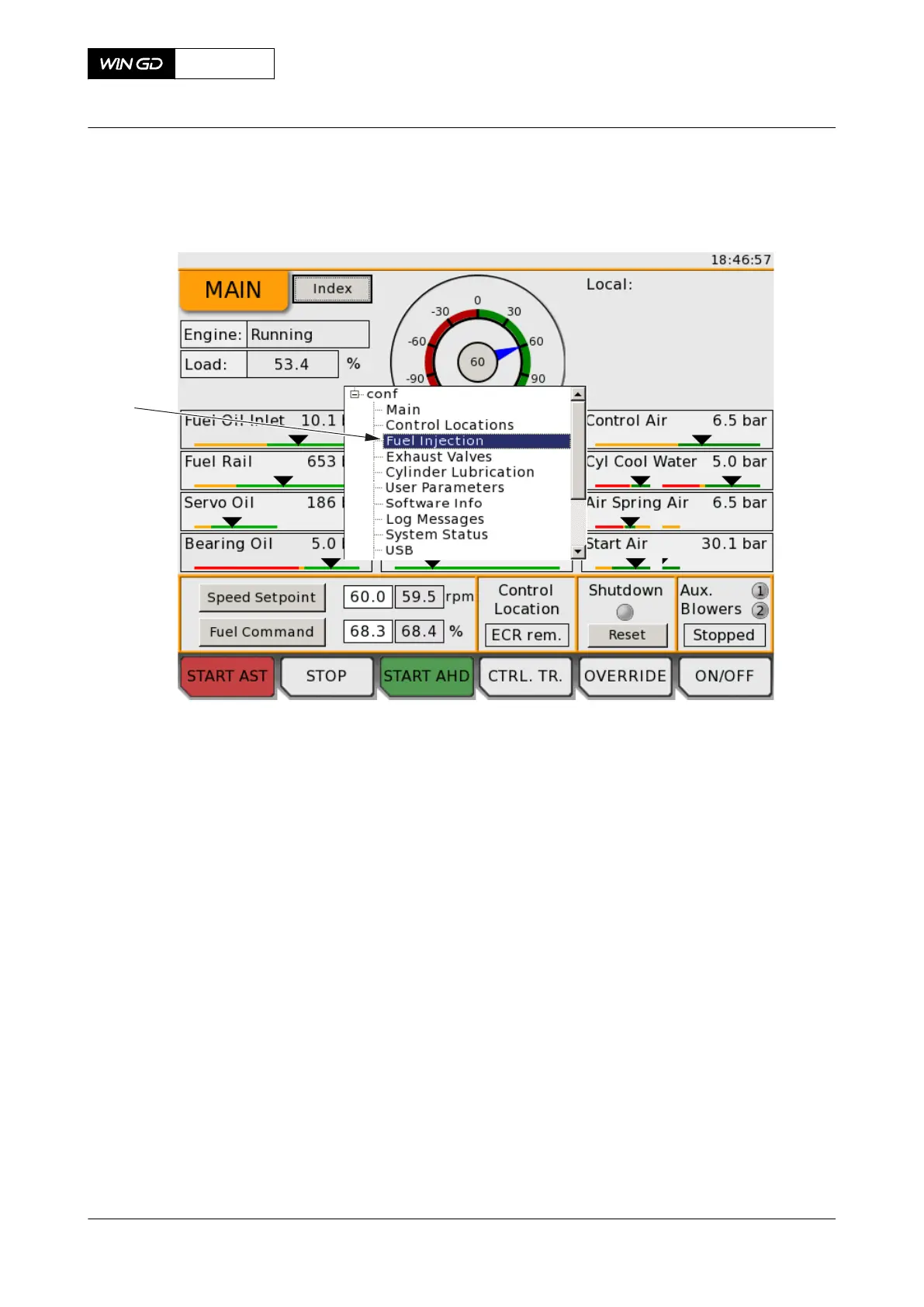
Fig 6-13 LDU-20 - navigation menu
1 To change between LDU-20 pages, do the steps that follow:
1.1 Push and hold the rotary button for three seconds to show the page navigation
menu (001, Figure 6-13).
1.2 Turn the rotary button to select a page:
•
To select an item below, turn the rotary button clockwise.
•
To select an item before, turn the rotary button counterclockwise.
NOTE: As an alternative you can use the Index button to change between
LDU-20 pages.
1.3 Push the rotary button to change to the selected page and to close the
navigation menu.
2 To edit a selected item on a LDU-20 page, do the steps that follow:
NOTE: Values and settings that the operator can change are shown with a white
background.
2.1 Use the rotary button to select the item.
NOTE: While in edit mode, the text field has an orange frame.
2.2 Push and turn the rotary button.
•
To increase the value, turn the rotary button clockwise.
•
To decrease the value, turn the rotary button counterclockwise.
2.3 Push the rotary button to apply the change.
X92DF
AA00-0000-00AAA-131I-A
Operation Manual Operate the local display unit (LDU-20)
Winterthur Gas & Diesel Ltd.
- 291 - Issue 002 2020-08



 To Next Page