2-21Installation: CPU-NXT 3.2 into the BBxD
16-1408348
Installing
CPU-NXT 3.2
Complete the following steps to install CPU-NXT 3.2.
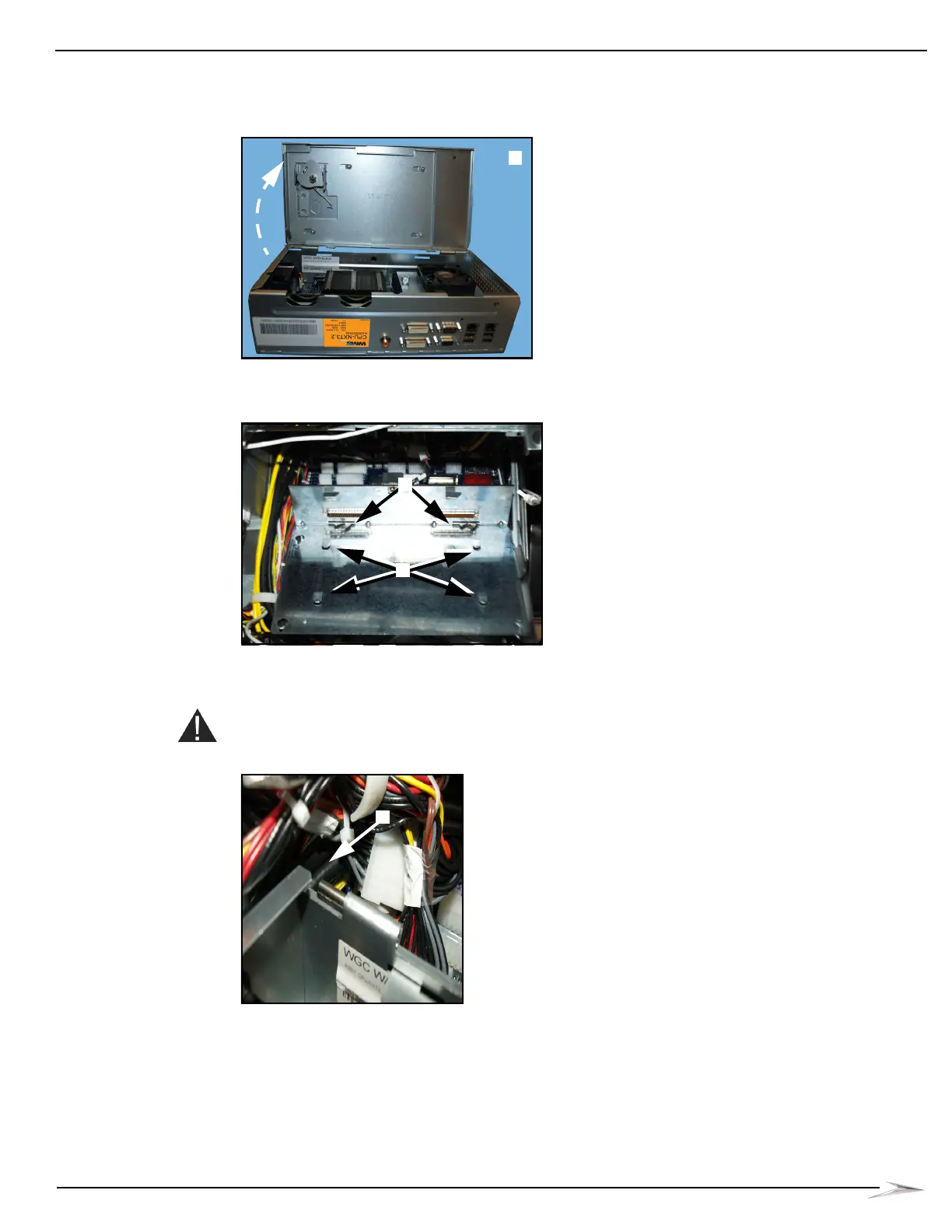
1 Turn the CPU-NXT 3.2 lock to the left to unlock and open the Logic Door, Figure 2-43 (A).
Figure 2-43 Opening Logic Door.
2 Slide the Enclosure onto the four mounting hooks, Figure 2-44 (A).
Figure 2-44 CPU-NXT 3.2 installation into BBxD.
3 On the bottom left corner of CPU-NXT 3.2, push the black mounting tab, Figure 2-45 (A),
towards the back of the game to lock the Enclosure into the blind mate connectors on the
Bulkhead Board, Figure 2-44 (B).
CAUTION: This step is critical to the proper function of the CPU.
Figure 2-45 Pushing back on mounting tab.



 To Next Page