Installation
42 | WOLF GmbH 3066501_201910
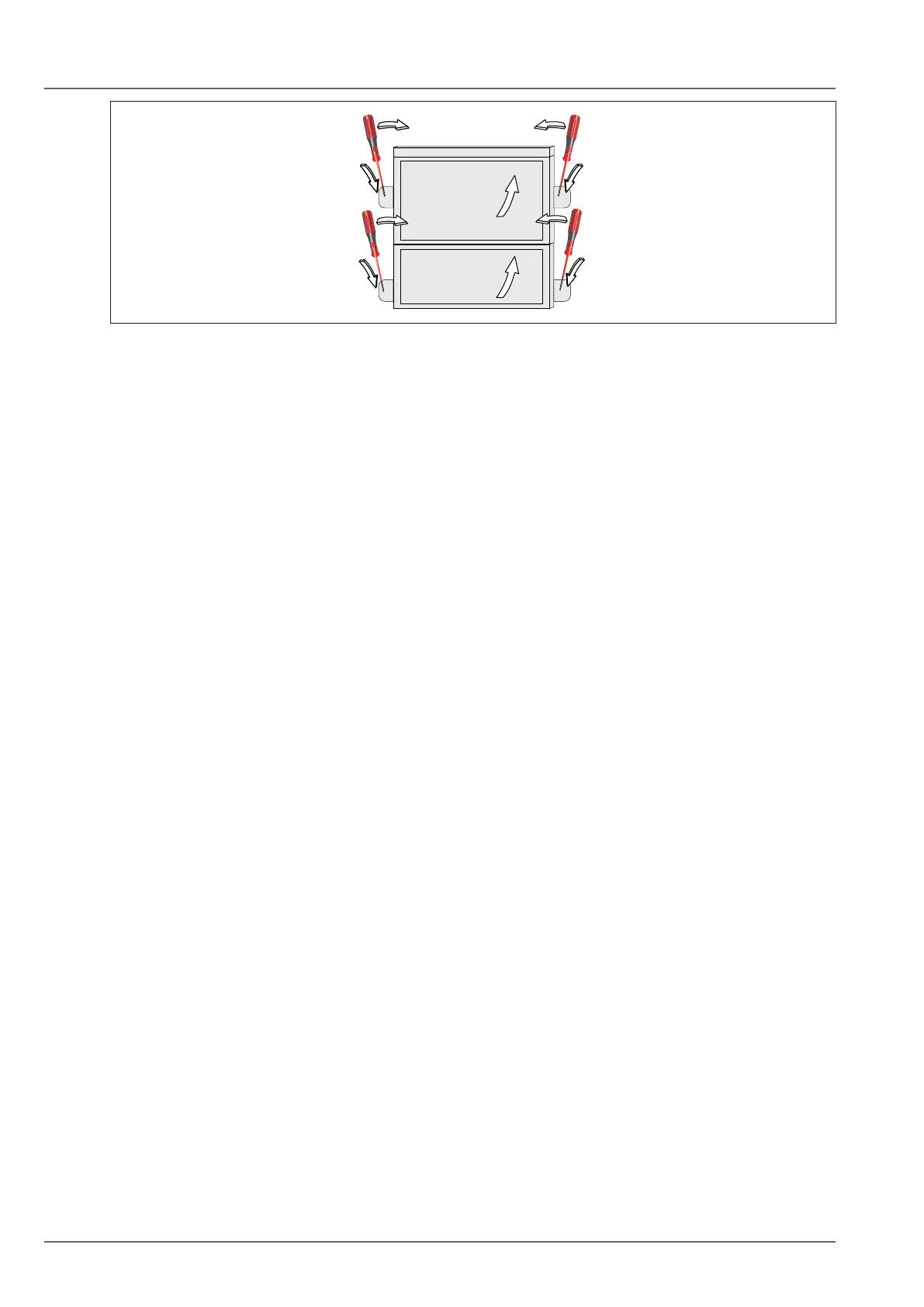
Fig. 5.20 Opening the terminal box
To do this, remove the terminal box from the rear of the heat generator.
► Use a screwdriver to lever off the plastic cover (1).
► Remove the cover (2).
► Undo the xing screws.
► Remove the terminal box.
5.10.4 Installing the terminal box on the wall
► Position the cable outlets in the terminal box to the left (1), the right (2) or at the top (3).
► Screw the strain relief into the inserts.
► Strip approximately 70 mm of the insulation on the connecting cable.
► Push the cable through the strain relief.
► Screw the strain relief into place.
► Terminate the appropriate cores at the Rast5 plug.
► Push the inserts into the terminal box casing.
► Insert the Rast5 plug
► Fit the cover.


 To Next Page