25 / 99 www.xovis.com
In the next screen, the counting setup can be performed. In the upper part of the screen, the
coordinate mode and the detect height can be set.
3.2.7.9.1. Coordinate mode
The coordinate mode defines where to show the tracking of a person, either at its head or at
its feet. The purpose of the coordinate mode and the difference between “head” and “foot” is
explained in detail in chapter 3.1.2.
When toggling between the two coordinate modes, the sensor will automatically apply the
changed mode and switch the displaying of the person positions accordingly.
3.2.7.9.2. Detect height
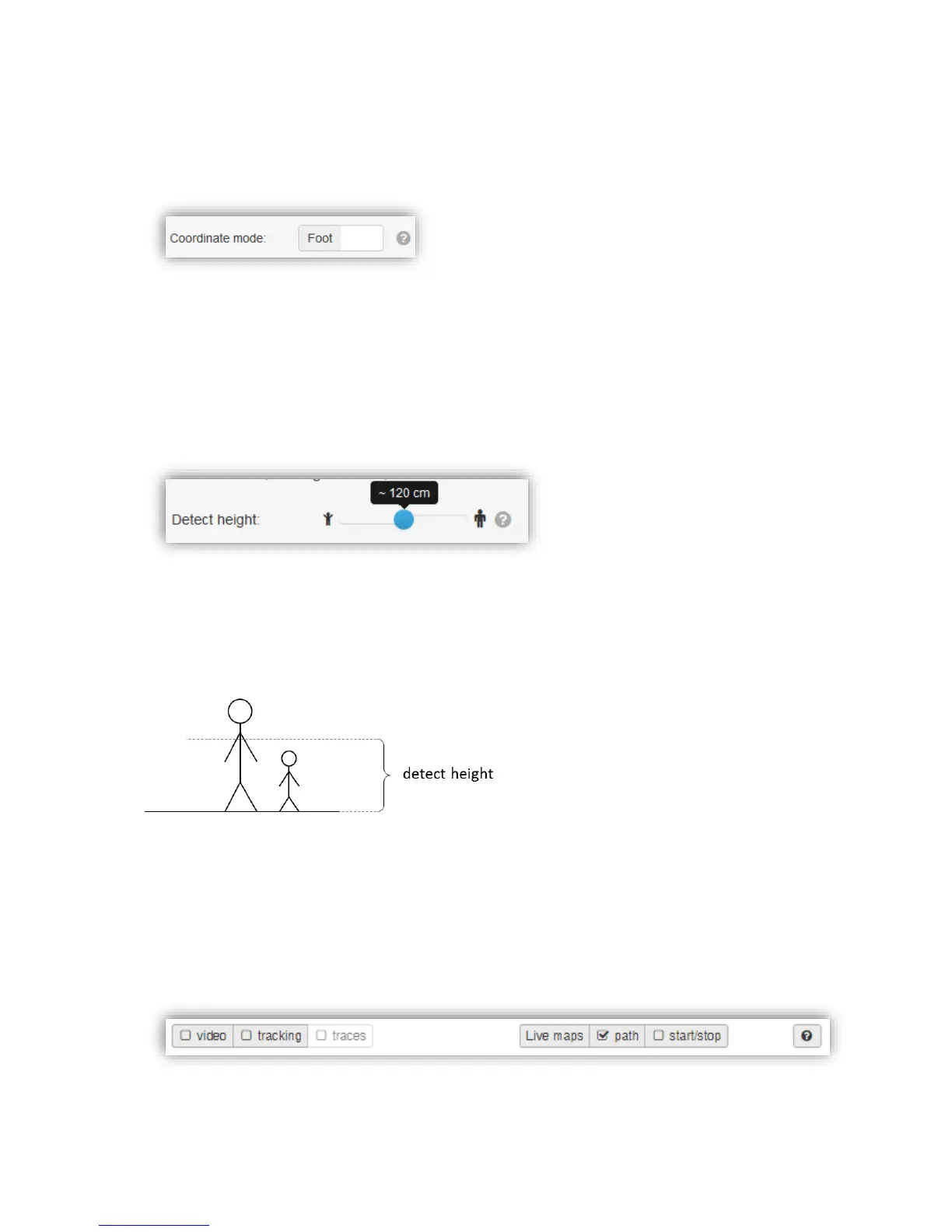
The detect height defines the height from floor, at which a person gets detected and analyzed
by the sensor. This parameter influences the detection of small persons (children) and can
be reduced to 80 cm at least. With this parameter the exclusion from persons below a
specific size can be realized, i.e. to ignore children from being counted. The detect height can
be parameterized between 80 cm and 160 cm. Figure 22 visualizes the detect height.
Figure 22: Detect height
When changing the detect height with the slider, the changes will automatically be applied to
the sensor so they can immediately be verified in the scene view.
3.2.7.9.3. Scene view controls
The scene view offers several controls which can be helpful when setting up the counting
elements.
The first control, the video checkbox, allows to activate or de-activate the live video.



 To Next Page