28 / 99 www.xovis.com
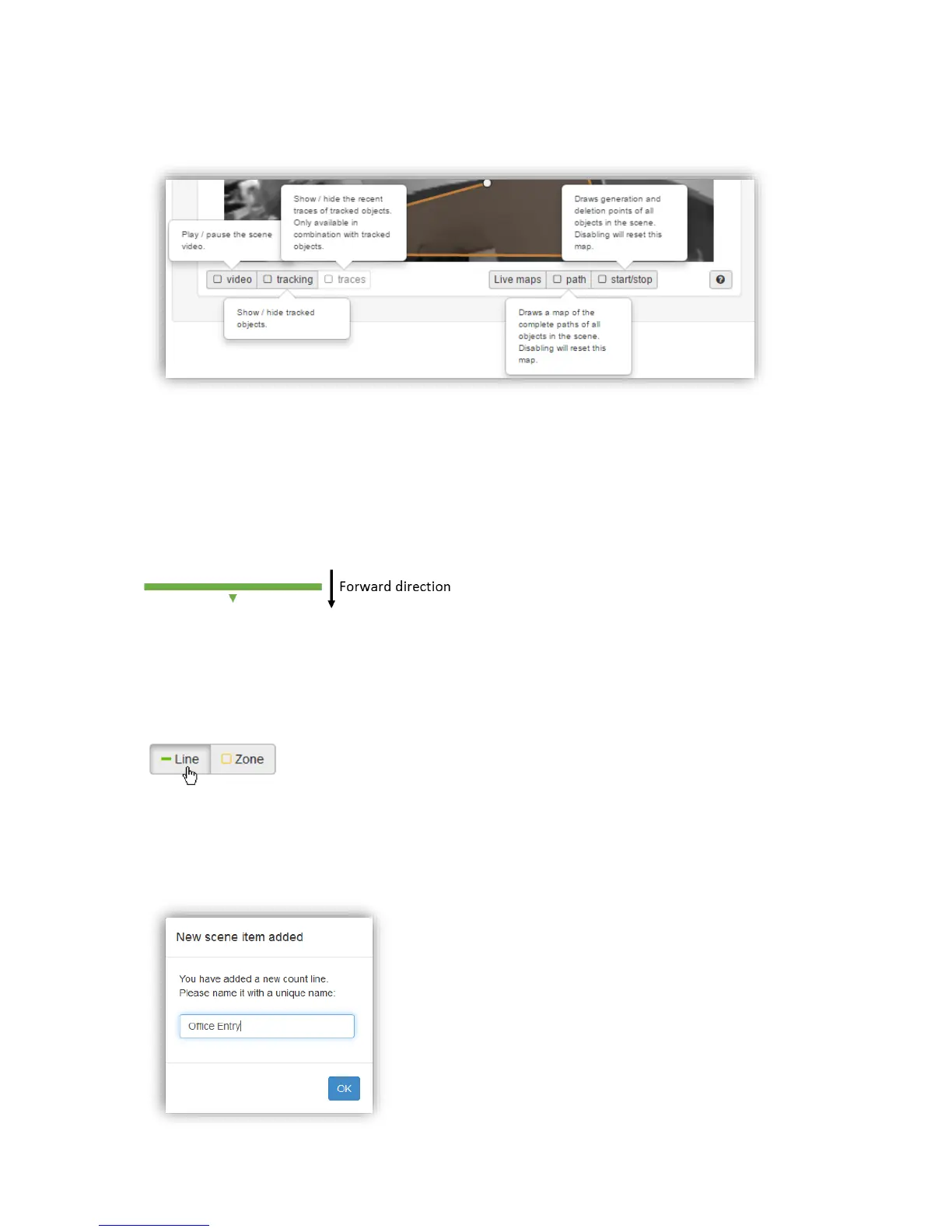
The help button offers quick explanations for all the control elements mentioned so far.
Hovering over it with the mouse will pop-up the help information:
3.2.7.9.4. Count lines
The count line is the first of the two counting and observation tools available with a PC-
Series sensor. A count line measures the number of persons crossing a defined line.
Forward and backward crossings are counted separately. A line therefore has a directional
property, i.e. an orientation. This orientation is indicated with a centered arrow pointing in
the direction of forward crossing (see Figure 27).
Figure 27: Orientation of a count line
A count line offers several ways to analyze person crossings for its counts. These strategies
are explained in section “Example Situations” in chapter 3.2.7.9.7 “Count line configuration”.
Drawing a count line
A line can be drawn by selecting the drawing tool “Line” and directly drawing the corners of
the line in the scene image. A line is finished with a second click on the last corner, by a
double click to create the last corner, by disabling the drawing tool “Line” or by pressing
[Esc] on the keyboard. After finishing a line, the user is asked to name it.



 To Next Page