53 / 99 www.xovis.com
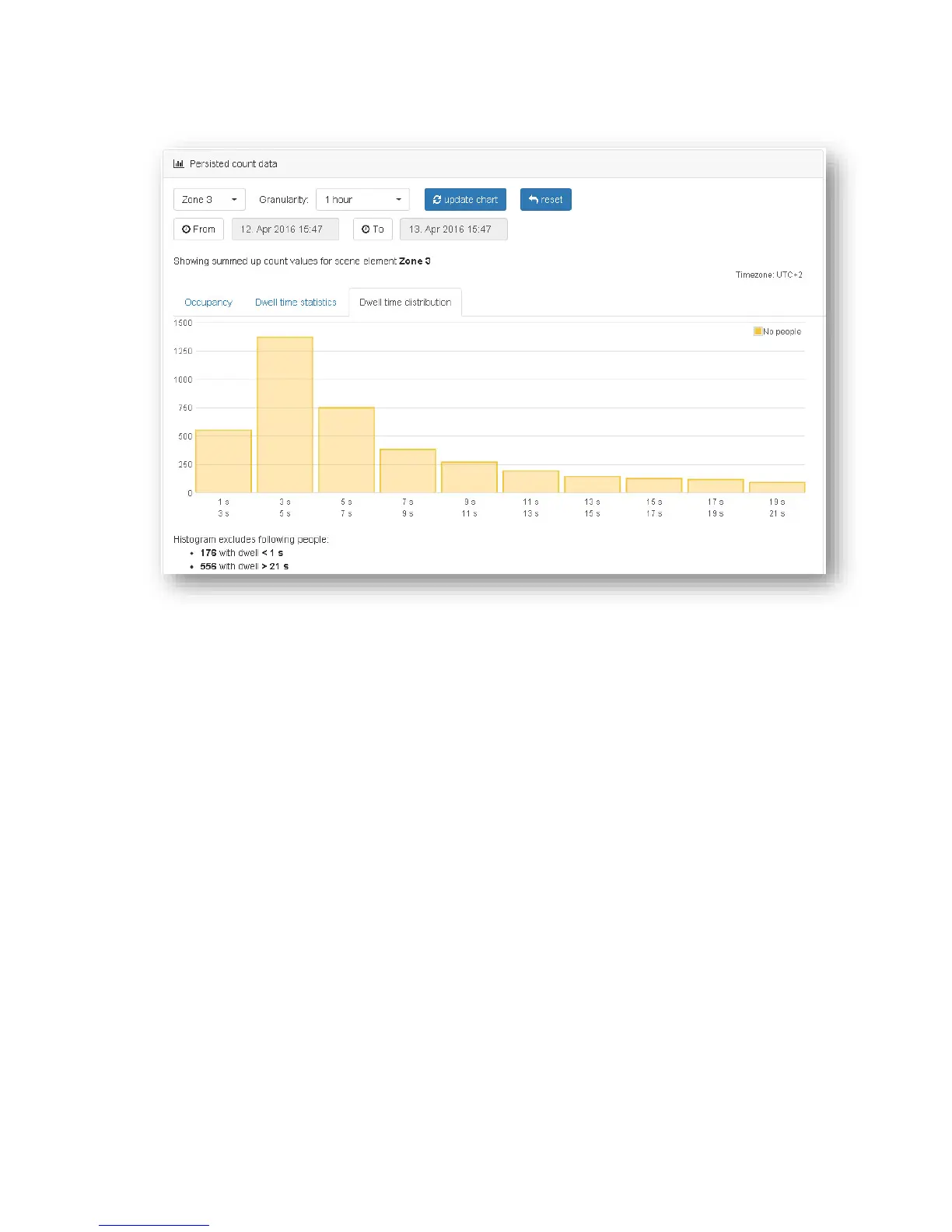
Dwell time distribution
The Dwell time distribution shows a histogram of all dwell times during the selected time
period. The values are shown in 10 equally distributed bins between the minimal dwell time
and the maximal dwell time.
The information text below the histogram shows a list of dwell times which are not
considered in the histogram:
- Too short dwell times: Shows the number of tracks with dwell times, shorter than the
minimal dwell time
- Too long dwell times: Shows the number of tracks with dwell times, longer than the
maximal dwell time
- Invalid tracks: Shows the number of tracks which have not been created and deleted
outside the dwell zone (for further information see the chapter “4.3 dwell zone
placement”)
3.2.9.2 Visualization maps
The “Visualization maps” box shows persisted and accurate map data for analyzing the scene
configuration and tracking behavior of the sensor. The maps are built from historic data
gathered directly on the sensor. Compared to the "live maps" from the Live view and Config
view, the visualization maps shown here are not influenced by network connectivity and
therefore hold a complete and accurate representation of the tracking situation.



 To Next Page