65 / 99 www.xovis.com
Please refer to the API documentation to learn more about the data push mechanism
including formats and requirements to the remote destination.
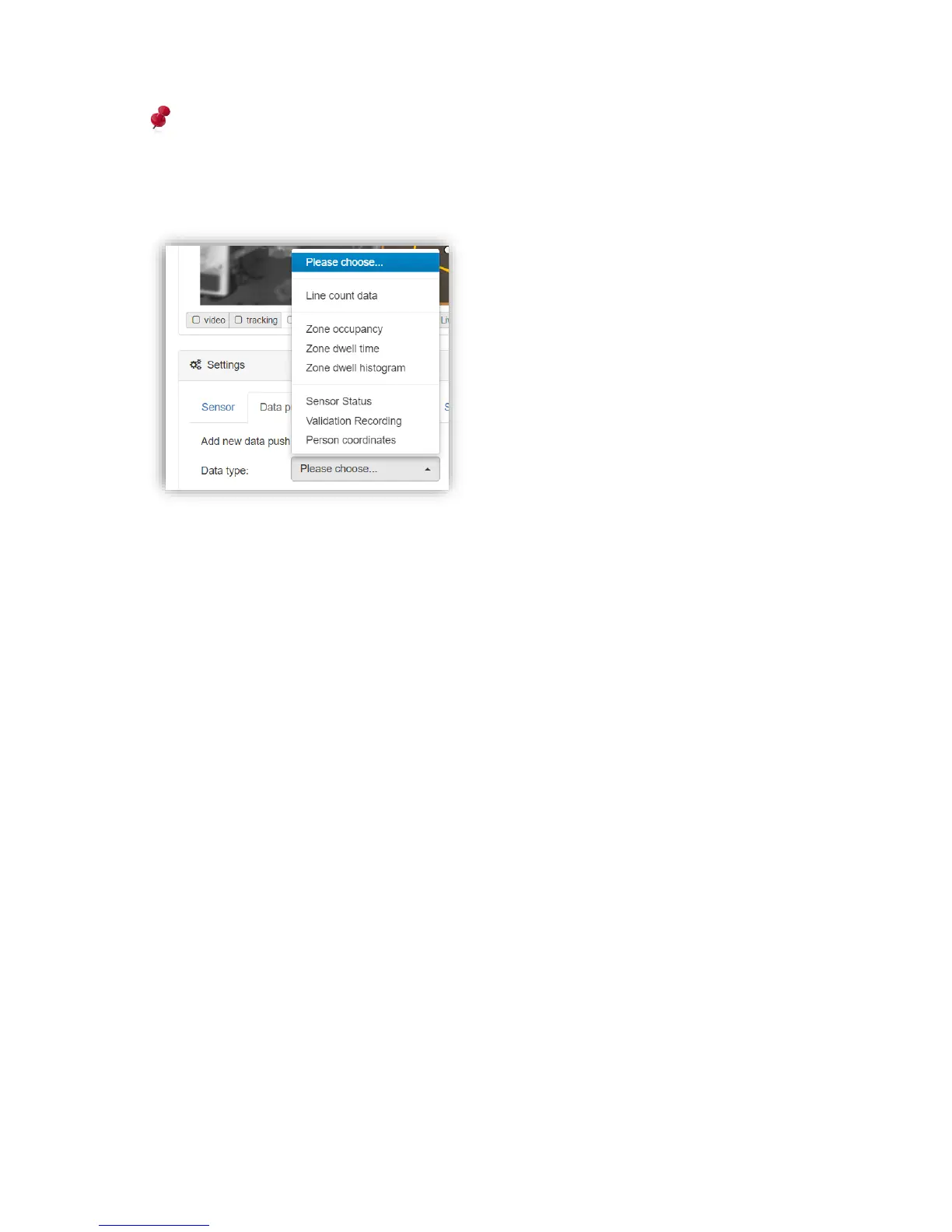
To add a new data push agent, first the data type has to be selected:
As soon the data type is set, all remaining fields will appear and let the user select:
- The interval: How often the data shall be pushed.
- The Granularity (for line & zone data and person coordinates only): Which granularity
to apply to the count data or person coordinates. See chapter 3.2.9.1 “Persisted
count data” to learn more about granularity for count data.
- The protocol: Which method to use for pushing the data (HTTP(S), FTP or SFTP/SSH,
validation recording uses FTP/SFTP only).
- Data push format (for line & zone data only): Which data format to use for the pushed
data (XML v2 or JSON). For legacy reason, line count data offer XML v1 as well.
- All parameters required for the chosen protocol.
For pushing with FTP and SFTP/SSH a custom port can be specified by just declaring it after
the host (IP or domain) separated by a colon (“:”).
When pushing using HTTP(S), only the URL needs to be specified. The URL requires to
declare the protocol which can be http:// or https://. Please refer to the RFC 3986 declaration
to learn more about URL format. Figure 47 shows an example of count data push
configuration using HTTP(S):



 To Next Page