Administrator’s Guide for SIP-T3xG IP Phones
186
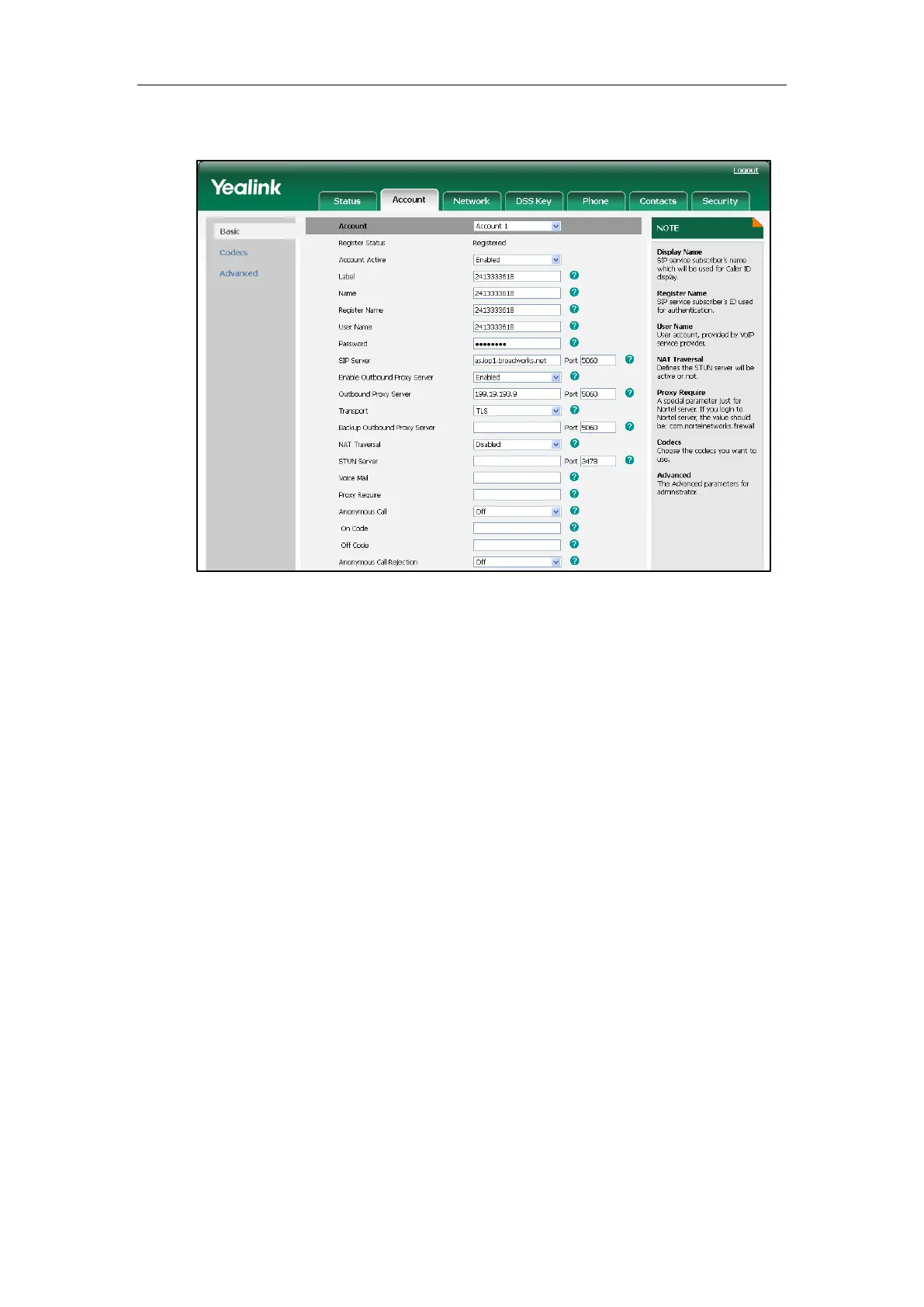
3. Select TLS from the pull-down list of the Transport.
4. Click Confirm to accept the change.
To Specify the IP phone to encrypt the SIP signal using RC4 encryption algorithm:
1. Click on Account->Basic.
2. Select the desired account from the pull-down list of Account.
3. Click on Advanced.
4. Select RC4 from the pull-down list of Signal Encode.


 To Next Page
 Loading...