EasyManua.ls Logo

YOKOGAWA FC400G - User Manual

YOKOGAWA FC400G
91 pages
Print Icon
To Next Page IconTo Next Page
Loading...
Users
Manual
Model FC400G
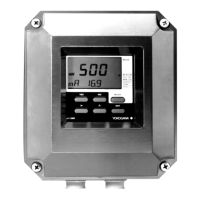
Free Available Chlorine Analyzer
(Non-Reagent Type)
[Style: S2]
IM 12F5A1-01E
IM 12F5A1-01E
5th Edition

Table of Contents

Questions and Answers

  • W
    wilsonsandraSep 4, 2025
    What causes Err. 6 (Zero Point Error) on YOKOGAWA Measuring Instruments?
    • S
      Shawn BatesSep 4, 2025
      Err. 6 (Zero Point Error) may be caused by chlorine entering the chlorine-free water used for calibration (when the chlorine-free-water-based measuring method applies), or the indicator electrode or counter electrode may be defective. Confirm if any of these is the cause.
  • M
    Michelle GarciaSep 18, 2025
    What should I do if I get Err. 10 (Converter failure) on YOKOGAWA FC400G Measuring Instruments?
    • A
      awhitneySep 18, 2025
      The FC400G free available chlorine analyzer has become defective. Contact Yokogawa service.
  • R
    Robert HarveySep 16, 2025
    What does NOTE. 02 (Input Data Setting Error) indicate on YOKOGAWA Measuring Instruments?
    • R
      Rebecca BrownSep 16, 2025
      If NOTE. 02 (Input Data Setting Error) appears, the relevant data will not be updated. Set correct value again.
  • J
    Julie Oneal MDSep 14, 2025
    What does NOTE. 01 (Input Data Setting Range Exceeded) mean on YOKOGAWA Measuring Instruments?
    • A
      amanda96Sep 14, 2025
      If NOTE. 01 (Input Data Setting Range Exceeded) appears, the relevant data will not be updated. Set correct value again.
  • M
    Monica ConnerSep 12, 2025
    What does NOTE. 03 (Input Data Setting Error) mean on YOKOGAWA Measuring Instruments?
    • M
      megan08Sep 12, 2025
      If NOTE. 03 (Input Data Setting Error) appears, the relevant data will not be updated. Set the correct value again so that the mg/l (or ppm) value for 100% signal output exceeds the value for 50% signal output.
  • J
    James Ramirez Jr.Sep 12, 2025
    What to do if I see Err. 4 (Applied Voltage Error) on YOKOGAWA FC400G Measuring Instruments?
    • M
      Mitchell BeardSep 12, 2025
      If you see Err. 4 (Applied Voltage Error), confirm if the applied voltage parameter value set in service code 07 is correct.
  • D
    Darrell DavisSep 9, 2025
    How to resolve Err. 1 (Diffusion Current Value Exceeded) on YOKOGAWA FC400G Measuring Instruments?
    • J
      Joseph MartinSep 9, 2025
      To resolve Err. 1 (Diffusion Current Value Exceeded), confirm if the applied voltage parameter value set in service code 07 is correct. Also, confirm that there is no grime or moisture adhesion resulting in insulation deterioration on the electrode cable connection.
  • K
    kingkaitlynSep 7, 2025
    How to troubleshoot abnormal analog output on YOKOGAWA Measuring Instruments?
    • M
      Megan ChapmanSep 7, 2025
      To troubleshoot abnormal analog output: * Reduce the lead resistance to 550? or less. * If the output circuit is abnormal, contact YOKOGAWA.
  • E
    Eric SmithSep 5, 2025
    What to do for Err. 8 (Temperature Compensation Range Exceeded) on YOKOGAWA Measuring Instruments?
    • C
      cfloydSep 5, 2025
      To address Err. 8 (Temperature Compensation Range Exceeded), control the sample temperature to be in the range of 0.0 to 40.0°C.
  • T
    Tracy NormanAug 21, 2025
    How to resolve Err. 7 (Response Error during Zero and / or Span Calibration) on YOKOGAWA FC400G Measuring Instruments?
    • D
      Dr. Jacob StewartAug 21, 2025
      To resolve Err. 7, confirm response recovery after polishing the indicator electrode with alumina. Also, check that the stability determination parameters “*?T. SEC”, “ *?PPM ”, and “*CT.min” set in service code 04 are correct. If the parameters are correct but there is still no response recovery, the indicator electrode may have deteriorated and should be replaced.

YOKOGAWA FC400G Specifications

General IconGeneral
TypeFlow Meter
Input Channels1
DisplayLCD
Power Supply24 V DC
Number of I/O Slots2
Output Signal4-20 mA
MaterialStainless Steel
Communication ProtocolsHART, MODBUS
Operating Temperature-40 to 85 °C
Process ConnectionFlange

Related product manuals