Yuneec Electric Aviation
H520 Start Guide
17
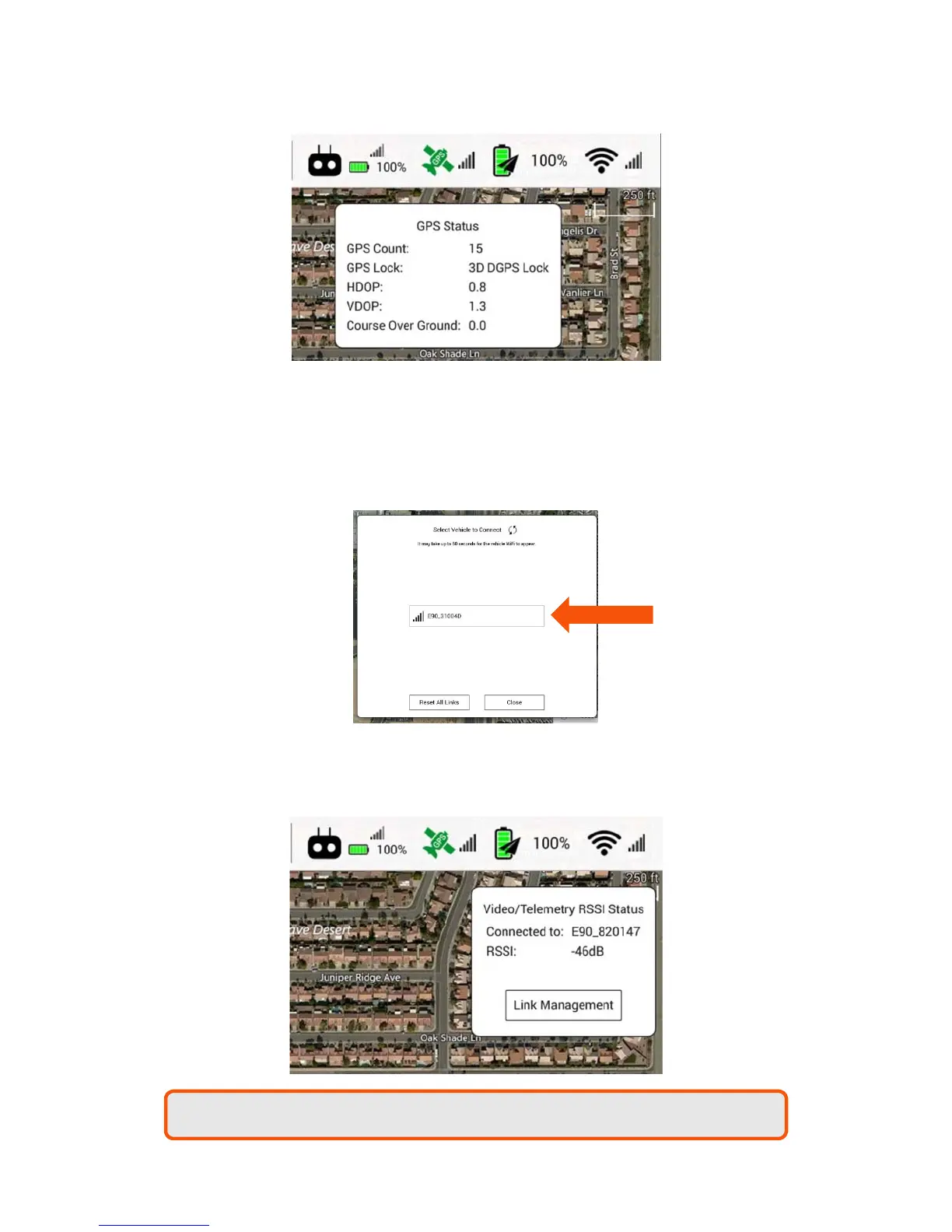
The WiFi soft key displays the current signal status between the ST16S and the H520.
Tapping the WiFi soft key will display the current camera connected to the ST16S and the RSSI
status in Db.
Tapping the Link Management soft key will display any other connectable cameras within WiFi
range.
Tapping the ‘Reset All Links’ will disconnect and reset all camera connections.
Tapping the two arrow icon at the top of the Link Management window will cause the ST16S to
search for cameras within range.
Note:
The ST16S
may
only be connected to one camera at a time.



 To Next Page