Yuneec Electric Aviation
H520 Start Guide
48
SUMMARY
SENSORS
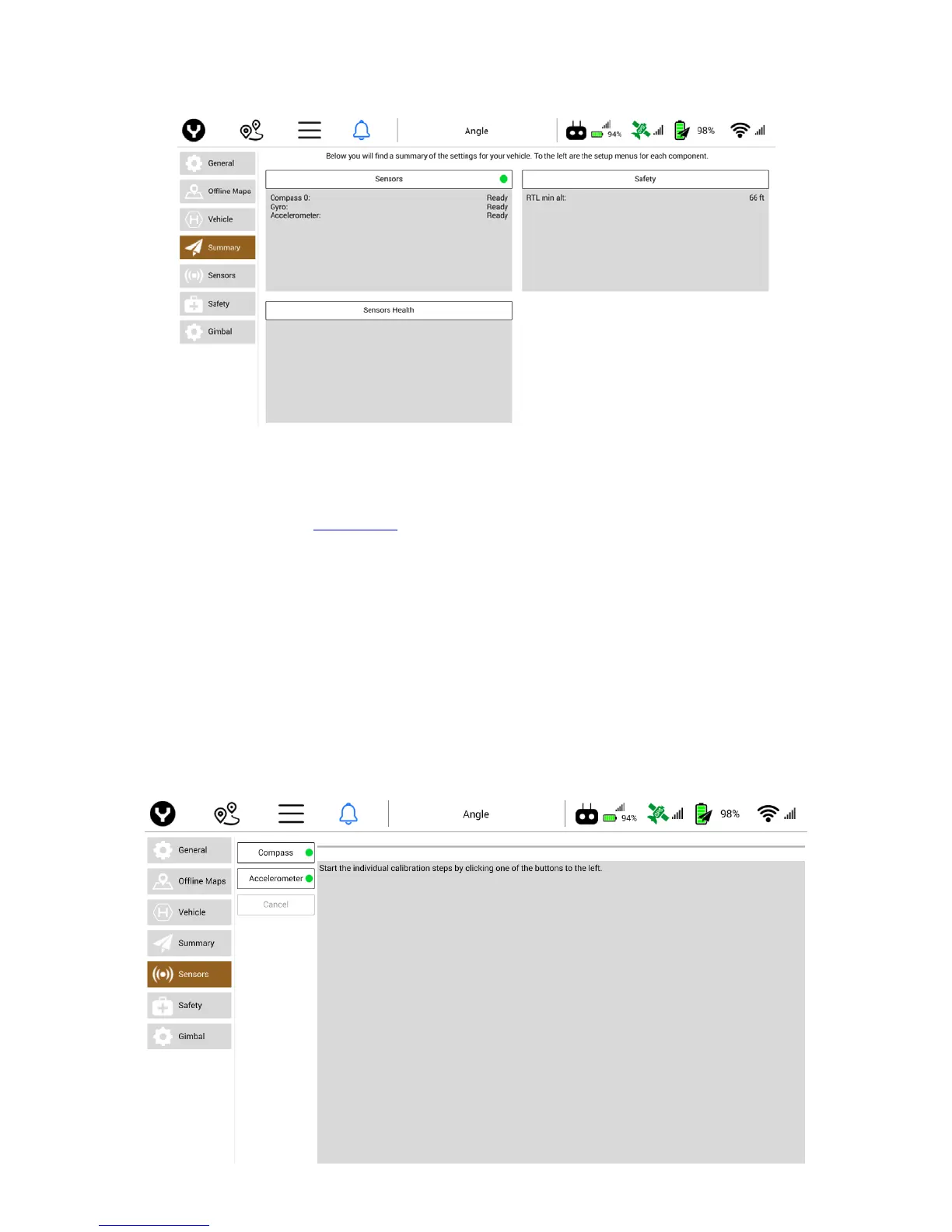
Displayed in the Sensors window is the status of the Compass, Gyro, and Accelerometer. A Ready status
(green dot) indicates the H520 is ready to operate. A Fail status (red dots) indicates the affected sensor
needs to be calibrated (see the Calibration section for further information).
SAFETY
Displayed in the Safety window is the value of the Return to Launch minimum altitude setting (RTL min alt).
Yuneec recommends checking this altitude at each new flight location to ensure best safety practices.
SENSORS HEALTH
Displayed in the Sensors Health window is the status of the H520 sensors. A ‘Not Ready’ status will be
shown for all sensors that need to be checked (gyro, accelerometer, barometer, GPS, etc.). It is equivalent
to a warning condition, and not a critical issue.
It is important to calibrate the aircraft from time to time. Yuneec requires the aircraft compass be calibrated
any time the aircraft is further than 5 miles from any previous calibration.



 To Next Page