Yuneec Electric Aviation
H520 Start Guide
18
F
LY
M
ENU
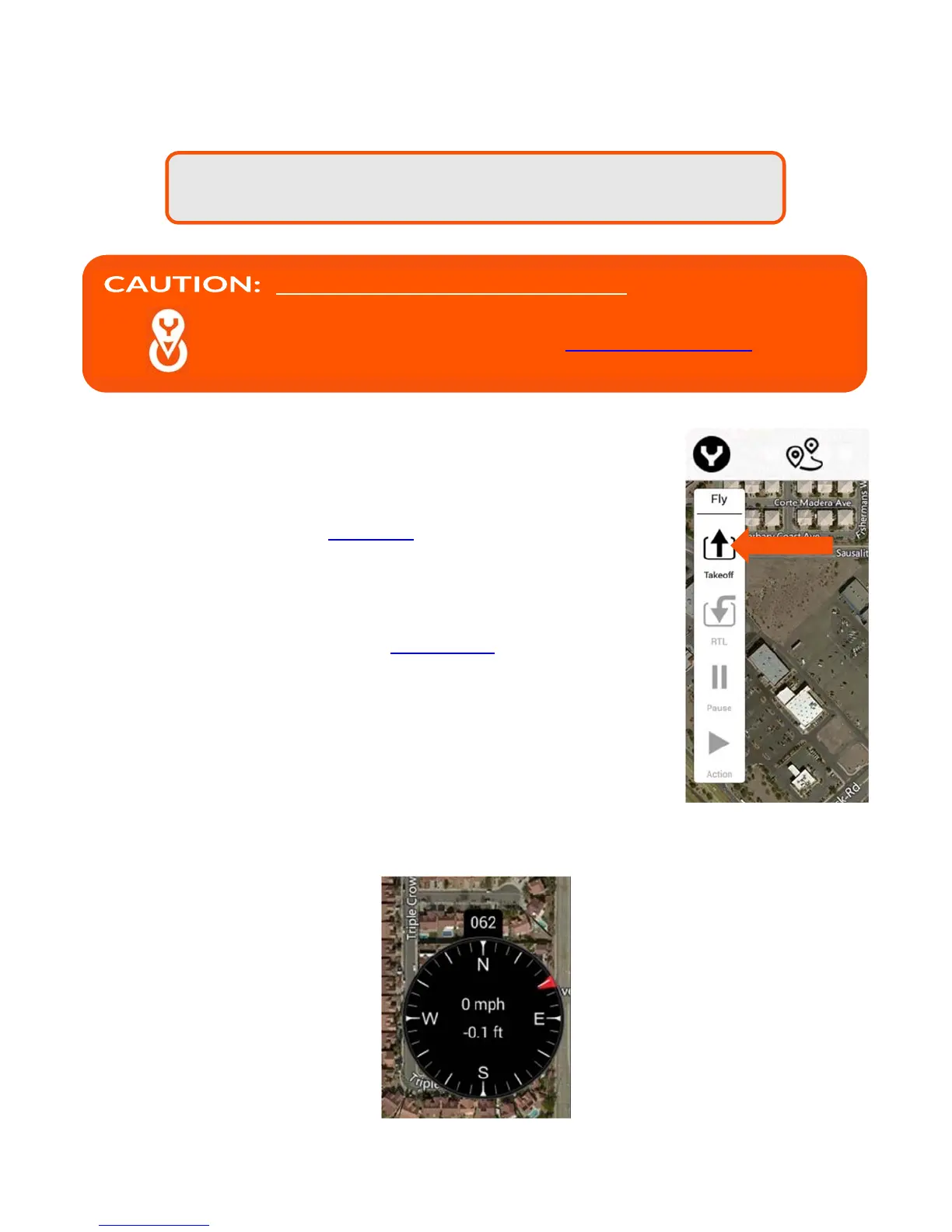
To initiate an auto takeoff for the H520, ensure the takeoff area is clear of
obstacles, personnel, and equipment. Tap the Takeoff soft key located to the left
of DataPilot™ screen and the H520 will fly to the preset altitude (to preset an
auto takeoff altitude refer to the Main Menu settings in this manual).
To auto land the H520, tap the RTL soft key -- the H520 will return to the takeoff
location and land.
The Pause soft key will pause an active mission in Mission Mode (for more
information on Mission Mode refer to the Mission Mode section of this manual).
The Action soft key will resume mission mode after the Pause soft key has been
tapped.
F
LIGHT
T
ELEMETRY
D
ISPLAY
Tapping the black dial will cause the white extension display drawer to collapse
or expand. Tap the black dial again to extend the white display. This provides the ability to have greater
viewing area on-screen, or to hide information that is unimportant to the mission.
Note: Due to dynamic frequency selection (DFS) regulation in Europe,
the camera may take up to 60 seconds to appear.
PRIOR TO LAUNCHING THE H520, it is required that all
calibrations be performed. This is for safety and proper
operation of the aircraft. See Calibration section for more
information.



 To Next Page