Yuneec Electric Aviation
H520 Start Guide
52
G
IMBAL
S
TART
G
IMBAL
C
ALIBRATION
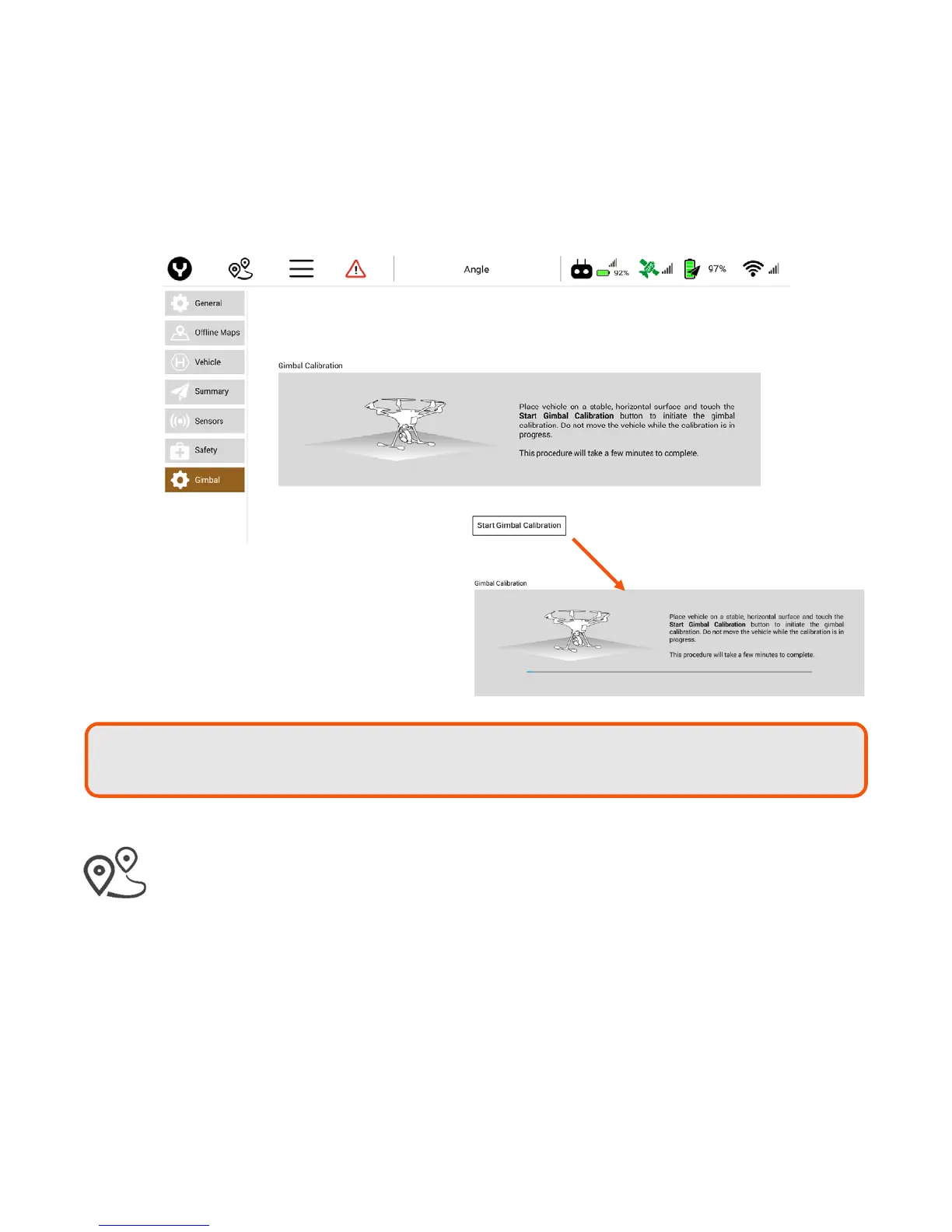
It is highly encouraged to calibrate all camera gimbals upon first use and after firmware updates. To calibrate
the camera gimbal, place the aircraft on a flat and level surface, then tap the Start Gimbal Calibration soft
key near the bottom of the screen. The gimbal calibration will begin automatically. This procedure can take
several minutes to accomplish. Follow instructions on the ST16S prior to beginning a gimbal calibration.
M
ISSION
P
LANNING
M
ODE
To enter Mission planning mode, tap the waypoints icon on the top of the DataPilot™ home screen.
The PLAN window will open, allowing users to create Waypoint and Survey missions, sync missions
between desktop, ST16S, and aircraft, store/recall missions, and Center a mission around a particular point
on the ST16S screen.
Active or cached maps may be displayed in this screen (see GENERAL | MAPS screen for options) and
missions may be planned on the displayed map.
Tip!
If the calibration hangs or locks up, tap the gimbal with a slight bump or tap to see if it
continues. Otherwise, restart the process.



 To Next Page