Yuneec Electric Aviation
H520 Start Guide
16
H
OME
S
CREEN
S
OFT
K
EYS
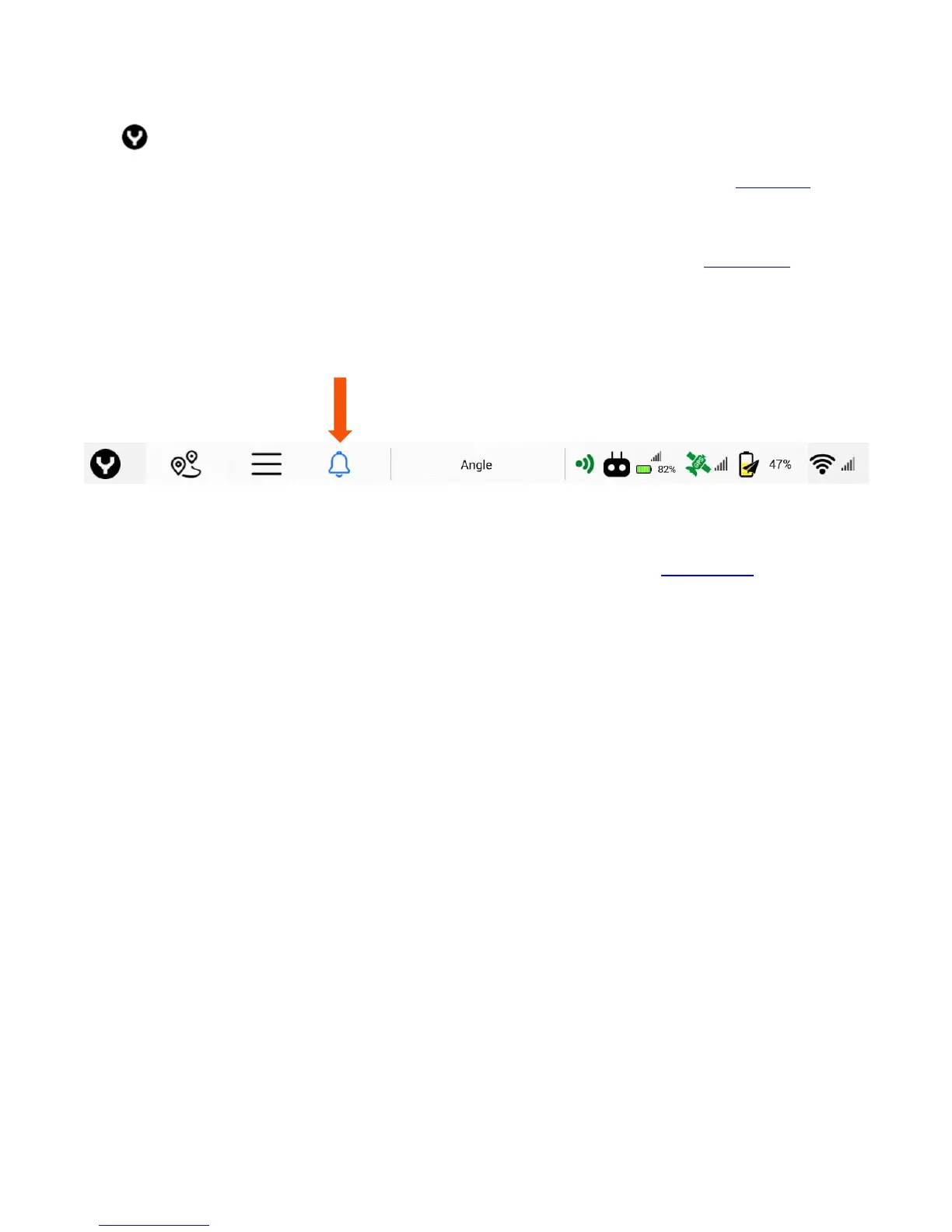
The icon on the top left of the DataPilot™ screen will always return to the DataPilot™ Home
Screen. Tap the Y once from any menu to return to the Home Screen. The Waypoint soft key navigates to
the Waypoint planning screen (for more information on Waypoint planning refer to the Waypoint section
of this manual).
The three-vertical line icon is the Main Menu button. The Main Menu contains settings for the ST16S,
H520, and cameras (for more information on the Main Menu controls, refer to the Main Menu section of
this manual).
The Bell icon or red Triangle icon displays messages between the H520 and ST16S. The blue bell indicates
no errors have been transmitted and contains Start/Stop, Flight Log, and other telemetry data and
messages. A red Triangle icon indicates an error has occurred. Tap the blue Bell/red Triangle button to
view available messages.
The Flight Mode soft key enables the Pilot to change flight modes of the H520 between ANGLE and
MANUAL flight modes (for more information on Flight Modes refer to the Flight Mode section of this
manual).
The Controller icon enables the pilot to see the status of the ST16S including signal strength, ST16S battery,
and ST16S GPS status.
The horizontal battery icon indicates the battery level of the ST16S.
The GPS Satellite soft key enables the Pilot to view the GPS status of the H520. A red Satellite icon
indicates poor GPS signal. A yellow GPS Satellite icon indicates moderate GPS signal. A green GPS icon
indicates a good GPS signal. Tapping the GPS soft key displays the aircraft’s GPS Satellite count, GPS Lock
status, HDOP status, VDOP status, and Course Over Ground status.
The vertical battery soft key with the paper airplane overlay is the current H520 battery status. Tapping
the battery icon displays the H520 battery status in Volts and current Accumulated Consumption.



 To Next Page