Yuneec Electric Aviation
H520 Start Guide
2
Owners Guide
UNBOXING THE H520
Thank you for purchasing the Yuneec H520 Commercial Series Unmanned Aerial Aircraft. The H520 has
advanced features to assist with commercial, cinematography and other aerial needs. The H520 has a
variety of camera systems ranging from UHD 4K, to 50mm equivalent, to Thermal/Low Light sensors with
more to come. This H520 comes equipped with the ST16S Ground Station, an intuitive remote controller
which features a 7-inch Android touchscreen multifunction display that shows live footage of in-flight
video, telemetry and aircraft location within a planned mission flight area.
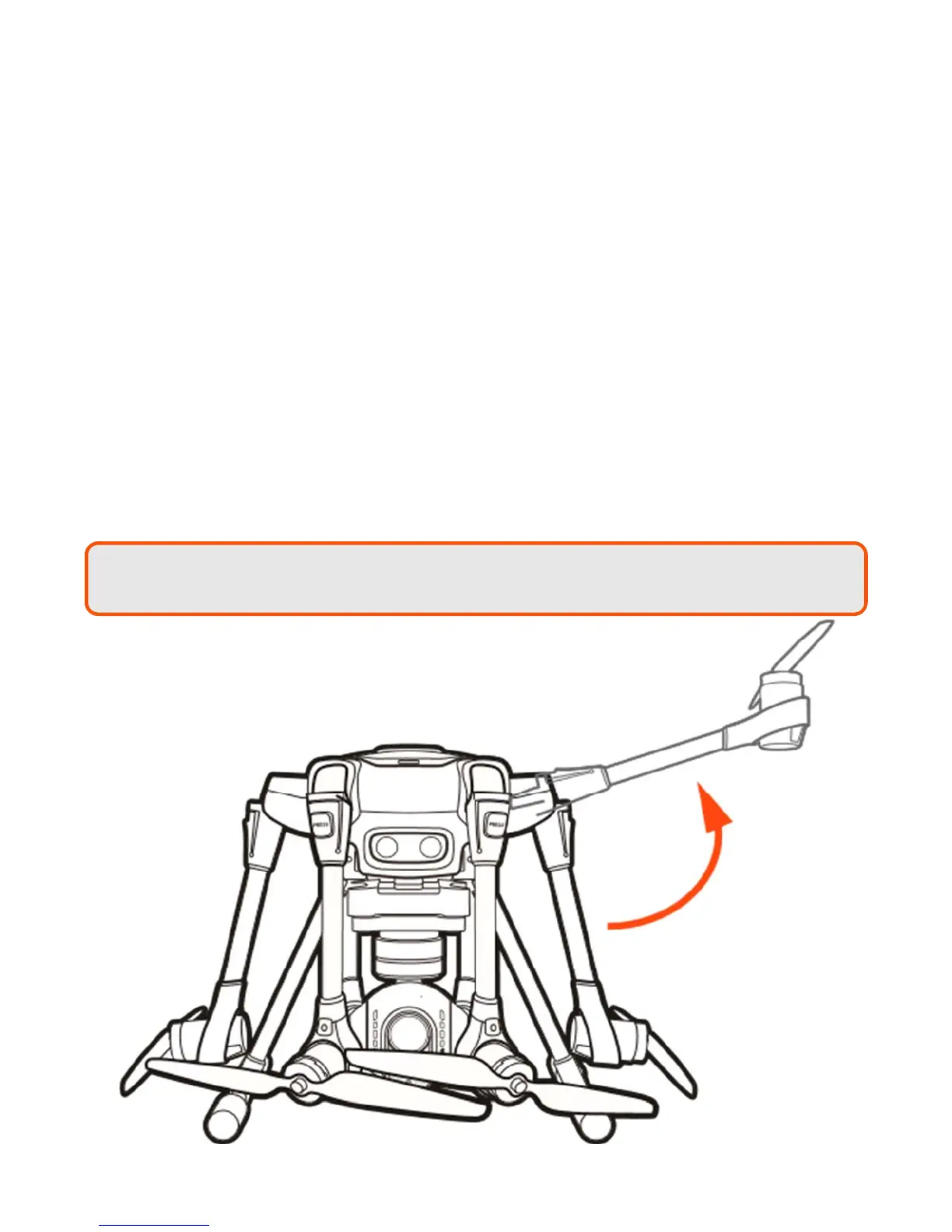
UNFOLDING THE ARMS
Once the H520 has been removed from the storage/transport case, lock the arms in place. Gently lift the
arms until a click is heard. Test the locks by gently lifting up and pressing down on the arms several times.
To unlock the arms, press the PRESS button on the base of the arms. On new systems, it may be necessary
to release the arms while lifting up on the bottom of the motor with one hand and pressing the Press button
with the other. Doing so relieves some of the pressure on the locking system.
Note:
Do not depress the PRESS button on the arms while unfolding and locking them into
place; doing so may cause the arms to not engage the locking system.



 To Next Page