Yuneec Electric Aviation
H520 Start Guide
8
POWERING ON THE H520
Power on the H520 first by inserting a battery with the YUNEEC logo on the rear facing up, gently push the
battery into the rear of the H520 while lifting the rear lever on the back of the battery pack. Push the
battery all the way in and release the lever, give one final push on the rear of the battery to ensure the
battery is fully seated, a click will be heard as the lock engages. Once the battery is installed press and hold
the power button (approximately two seconds) on the top of the airframe near the nose. Wait for the rising
tone and arm lights to turn on, release the button. During start up the camera will rotate to the front of the
airframe and several tones will announce the aircraft’s readiness.
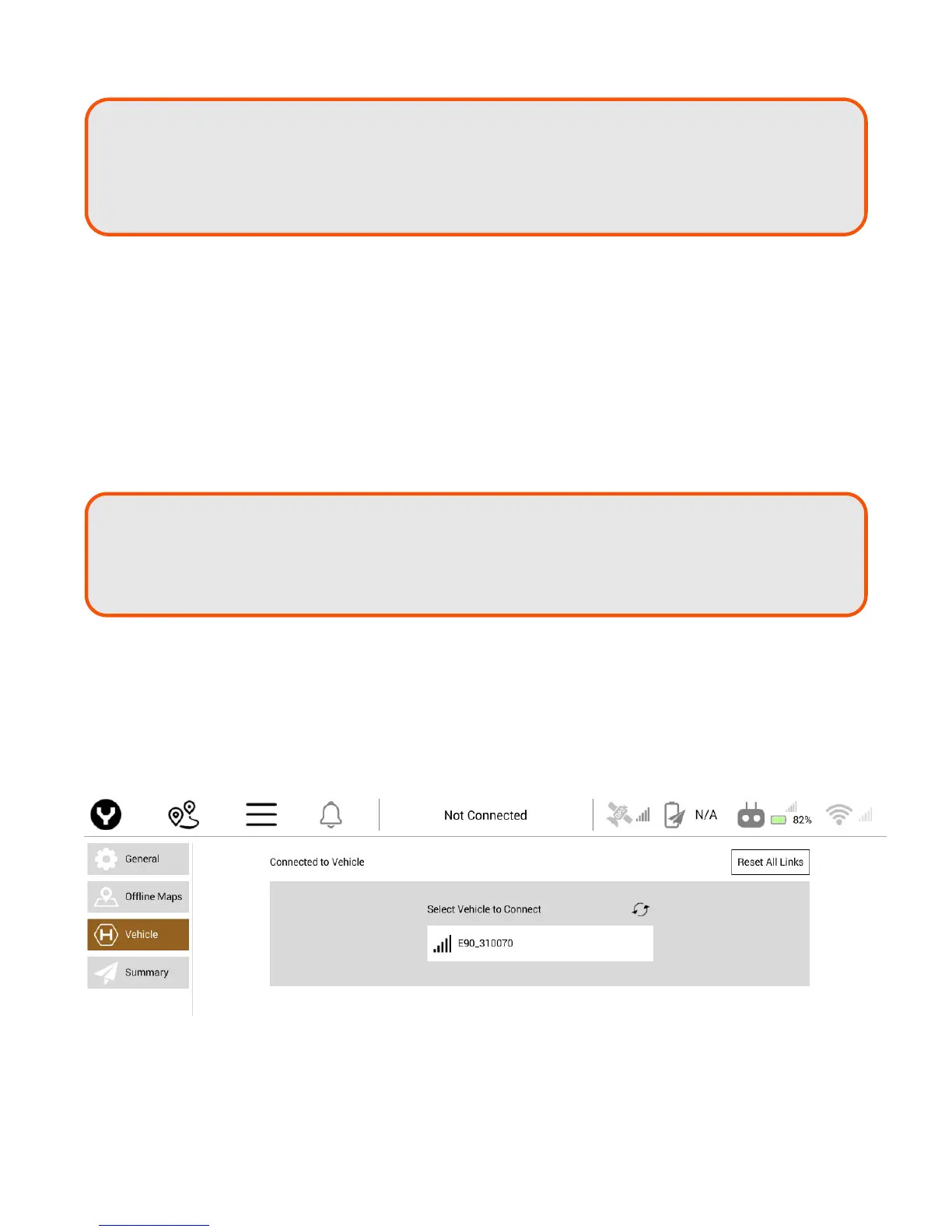
CONNECTING THE ST16S AND H520
After the H520 has fully powered on, tap on the WiFi logo on the right side of the screen. Tap Link
Management, available cameras will appear in the window. Tap on the desired camera to connect the
ST16S and camera. Tap close.
Note:
LWAY
turn on the ST16S Ground Station and allow it to boot up BEFORE turning
the H520 on.
After flights - ALWAYS turn the H520 off BEFORE turning off the ST16S Ground
Station).
Note: Do not install the propellers until a Compass and Accelerometer Calibration have been
completed. During these two calibrations, the airframe will be moved around and set
on the ground. Having the props installed may cause damage to the props, motors
and arms.



 To Next Page