Yuneec Electric Aviation
H520 Start Guide
26
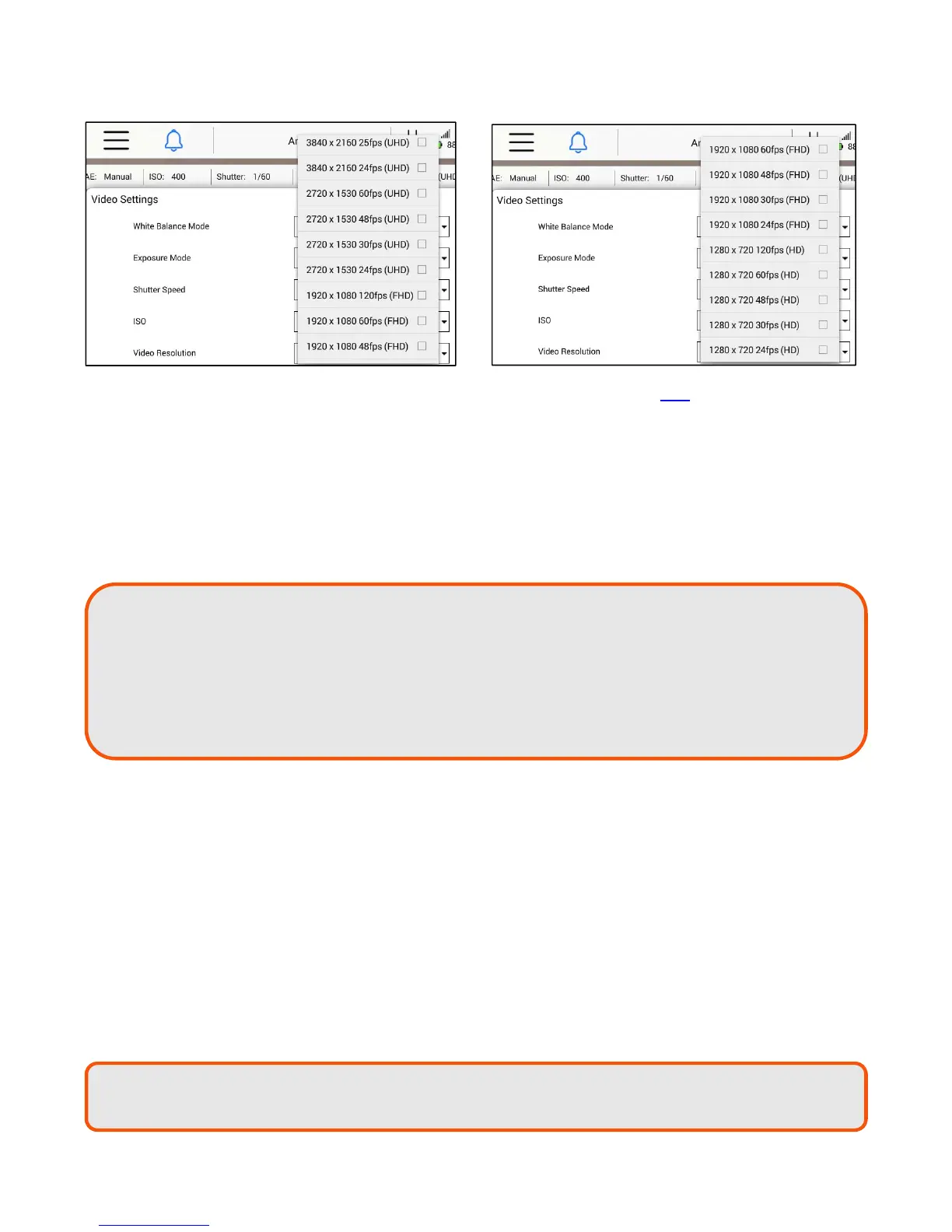
The following settings are available in the Video Resolution drop down list for E50
UHD - 4096 X 2160 at 25 FPS
UHD - 4096 X 2160 at 24 FPS
UHD – 3840 X 2160 at 30 FPS
UHD – 3840 X 2160 at 25 FPS
UHD – 3840 X 2160 at 24 FPS
UHD – 1920 X 1080 at 120 FPS
UHD – 1920 X 1080 at 60 FPS
UHD – 1920 X 1080 at 50 FPS
UHD – 1920 X 1080 at 48 FPS
UHD – 1920 X 1080 at 30 FPS
UHD – 1920 X 1080 at 25 FPS
UHD – 1920 X 1080 at 24 FPS
White Balance
The following settings are available in the White Balance drop down menu:
Auto - Used when the conditions can vary and the operator doesn’t want to manually adjust the
settings
Incandescent - Used when operating the camera in an indoor environment
Sunset - Used during limited or fading light to bring out red and orange tones
Sunny - Used in bright daylight, will adjust contrast to turn down brightness
Cloudy - Used in cloudy conditions, will result in a brighter resolution
Fluorescent - Used when operating in indoor environments with fluorescent lighting
Lock - Locks out the ability to change the white balance
TIP! Use the 3840x2160 setting in most environments requiring 4K recording. 30p is the
most common framerate; 60p is desirable if slow-motion is required for post flight
preview or for smooth video production.
TIP!
Use 1920 x 1080 30
when HD ac
uisition is
re
uired.
TIP! In environments where clouds and building shade may cause shifting exposure, allow
the camera to auto-white balance for best results.



 To Next Page