Yuneec Electric Aviation
H520 Start Guide
50
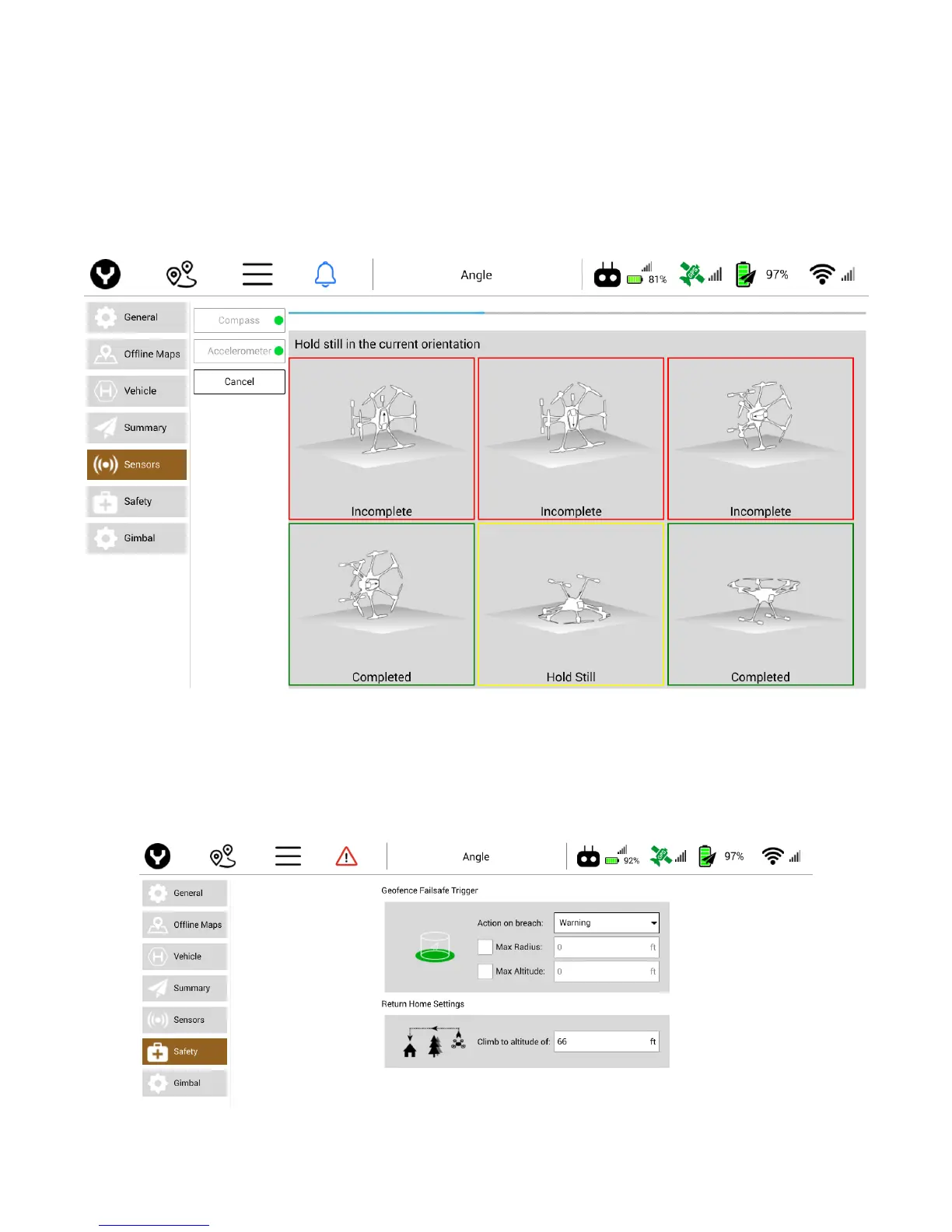
Accelerometer
To calibrate the Accelerometer, tap the Accelerometer soft key and tap OK on the right side of the
screen. A six-box grid will appear with the H520 in different positions. Place the H520 on the ground as
shown in the highlighted box. After each position, the H520 will give an audible tone and the highlight box
on the ST16S will change to the next position. Upon a successful completion of accelerometer calibration,
a green dot will appear next to the Accelerometer setting. A failed calibration will be indicated on the H520
by all six arm lights flashing red. If fail, try again, being sure to not move the aircraft during calibration.
SAFETY
GEOFENCE FAILSAFE TRIGGER
Action on Breach
Using the Action on Breach drop down menu the pilot can adjust the following actions



 To Next Page