Yuneec Electric Aviation
H520 Start Guide
9
CALIBRATING THE COMPASS AND ACCELEROMETER
COMPASS
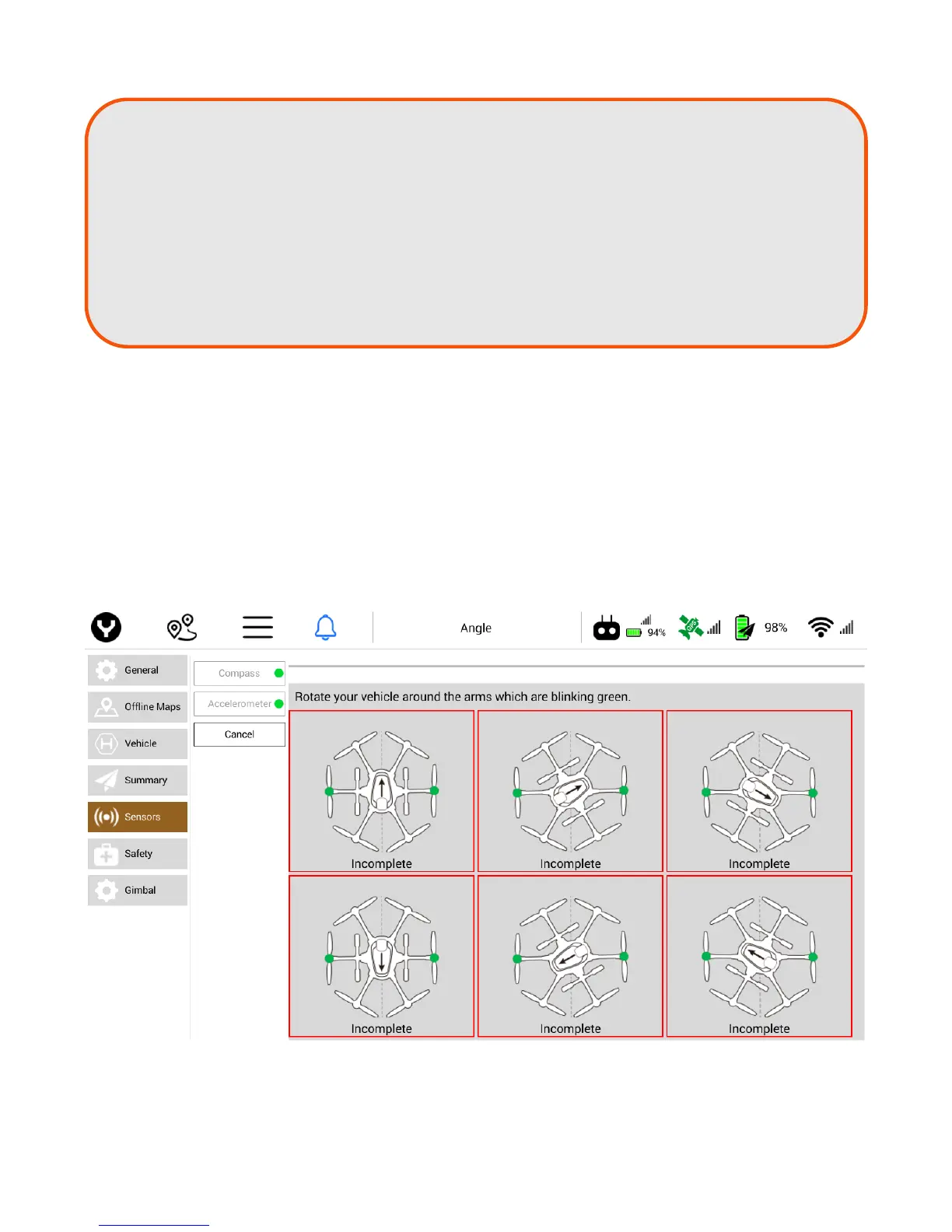
In the Settings Menu, tap Sensors | Compass. Follow the onscreen display and instructions. During
Compass calibration, the H520 will need to rotate Counter-clockwise until a tone is heard and the display
turns green. Repeat this procedure for all six positions. If Compass calibration fails, ensure there are no
electronic devices or metal objects/areas within ten feet of the H520. A yellow box with a green arrow
indicates the current calibration. A green box indicates a completed position.
Note: If a camera does not appear,
tap the arrow symbol
or tap the ‘Reset Link’ button.
Note: If the Aircraft requires a password and the password has not been changed use:
1234567890.
Note: DataPilot™ may return to the map/camera screen. if this occurs, tap the Settings
Menu icon again.
Note: Once the aircraft connects to DataPilot™ the Sensors, Safety and Gimbal menus will
appear.



 To Next Page