Yuneec Electric Aviation
H520 Start Guide
31
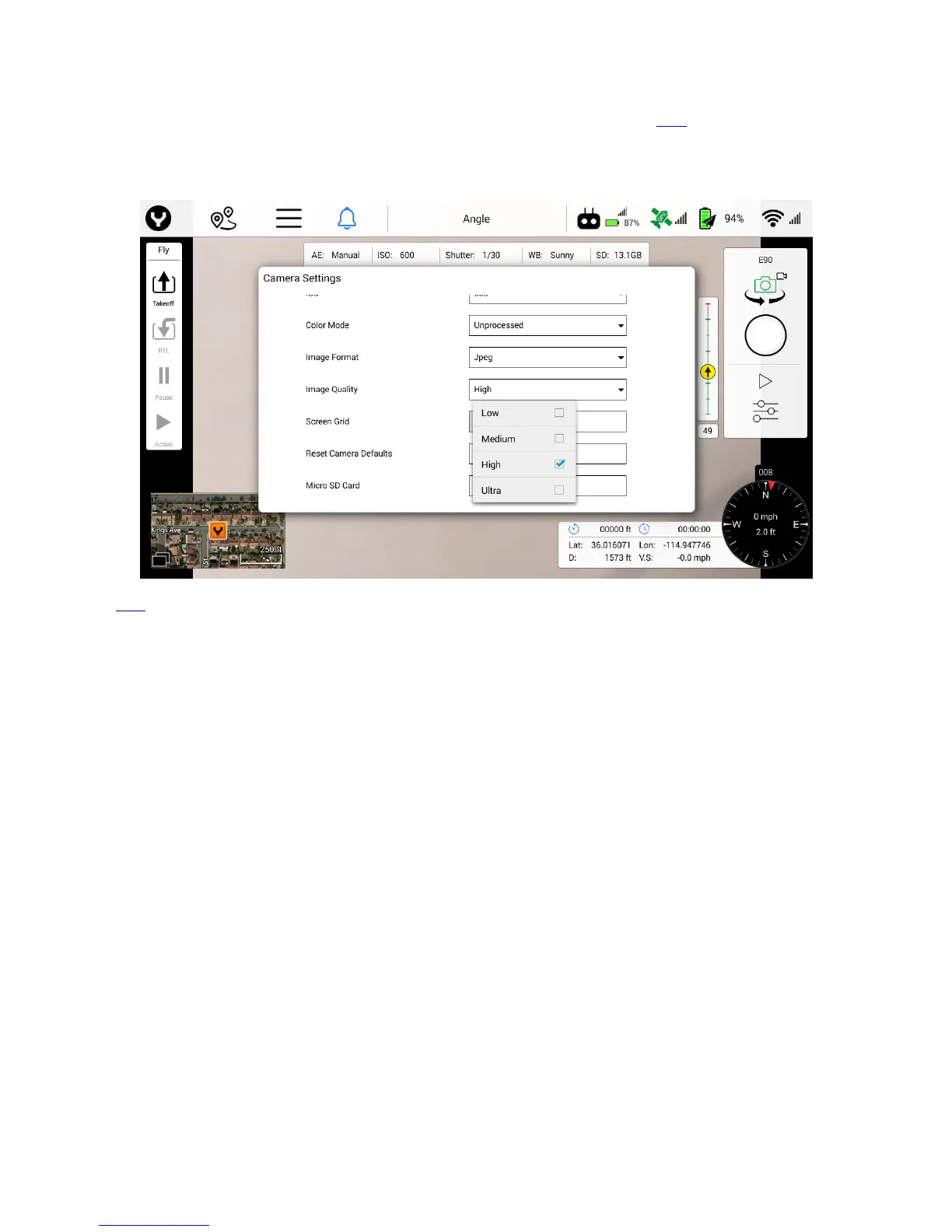
Image Quality
The following options are available for the image quality drop down menu for E90:
Low
Medium
High
Ultra
The E50 does not have the Image Quality option.
Metering Mode
The following settings are available in the Metering Mode drop down menu:
Average - Takes readings of the entire frame to adjust the image
o Averaging mode looks at the entire content of the frame and adjusts to a median point
for best overall exposure. Average mode is ideal for large landscapes where the ground
is not part of the image, while objects in the foreground might be, such as a tall building
against the sky. Some systems refer to this metering mode as “Matrix” metering.
Center - Takes a reading from the center of the frame to adjust the image
o Center-weighted modes use the center portion of the frame to set the exposure
value. Center mode ignores the corners of the frame to focus on a larger area in the
center of the frame. An ideal use of Centering mode might be when inspecting a
communications tower against a bright blue sky, exposure should be set based on the
tower, not the sky. This may cause the sky to be over exposed, particularly in backlit
scenarios, but will allow for the tower to be properly photographed.



 To Next Page