Yuneec Electric Aviation
H520 Start Guide
43
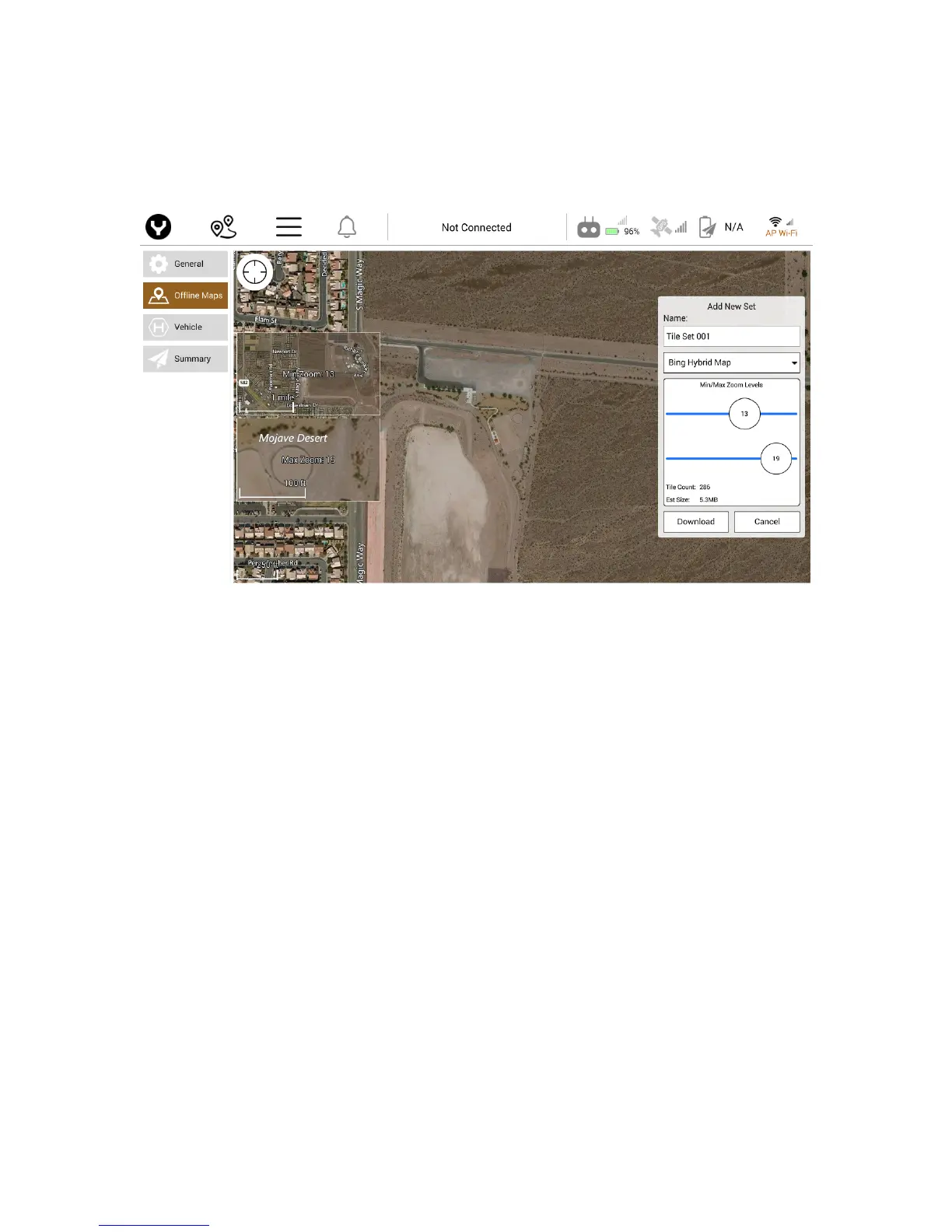
Using the slider bars, the Pilot can adjust the Min and Max Zoom levels for the downloaded map tiles. Tile
Count indicates the number of map tiles to be downloaded to the ST16S. Est Size indicates the approximate
size of the map tile files downloaded to the ST16S. Once the Pilot has the desired map tiles indicated tap
the Download button to initiate the downloading of the map tiles. To cancel the New Tile Set, tap the
Cancel button.



 To Next Page