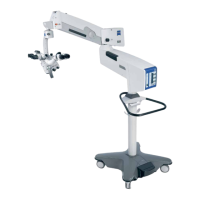
Device overview S88 / OPMI Lumera T
Version 8.0
Page 112 G-30-1682-en
Connector panel
1 Remote connection
for triggering an AUX signal, e.g. to switch on/off an external device
operating with max. 24V/0.5A.
2 Connector for switching component
Facility for connecting a foot control panel or operating chair with the
corresponding foot switch.
3 Potential equalization connector
4 Display window for rated voltage
The rated voltage displayed here must match the rated voltage of the
power grid available at the installation site. You can adjust the sliding
switch using a suitable tool.
5 Power output socket
for medical devices with the following power consumption:
In 115 V: max. 60 VA
In 230 V: max. 700 VA
The current of this power outlet is switched on/off using power switch S2 (8).
1.1 Second remote socket
A second remote socket is necessary for the electrical communication
between an ocular fundus image system (for example RESIGHT 700)
and the OPMI Lumera T; this second remote socket is included in the
"Accessory Connection Retrofit Kit". Depending on the details of the
order, the OPMI Lumera T is already equipped with the "Accessory
Connection Retrofit Kit" on delivery or the kit can be fitted at a later date
by ZEISS Service.
CAUTION Danger! Electrical voltage!
• Only connect accessories and medical devices designated by ZEISS for use
with this system to the power outlet sockets. When connecting other
devices, the operator must ensure that safety is guaranteed with regard
to permissible touch and earth leakage currents in accordance with
IEC 60601-1.
CAUTION Danger of harm to patient from electrical voltage!
• Do not touch the power output socket or any other signal interfaces
when in contact with the patient.




 To Next Page