Preparations for use S88 / OPMI Lumera T
Version 8.0
Page 148 G-30-1682-en
1Chip HD camera option
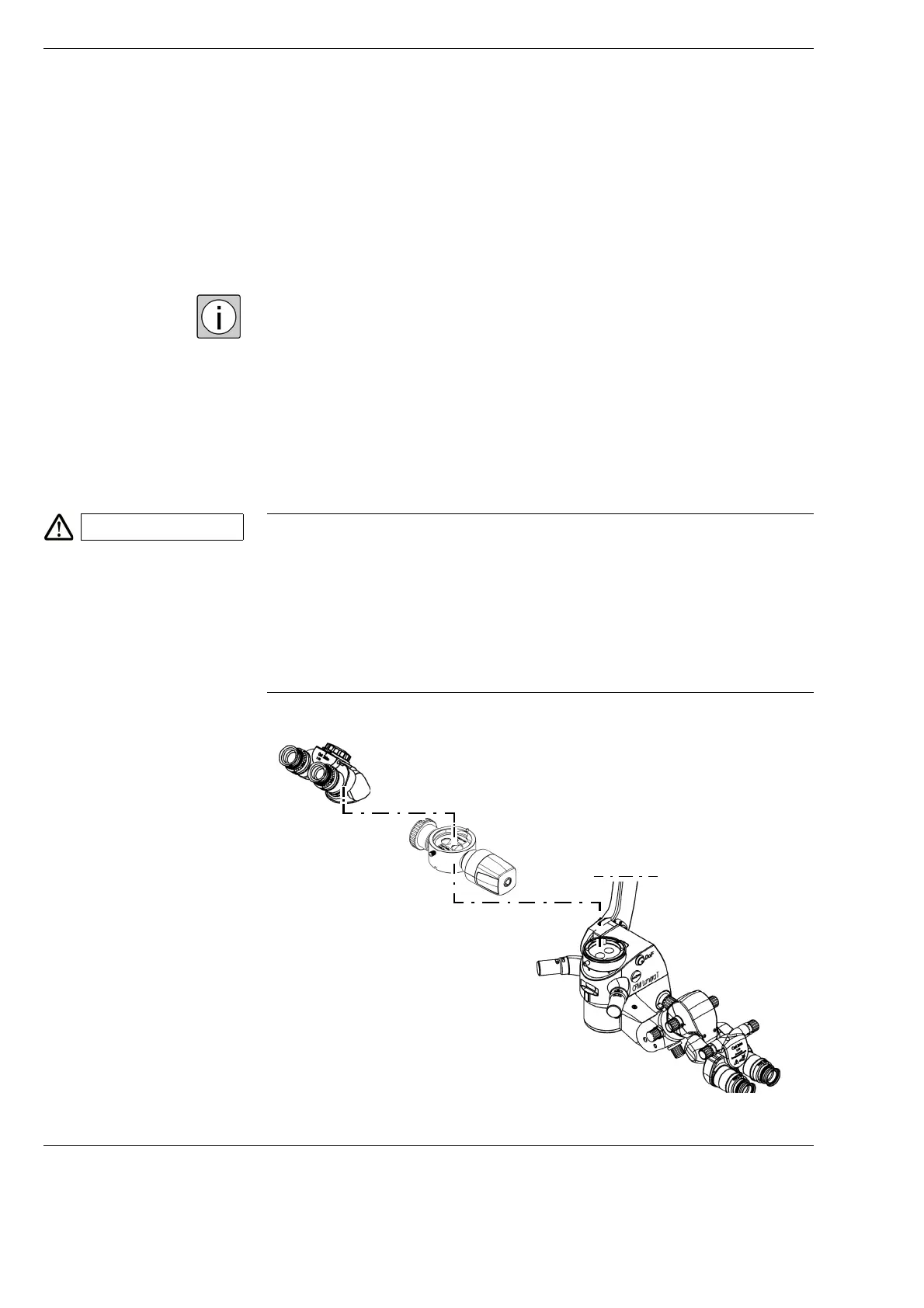
Installing the 1Chip HD camera
Please observe the "1Chip HD camera" Instructions for Use (G-30-1946).
These Instructions for Use are included automatically in systems with the
"1Chip HD camera" option. They contain all the additional explanations for
the "1Chip HD camera" option.
The 1Chip HD camera is flanged permanently onto a beam splitter. Normally
the beam splitter with the 1Chip HD camera remains installed on the surgical
microscope.
However, the beam splitter with the 1Chip HD camera can be removed from
the surgical microscope if necessary.
CAUTION Risk of infection due to dangling camera cable!
If the beam splitter and the permanently connected 1Chip HD camera are
removed from the surgical microscope and the remaining, non-sterile camera
cable is hanging down from the surgical microscope, the camera cable could
contaminate the sterile area with pathogens under certain circumstances.
This may cause infections.
• Make sure that the remaining camera cable is not hanging down from
the surgical microscope.
R508







 To Next Page