Version 8.0
G-30-1682-en Page 15
S88 / OPMI Lumera T Safety measures
• In the event of overheating, the lamp switches off automaticall. When the
lamp has cooled down, it switches on again automatically. The patient's
eye may be injured by the sudden high light intensity.
Activate the backup lamp immediately after the lamp failure or switch off
the illumination system.
• Never use force when trying to connect any electrical connectors
(plugs, sockets). If connection is not readily possible, check whether
the plug fits the socket. If any of the connectors are damaged,
have ZEISS Service repair them.
• Position the suspension system in such a way that you can slide or swing
it away from the patient at any time.
• Prior to using the wireless foot control panel (FCP WL), make sure that its
batteries are fully charged. Inadequate power supply to the wireless foot
control panel may cause the device to malfunction.
• Go through the checklist in the chapter "Operation".
• Depending on the application, take appropriate precautions to ensure
that the surgical procedure or treatment can be completed without the
full functionality of this microscope (e.g. illumination) if necessary.
• If you operate the device in a sterile area, make sure that you use the
corresponding sterile accessories for the device.
Sterile single-use drapes are available to cover the system.
• When draping the system, make sure there is enough slack in the drapes
to allow for movement of the microscope carrier and surgical microscope.
• Comply with the instructions for use of the sterile drape and attach the
drape in such a way that your field of view is not impaired.
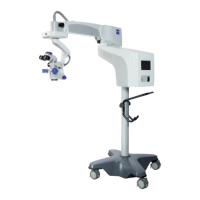
• Use the grab handle on the floor stand for moving.
• Mind the maximum vertical clearance when passing through doorways.
• Avoid any jolting.
• Be extremely careful when moving over slopes.
• Do not park the device on sloped surfaces.
• Secure the system in position by locking at least three of the tabs on the
stand base to prevent the stand from rolling away inadvertently.







 To Next Page