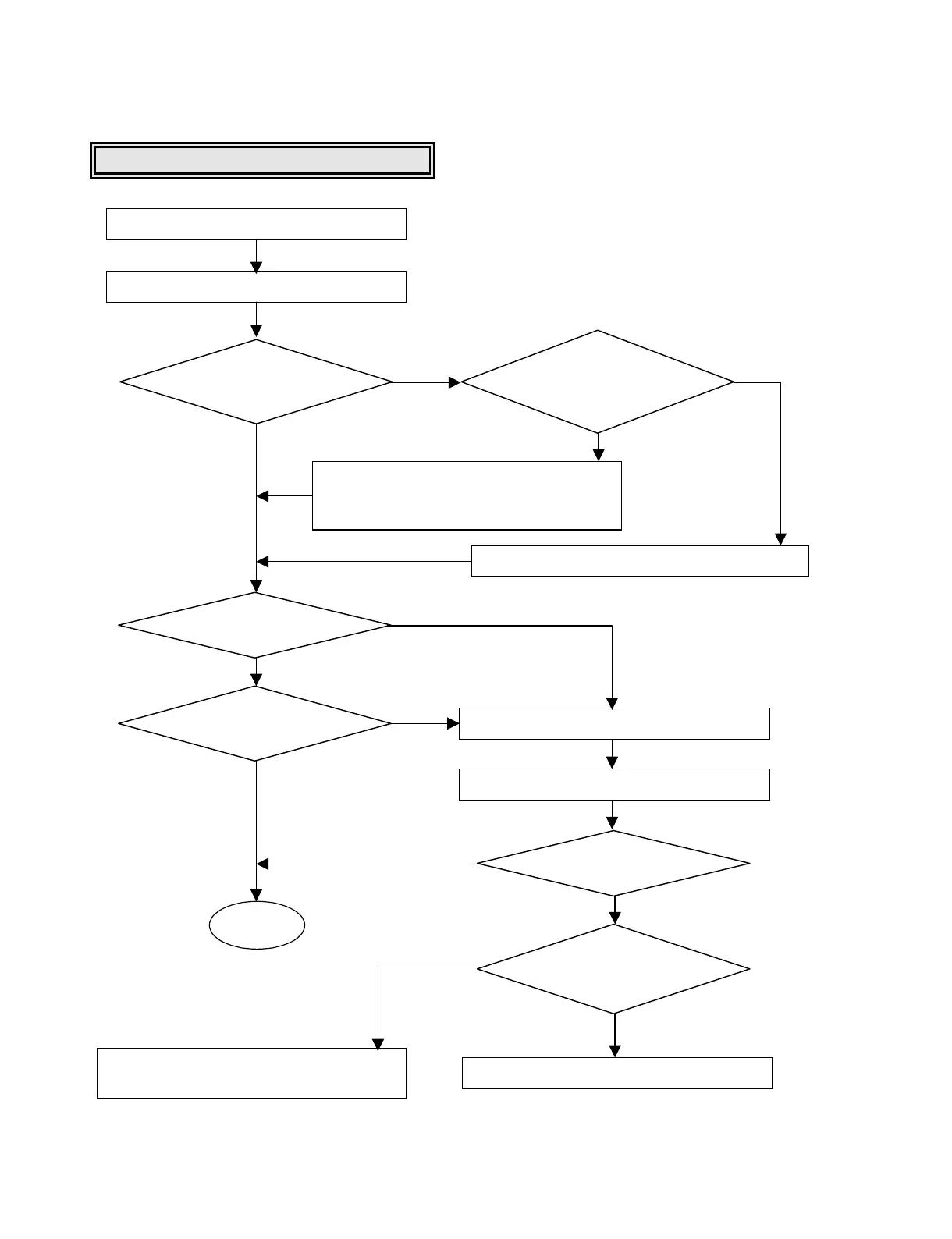
Writing Part Check
Load tray with DVD ±R/RW disc.
Run and write with writing tool.
•Check the connection between IC302
pin 58,59 and LED.
•Check and replace the LED1,LED2.
Does the
blink of LED1,LED2 occurs
during writing?
Does writing finish
without any error?
Is the written file
read normally?
OK
Check and replace the connection of
IC202 pin 130.
Do the IC302
pin 58,59 output toggle
signals during writing?
Check and replace the IC302.
Eject tray.
Go to “LD CHECK”.
Is the re-written file
read normally?
Is SHAPCRE
input signal pulse?
(IC107 pin 56)
Check and replace IC107,IC202.
YES
YES
YES
YES
YES
YES
NO
NO
NO
NO
NO




 To Next Page