SpeedFace-V5L Series User Manual
Page | 113 Copyright©2022 ZKTECO CO., LTD. All rights reserved.
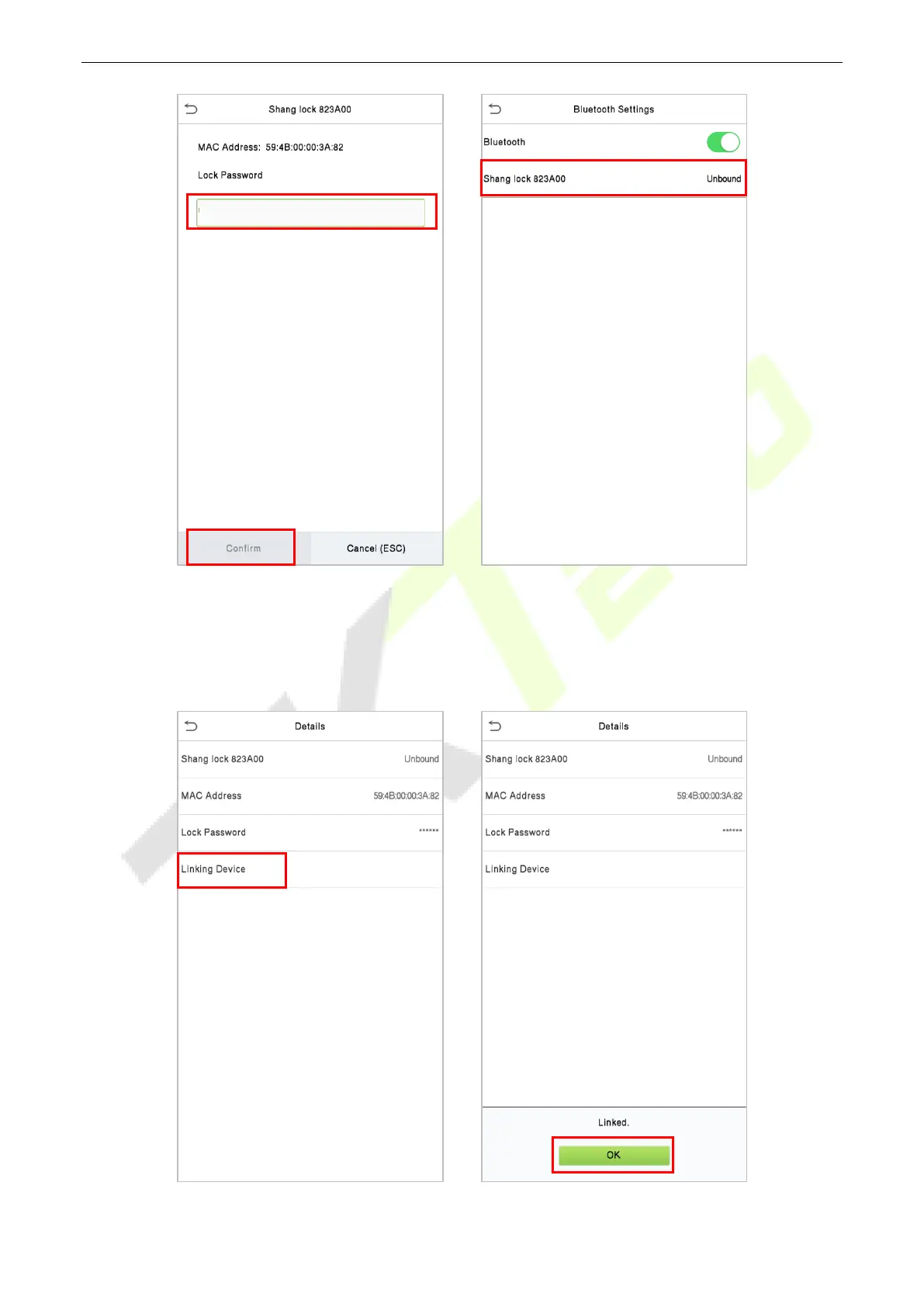
Select the unbound Bluetooth lock again to enter the Details interface.
Please touch the Bluetooth lock keyboard to wake up the device first, and then click Linking Device,
the Bluetooth lock will emit a beep sound, and the interface will pop up a "Linked" prompt, indicating
that the device is successfully bound.


 To Next Page
 Loading...










