28 | 3DGence INDUSTRY F340
MATERIAL STATUS
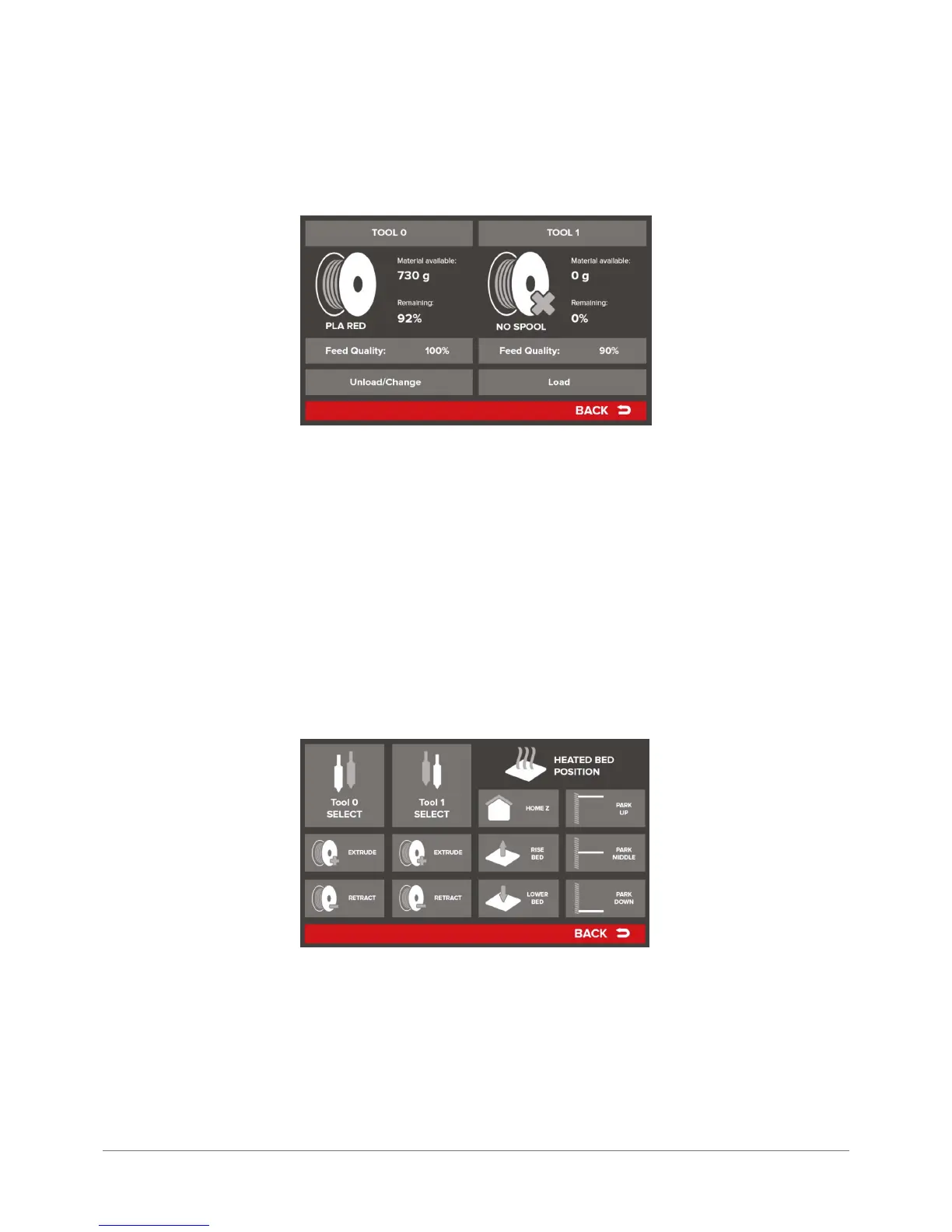
The Material Status key calls up a screen with information and operations related to installation, disassembly and chang-
ing consumables:
All the information included in this screen is presented separately – on the left for extruder 0, while on the right for ex-
truder 1. The following description is related to material coming from the 3DGence Base of Certied Materials. Other cases
are considered in OPERATING THE DEVICE chapter, section 4.
– Material available – net weight of the material on spool,
– Remaining – percentage of the material remaining to use,
– Feed Quality – the parameter that compares the assumed material use to actual material use. It allows for diagnosing
material feeding problems,
– Unload/Change i Load – if material is installed on this extruder, available is the option Unload/Change. If the selection
triggers the procedure of lament removal. If the extruder is empty the Load option is available which triggers the pro-
cedure of loading a new material.
MANUAL CONTROLS
The MANUAL CONTROLS key transfers the user to manual control screen with some of the printer functions described below:
Tool 0 – head setting corresponding to extruder 0 in working position.
Tool 1 – head setting corresponding to extruder 1 in working position.
Extrude – triggers material extrusion operation. It refers exclusively to head set in working position and is possible only
when the head obtains a minimum operation temperature.
Retract – triggers the material retraction. It refers exclusively to head set in working position and is possible only when
the head obtains a minimum operation temperature.
Home Z – homing of Z axis (sets axis Z in zero position). The printing bed stops at the top of the device. If the printer is
not homed, other movements are disabled.



 To Next Page