Pannoramic 250 1.15 User’s Guide 5 Troubleshooting and Maintenance
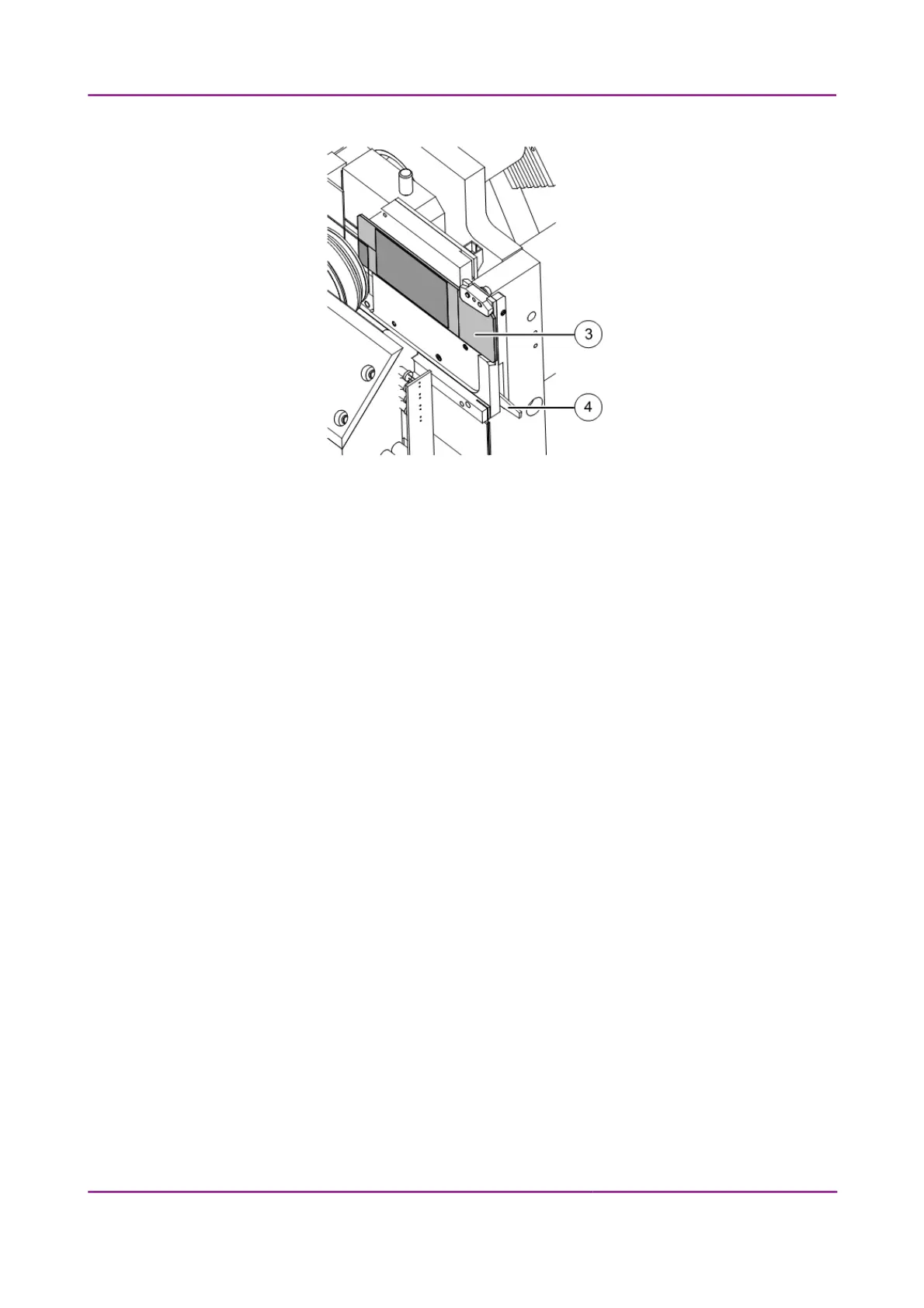
Figure 86 – Removing a slide
1. Open the protective cover (see section 5.3.1 Opening the protective cover).
2. Push locking lever (1) to the left, and keep the lever in this position.
3. Seize the slide loader (2) by the end where the lever is and turn it up by the necessary
degree to make the removing of slide possible
4. Press clamping lever (4) down. The slide position lock releases.
5. Retrieve slide (3) from the holder.
6. Release clamping lever.
7. Turn down the slide loader back into the original position and pull it inwardly (to the
Pannoramic 250), until the guiding pin connects with the motor block groove again.
8. Press the slide loader down to mechanical stop position, in which the locking lever must
engage (1). Use moderate force to press the loader part opposite the motor in clamp
direction (2), until this part mechanically engages, too.
9. Close the protective cover again (see section 5.3.1 Opening the protective cover).
10. Launch the control software.
March 13, 2012 – Rev. 1 3DHISTECH Ltd.
125(135)



 To Next Page