Pannoramic 250 1.15 User’s Guide 5 Troubleshooting and Maintenance
5.3.5 Installing and Removing the Filter Module (Fluorescent Option)
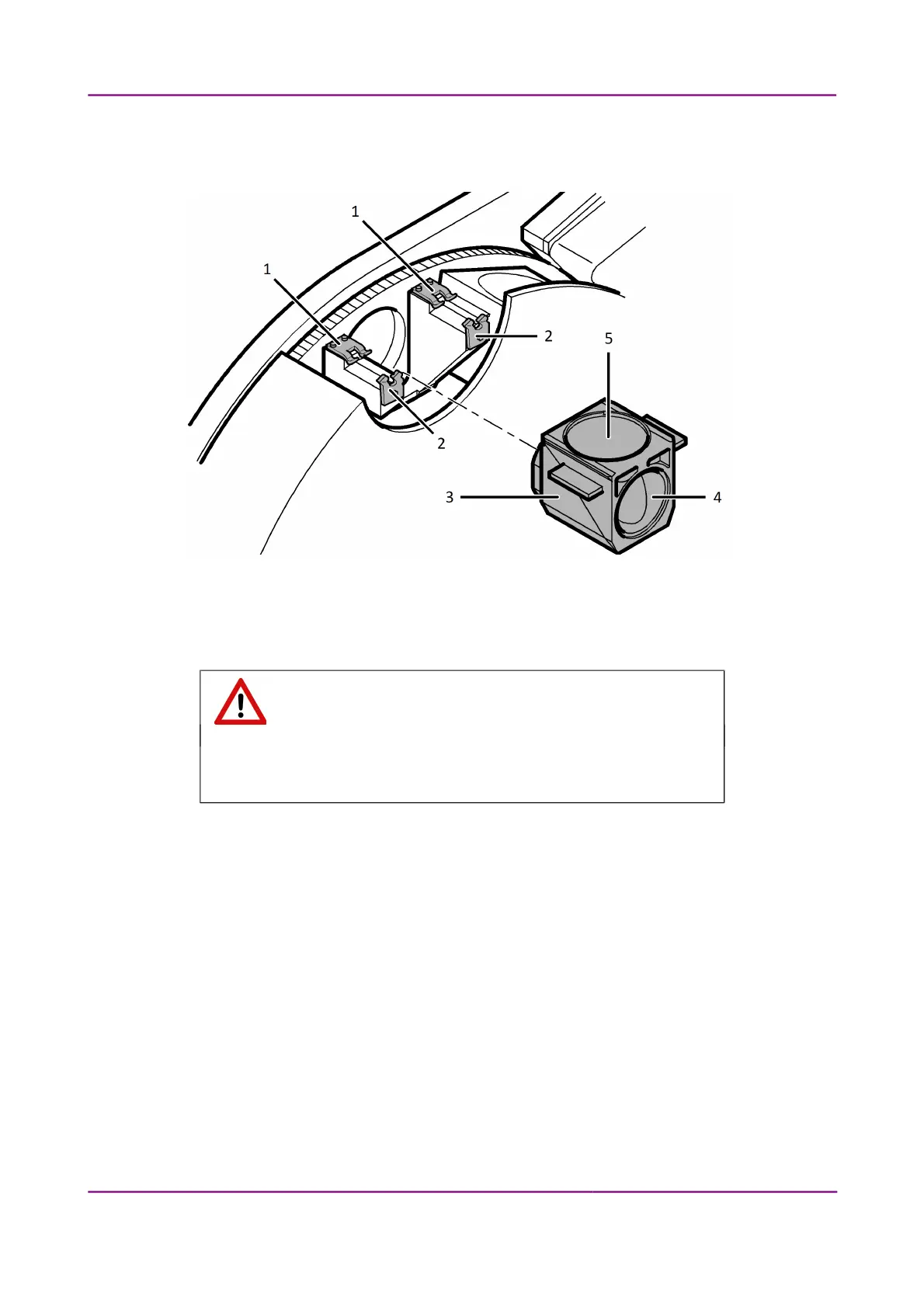
Figure 87 – Installing and removing the filter module
1. Switch the HXP 120 illuminator off.
Warning!
Crush hazard! Stop the running digitization process before you proceed
with filter module installation or removal.
2. Open the protective cover (see section 5.3.1 Opening the protective cover).
3. Select the desired filter in the corresponding software window (see section 4.2.3
Microscope Settings/Base Settings panel). The filter will be positioned in such a way that
the user can access it without having to turn the filter wheel manually.
4. Enter the respective parameters in the input fields.
5. Hold the filter module (3) by its handling pads (one on the right, one on the left (lateral)
side of the module) and insert it in forward tilted position from above into the upper spring-
loaded clamps (1) at the filter wheel.
March 13, 2012 – Rev. 1 3DHISTECH Ltd.
126(135)



 To Next Page