Pannoramic 250 1.15 User’s Guide 3 Operating Slides and Magazines
Caution!
Ensure that no part of the mounted coverslip protrudes from the edges
of the slide.
Use slides only with completely dried embedding medium. If not so,
the coverslip can be shifted that makes slide loading less reliable. Not
completely dried embedding might also influence the operation of
objectives and other device parts.
Warning!
Do not change correction collar settings on 40x objective, if you need it
to be set, contact customer service.
3.2 Affixing Barcode Stickers to Slides
This section describes how to affix barcode stickers to slides. Barcodes enable virtual slide
identification.
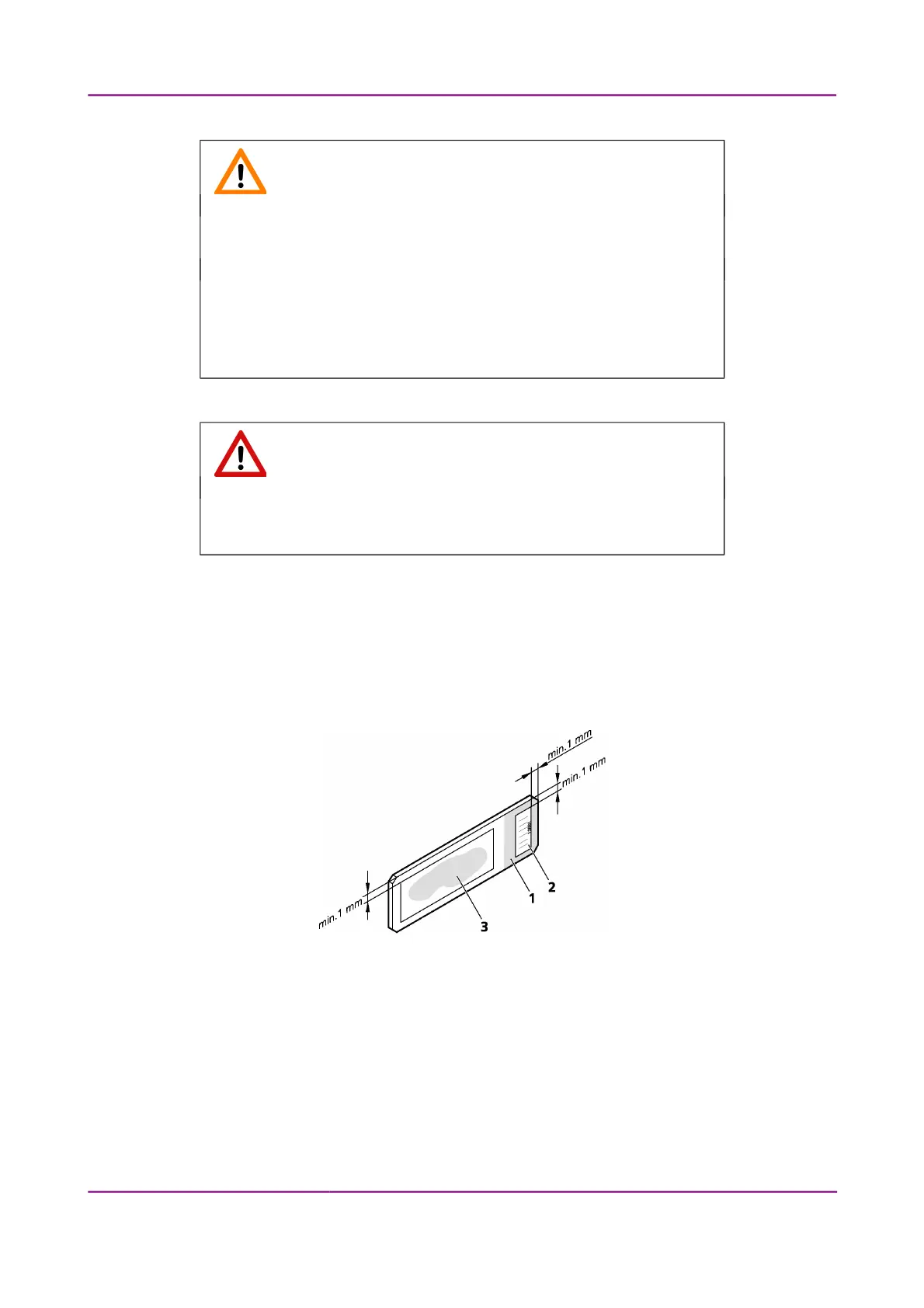
Figure 11 – Slide with a barcode sticker
The label area (1) is recorded by the preview camera, and can be displayed by the control and viewer
software.
To affix barcode stickers to slides, do the following:
1. Peel off the barcode sticker (2) from the roll.
2. Stick it on the colored label area of the slide (1), on the specimen side.
March 13, 2012 – Rev. 1 3DHISTECH Ltd.
28(135)



 To Next Page