Pannoramic 250 1.15 User’s Guide 4 Software Description
• With the Z-stack method separate layers are created and stored, and can be opened with
Pannoramic Viewer. The Z-stack slide contains the extended focus layer.
• Both for Extended focus and Z-Stack scanning methods, you can determine the desired
number of focus levels with the Focus levels selection box. The current focus value is the
starting point. If you set 5 for example, one current, two focus levels above and below FOVs
are captured. Therefore, it is advised to choose an odd number for the focus levels. Separate
layers are created and stored this way, and can be opened with Pannoramic Viewer. The Z-
stack slide contains the extended focus layer.
Focus step size determines the spacing between focus levels. One step is around 0.2 µm.
The default settings are: Number of focus levels: 7; Focus step size: 5.
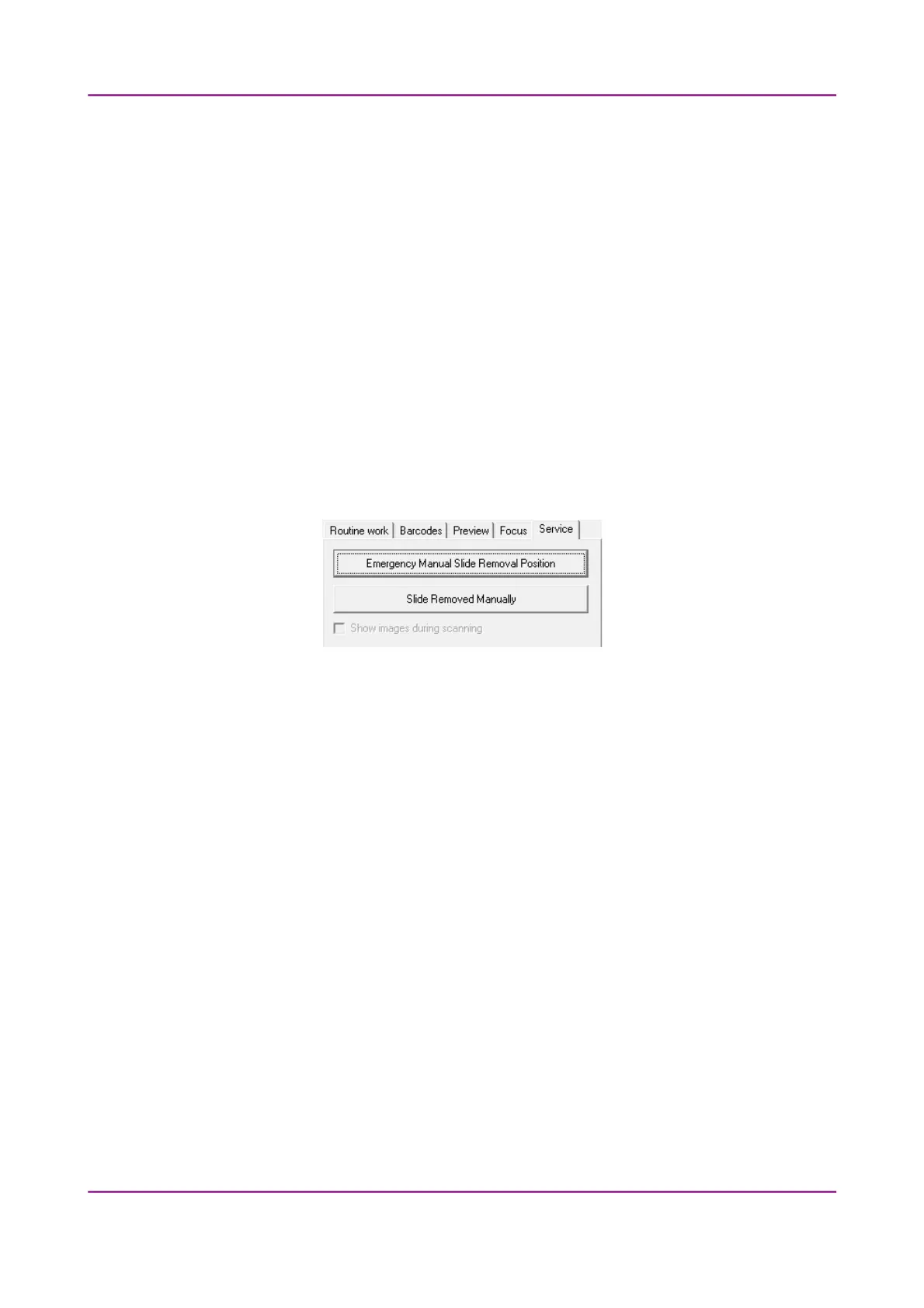
4.4.5 Service tab panel
Figure 52 – Service tab panel
This tab panel contains the following control and maintenance functions:
Emergency Manual Slide Removal Position
The specimen holder will be moved to a position where the slide can be removed
manually after opening the cover (see section 5.3.1 Opening the protective cover).
Slide Removed Manually
Click this button to notify the software that you have removed the slide manually.
Show images during scanning
This function is inactive in this mode.
March 13, 2012 – Rev. 1 3DHISTECH Ltd.
77(135)



 To Next Page