Pannoramic 250 1.15 User’s Guide 4 Software Description
4.4.3 Preview tab panel
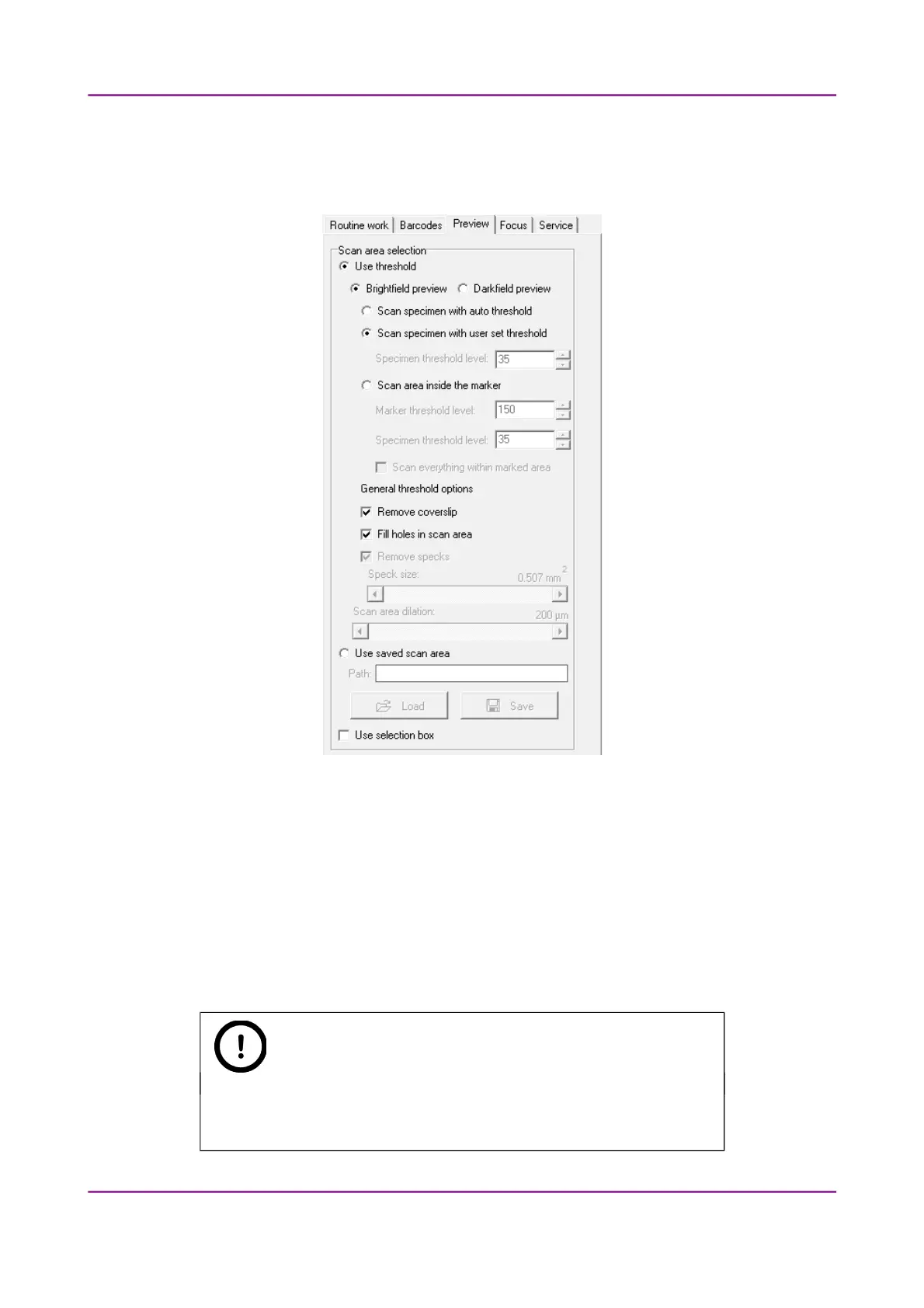
Figure 49 – Preview tab panel
The Preview tab panel offers options for threshold setting and selection of the area to be scanned.
The options in Automatic mode are the same as described in Manual mode.
In Automatic mode you cannot change the threshold values (it will use the threshold values that were
set previously in the Manual mode), and when activating the Use selection box option, the area
cannot be set.
For more information, see section 4.3.3. Preview tab panel.
Note:
It is recommended to use profiles, since the Automatic mode does not
provide a preview image to check settings.
March 13, 2012 – Rev. 1 3DHISTECH Ltd.
75(135)



 To Next Page