Pannoramic 250 1.15 User’s Guide 5 Troubleshooting and Maintenance
Warning!
Avoid touching the surface of the filters, and store the modules in their
own boxes when not used.
6. Press the filter module down, until it safely connects to the bottom spring-loaded clamps
(2) of the filter wheel. Mounting position of the filters: excitation filter (5); emission filter (4)
7. To remove the filter module, first slightly tilt it out of its upper spring-loaded fixtures, then
pull it out of the bottom spring-loaded components and take it off.
8. Close the protective cover (see section 5.3.1 Opening the protective cover).
9. Switch the HXP 120 illuminator on again (consider the cooling time possibly required).
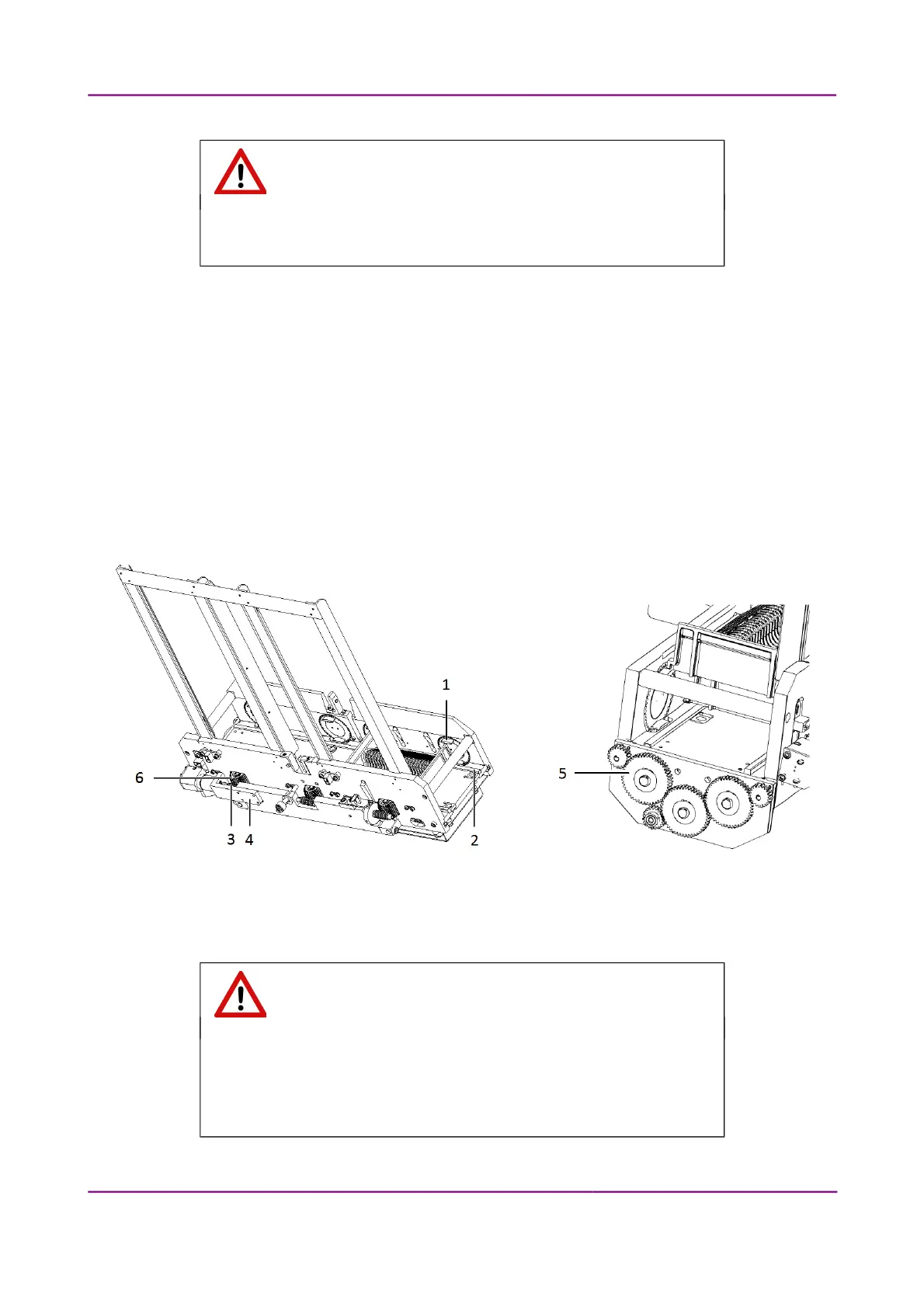
5.3.6 Removing a Magazine from the Transporting System
Figure 88 – Removing a magazine
1. Open the protective cover (see section 5.3.1 Opening the protective cover).
Warning!
Crush hazard! Remember to stop the running digitization process,
terminate the software session and turn power supply off before you
remove a jammed magazine (see section 1.1.4 Main parts of the Base
Unit).
March 13, 2012 – Rev. 1 3DHISTECH Ltd.
127(135)



 To Next Page