Pannoramic 250 1.15 User’s Guide 4 Software Description
4.5.3 Preview tab panel
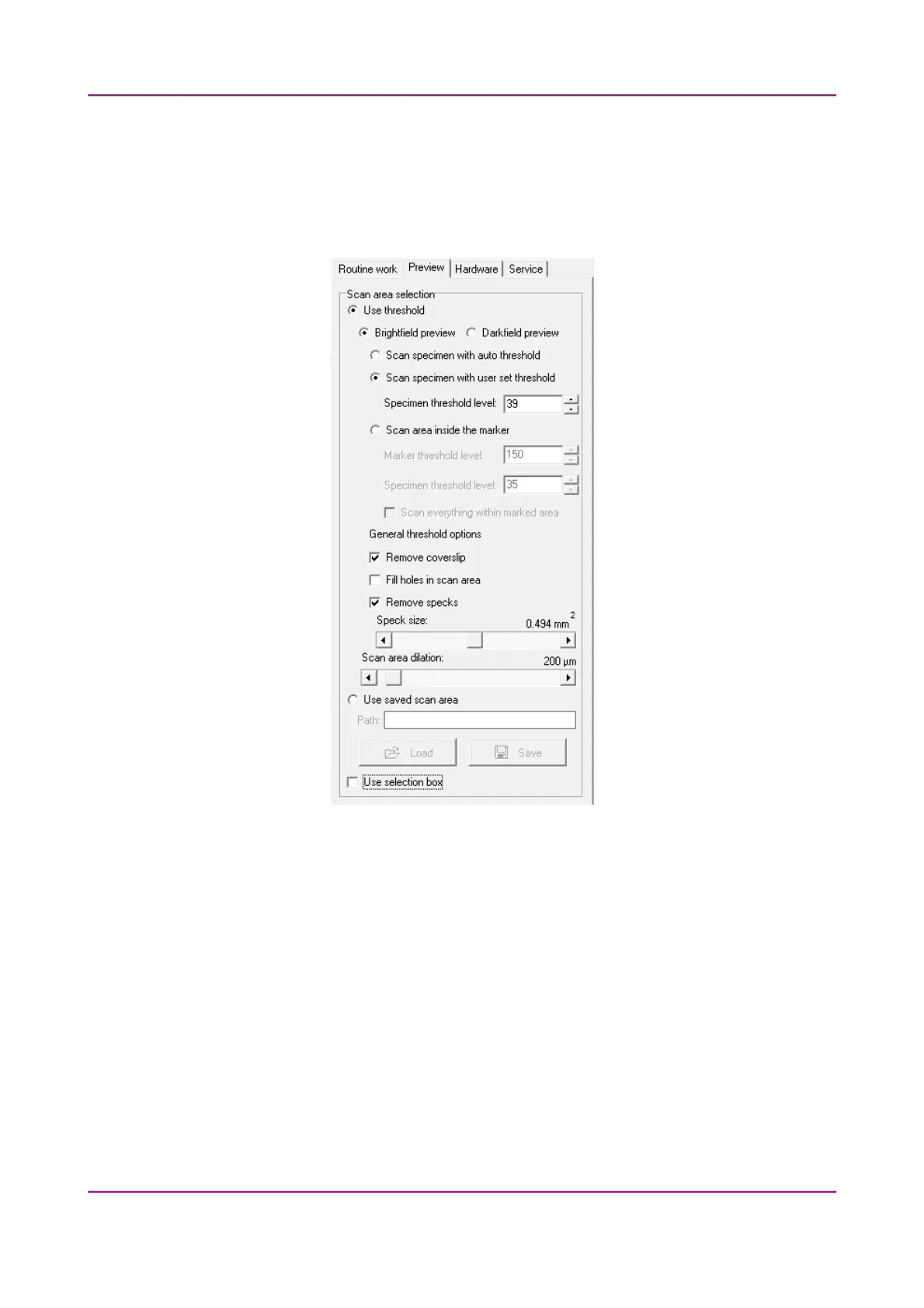
The Preview tab panel offers options for threshold setting and selection of the area to be scanned.
Figure 58 – Preview tab panel
Use threshold
• Brightfield preview – a normal type of illumination in the microscope for scanning the slide.
This option is not recommended in Fluorescent manual mode.
• Darkfield preview – the preview image is created with transmitted Darkfield illumination.
The image is created within a minute.
March 13, 2012 – Rev. 1 3DHISTECH Ltd.
88(135)



 To Next Page