Pannoramic 250 1.15 User’s Guide 4 Software Description
Run defines the window mode that the external application will start in. The following window
modes can be set:
• Normal window
• Minimized
• Maximized
You can test whether the Error Occurred Call settings work by clicking . By moving the
mouse over the buttons, the software displays information about the setting you are interested
in.
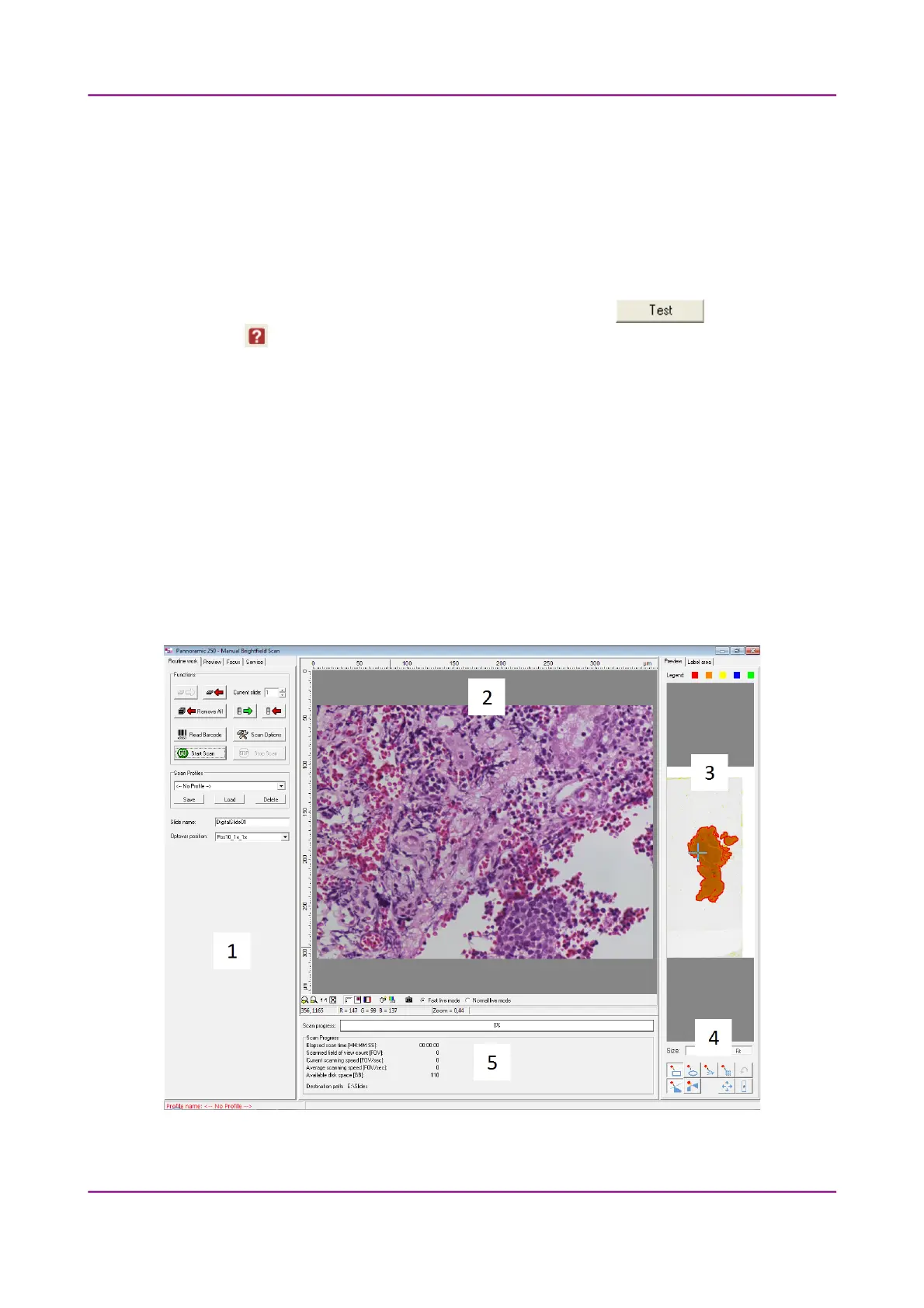
4.3 Using Brightfield Manual Mode
You can use Brightfield Manual mode to set the scanning, preview, and image quality settings. You
can also set profile settings here, and start scanning in Brightfield Manual mode. This Manual mode is
perfect for digitizing slides that require unique settings, or single slides. You can also define profiles
here, which can be used in the Automatic mode.
For more information on profiles, see section 4.8 Using Profiles; on Automatic mode, see section 4.4
Using Brightfield Automatic Mode.
Figure 28 – Main window of control software
March 13, 2012 – Rev. 1 3DHISTECH Ltd.
50(135)



 To Next Page