Pannoramic 250 1.15 User’s Guide 4 Software Description
4.2.1 Barcode Settings
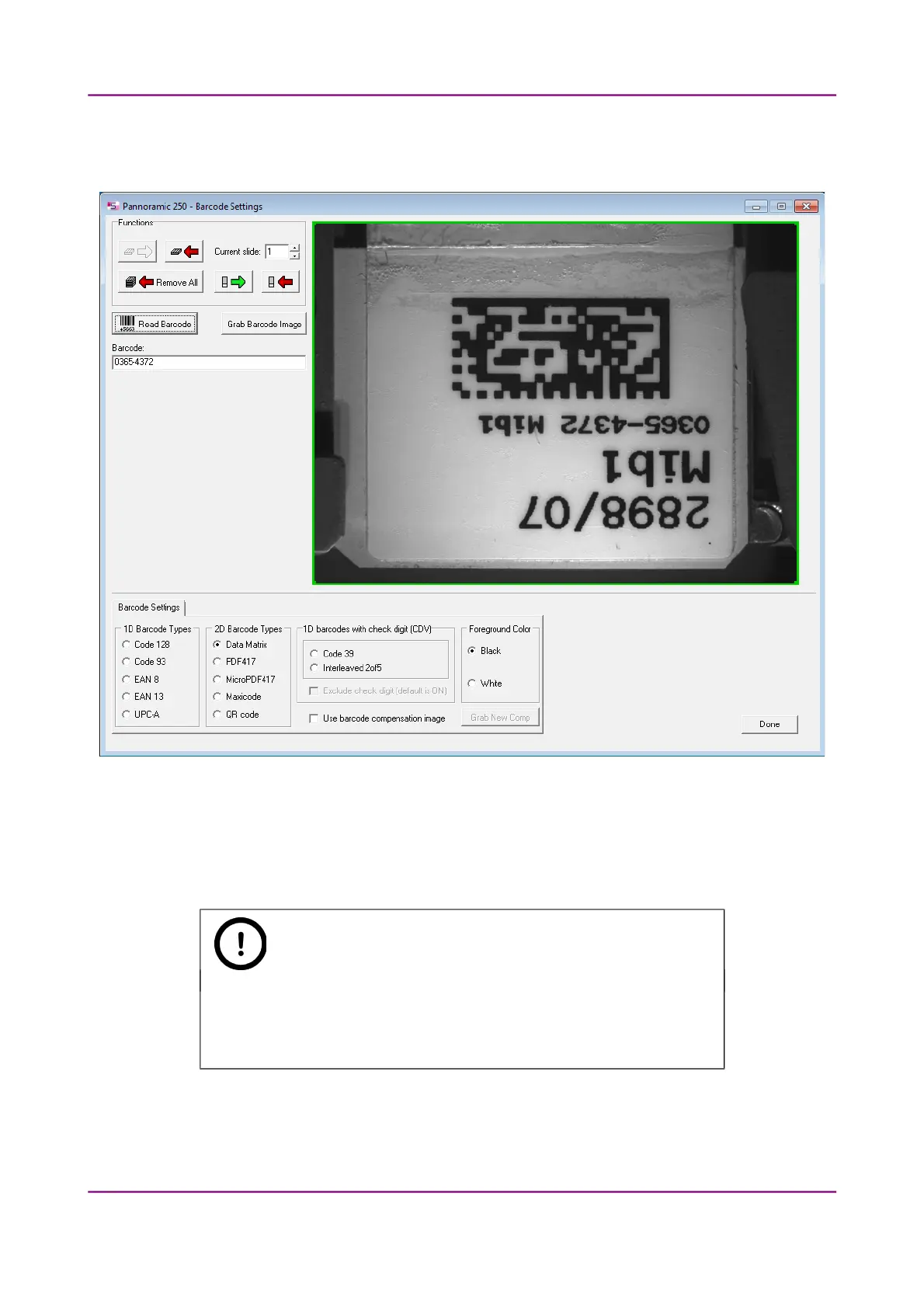
Figure 19 – Barcode settings
Before starting the control software, you have to set the barcode settings here. By predefining the
barcode type, foreground color (black or white – the color of the barcode), and other settings, you
enable the Read Barcode option when using the control software.
Note:
You can only scan the barcode type that you have previously set. If you
want to read several barcode types, you always have to set the current
barcode type before reading it.
March 13, 2012 – Rev. 1 3DHISTECH Ltd.
36(135)



 To Next Page