Pannoramic 250 1.15 User’s Guide 4 Software Description
4.4.4 Focus tab panel
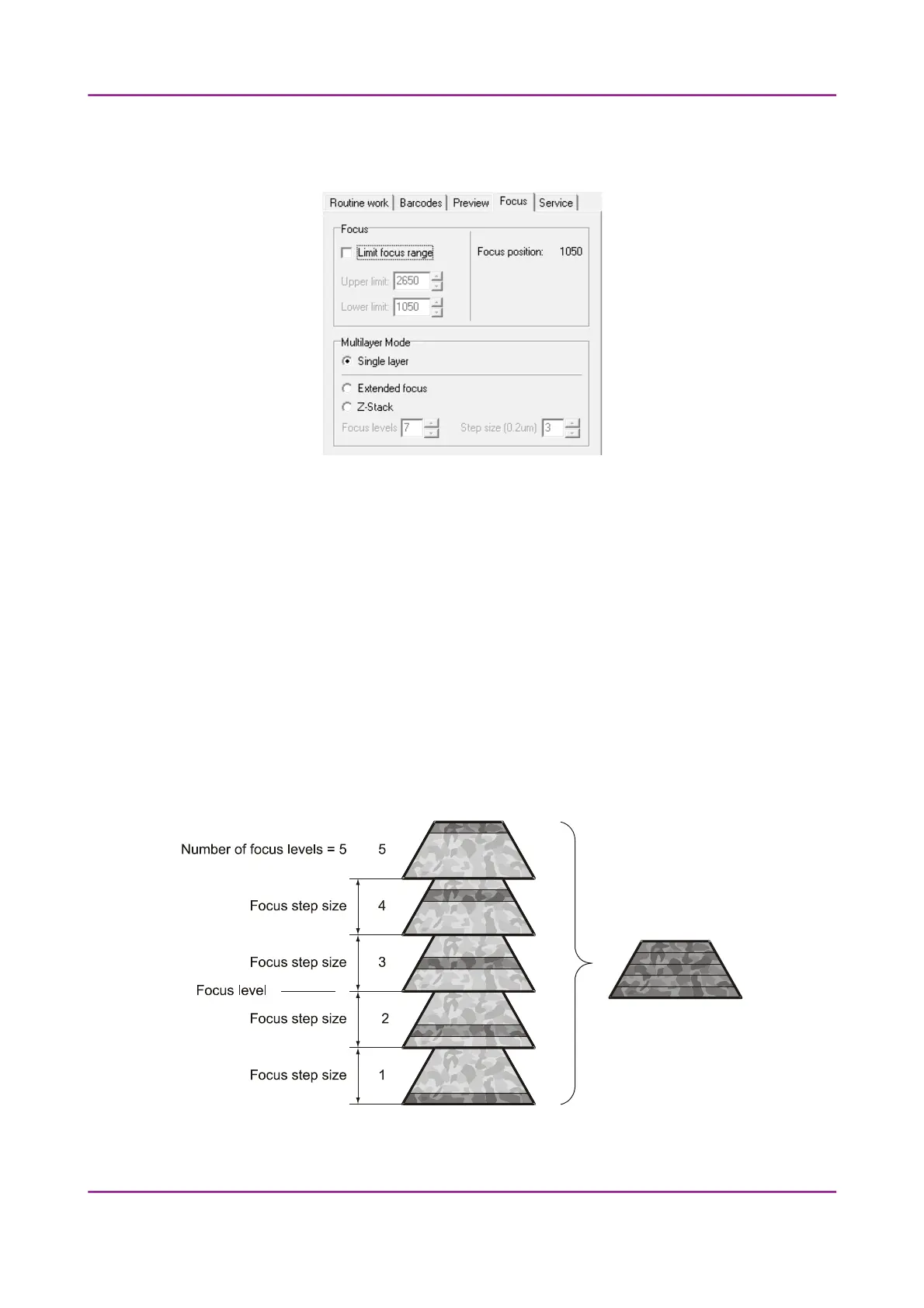
Figure 50 – Focus tab panel
Focus
You can define focus limits by selecting Limit focus range. You can set the upper and lower
limits by selecting the desired value in the selection boxes. This is useful if focusing was not
targeted on the specimen, but on a spot on the coverslip.
Multilayer mode
• Select Single layer option if you want to scan a single layer of the slide.
• By choosing the Extended focus option, the software selects the sharpest image from each
focus level for each image field, and combines them into one single image. Therefore those
parts that were blurry in auto/manual focus will also be sharp. This method guarantees the
maximum depth of sharpness, however, it reduces digitization speed.
Figure 51 – Focus level and step size
March 13, 2012 – Rev. 1 3DHISTECH Ltd.
76(135)



 To Next Page