Pannoramic 250 1.15 User’s Guide 4 Software Description
1. Tab panel with scanner functions and setting
2. Scan camera live image display area
3. Preview image recorded by the preview camera
4. Preview image editor toolbar
5. Information area about the digitization progress
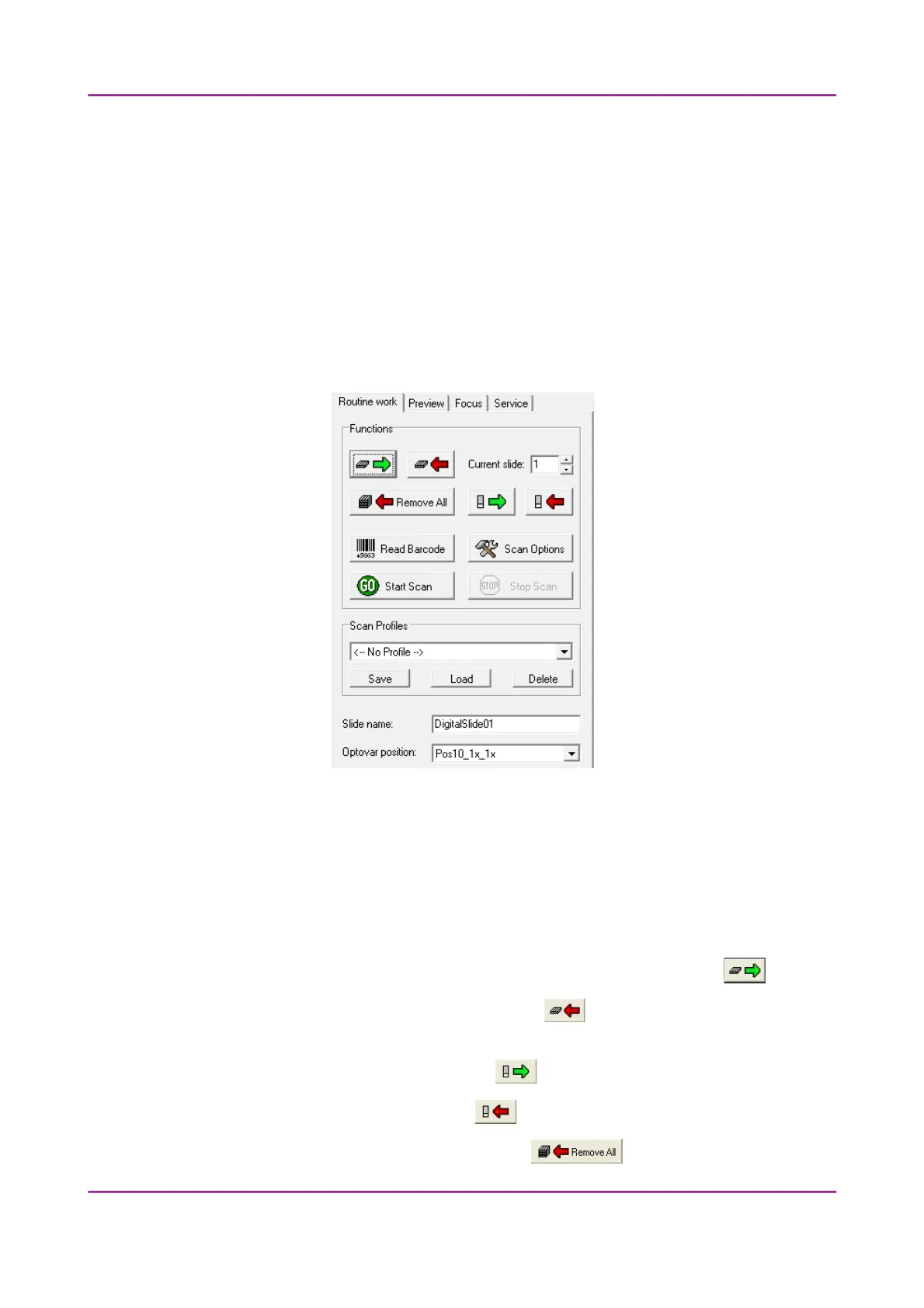
4.3.1 Routine work tab panel
Figure 29 – Routine work tab panel
The Routine work tab panel provides basic digitization functions. Features are described in the
forthcoming section.
To insert and remove slides
• To move the lowest magazine in the input stack to the loading position click .
• To move the magazine into the output stack, click .
• To move a selected slide from its magazine to the specimen holder either enter its position
number to the Current slide field and click .
• To return the slide to its magazine, click .
• To move all magazines to the output stack, click .
March 13, 2012 – Rev. 1 3DHISTECH Ltd.
51(135)



 To Next Page