Pannoramic 250 1.15 User’s Guide 2 Installation
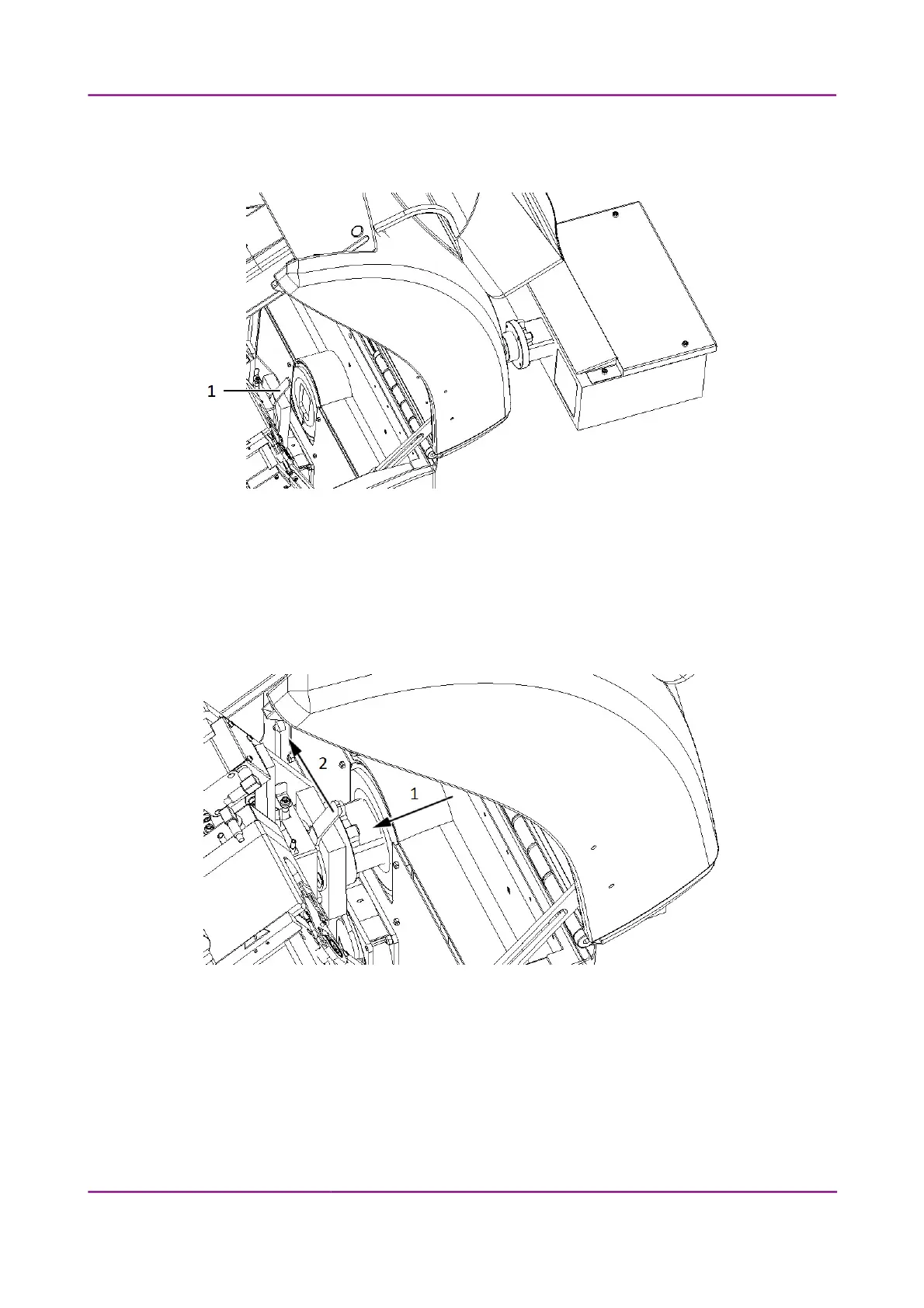
4. Move the lever (1) to the open position, which is to the right when facing the front of the unit
(see Figure 9).
Figure 9 – Positioning locking lever
5. Attach the Lumencor unit so the contact surfaces at the mounting point are tightly
compressed (see Figure 10 – Step 1).
6. Secure the locking lever by moving it to the left (see Figure 10 – Step 2). If the lever stucks at
around the center position, apply a bit more pressure to the Lumencor unit.
Figure 10 – Mounting the Lumencor unit
7. Close the protective cover of the Pannoramic 250.
March 13, 2012 – Rev. 1 3DHISTECH Ltd.
26(135)



 To Next Page