Pannoramic 250 1.15 User’s Guide 4 Software Description
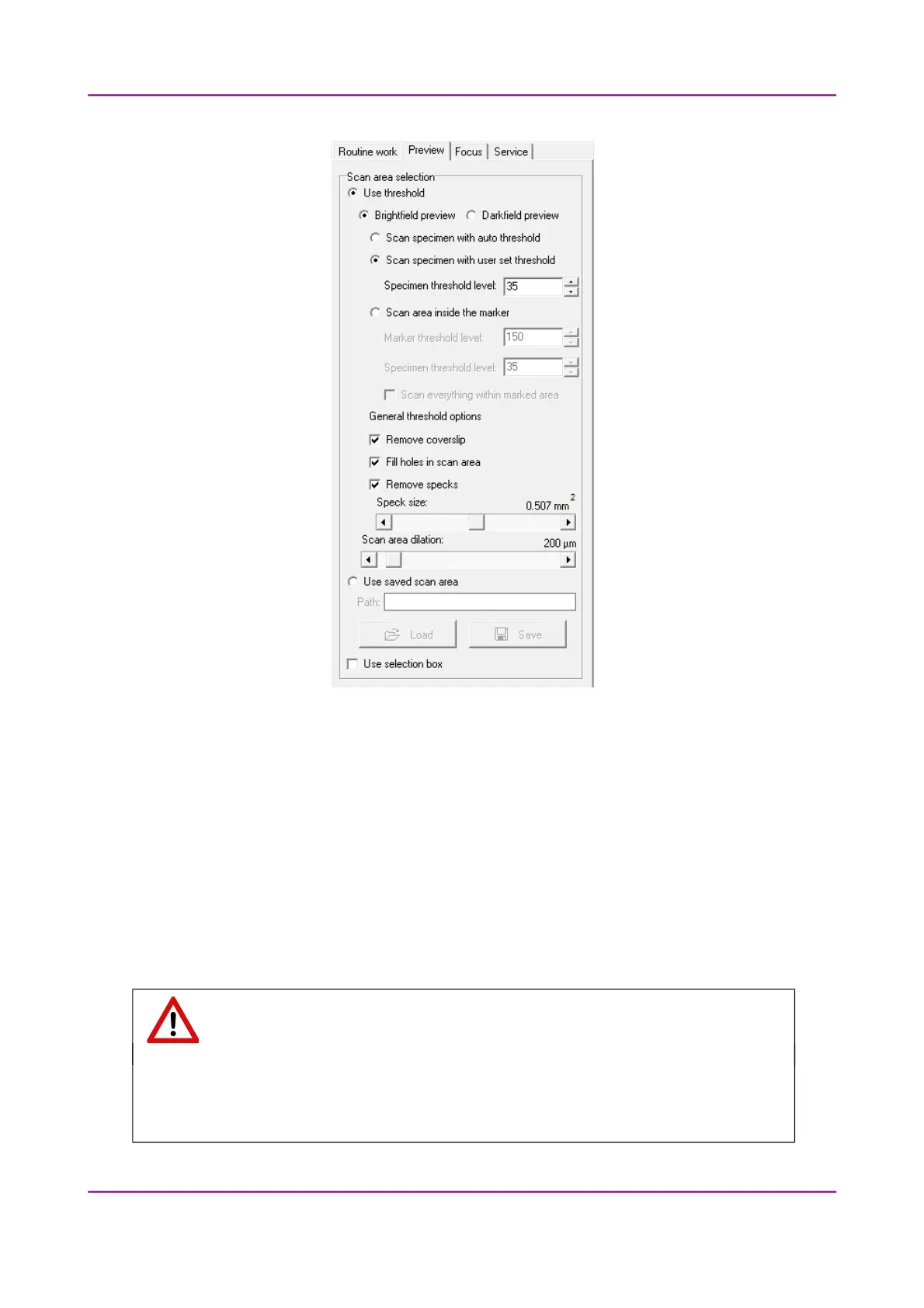
Figure 31 – Preview tab panel
Use threshold
• Brightfield preview – a normal type of illumination in the microscope for scanning the slide.
• Darkfield preview – the preview image is created with transmitted Darkfield illumination.
This option is recommended for you to choose in case the sample is not correctly stained (for
example, the specimen is lacking contrast) when using Brightfield illumination. The image is
created within a minute.
• Scan specimen with auto threshold – This automatically detects the specimen in
the preview image.
Important!
Make sure that the detection result is acceptable for you. Otherwise set the threshold
value manually or append missing areas with the help of Scanned function located at the
preview toolbar.
March 13, 2012 – Rev. 1 3DHISTECH Ltd.
55(135)



 To Next Page