106 | Aprisa LTE User Manual
INTERFACE CONFIGURATION
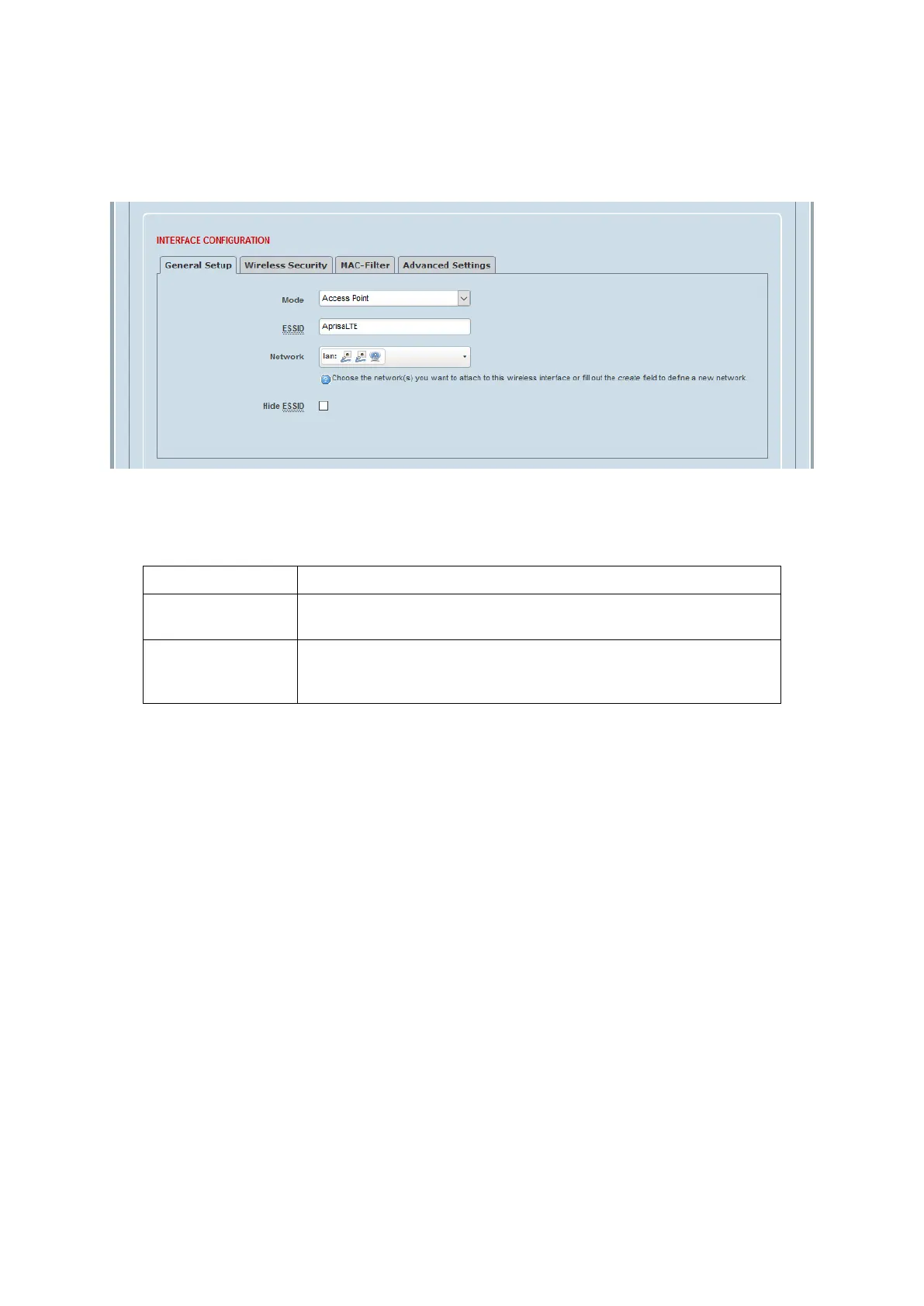
WiFi Interface Configuration > General Setup
This page provides setup of the WiFi General Setup.
Mode
This parameter sets the WiFi mode. The default setting is Access Point.
In Access Point (AP) mode, the LTE provides connectivity to other
Wi-Fi clients, and can share its network connections with them.
In Client mode, the wireless client is assigned an IP from the
associated AP, and is able to access to wired network through
associated AP.
ESSID
This parameter sets the WiFi ESSID. The Extended Service Set Identifier (ESSID) consists of all the BSSIDs in
the network. For practical purposes, the ESSID identifies the same network as the SSID. The default setting
is AprisaLTE.
Network
This parameter sets the logical network to associate the Wi-Fi network with. Select a network from the
presented list, or you may choose to create a new network.



 To Next Page